少女祈祷中...

我觉得我需要学习python

(我想要成为AI大师)

快捷键:

1
2
3
Ctrl + L				#选中一行
Ctrl + / #选中注释
Crtl + d #快速选中全文相似的目标

Day-1 8.4

输出:

,只是起到给你一个空格,不是链接:

image-20250804113304433

链接是靠 f (字符串流)

1
print(f'我是{变量}')

数字:

image-20250804114015108

字符串特殊输出:

1
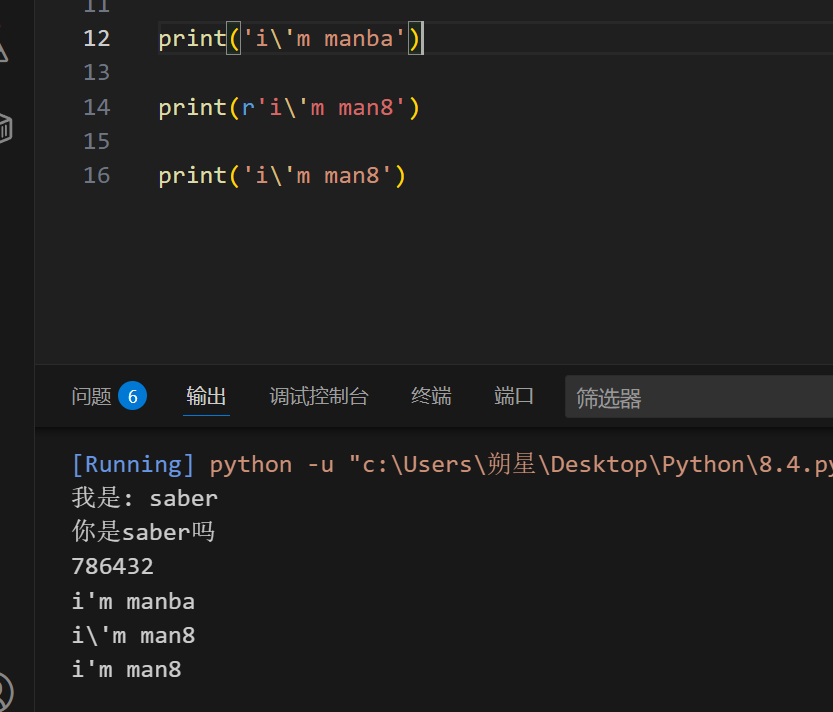
print('i\'m manba')

一旦输入 r 就会取消转义性质:

[ r 表示原始字符串(raw string)]

1
2
3
print(r'i\'m man8')

print('i\'m man8')

失去转义性质

image-20250804114632643

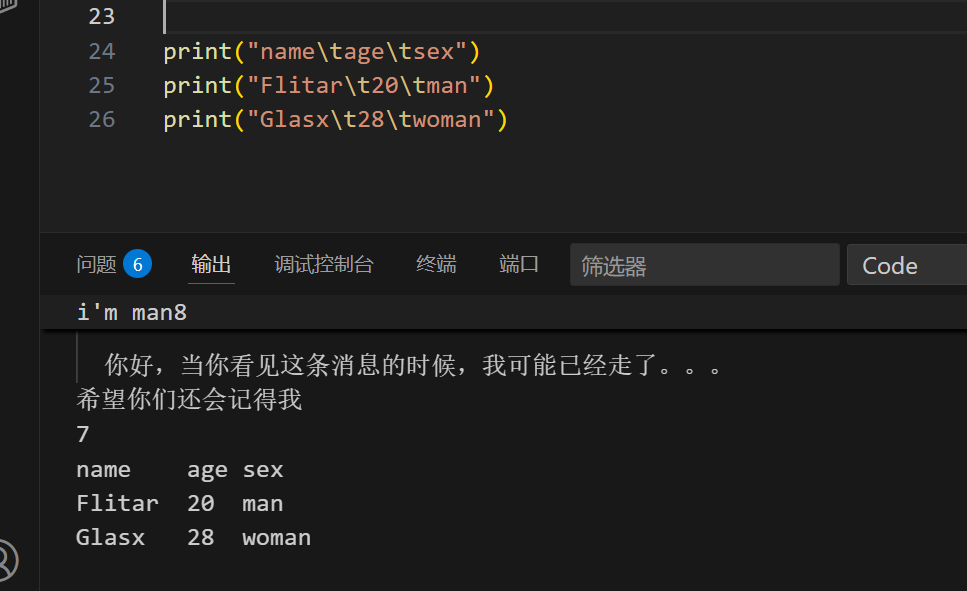
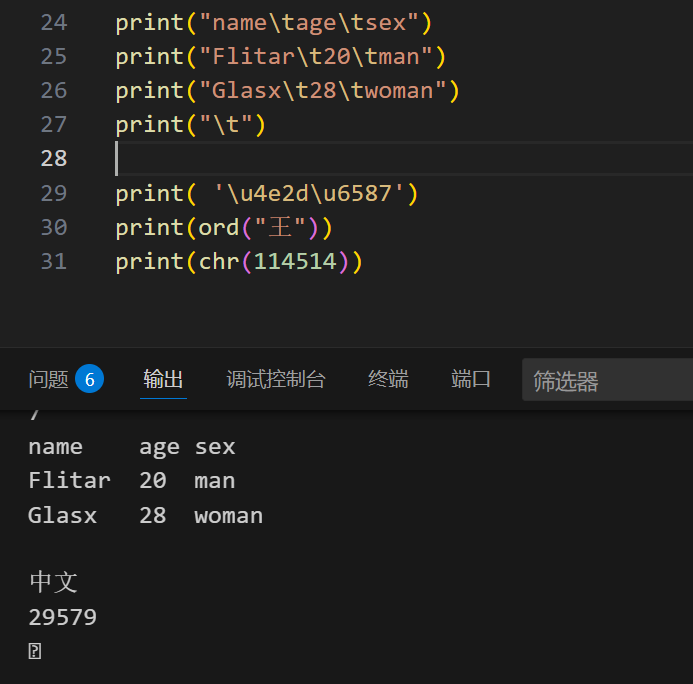
\t:水平制表符(Horizontal Tab)

会自动对齐:

image-20250804133523362

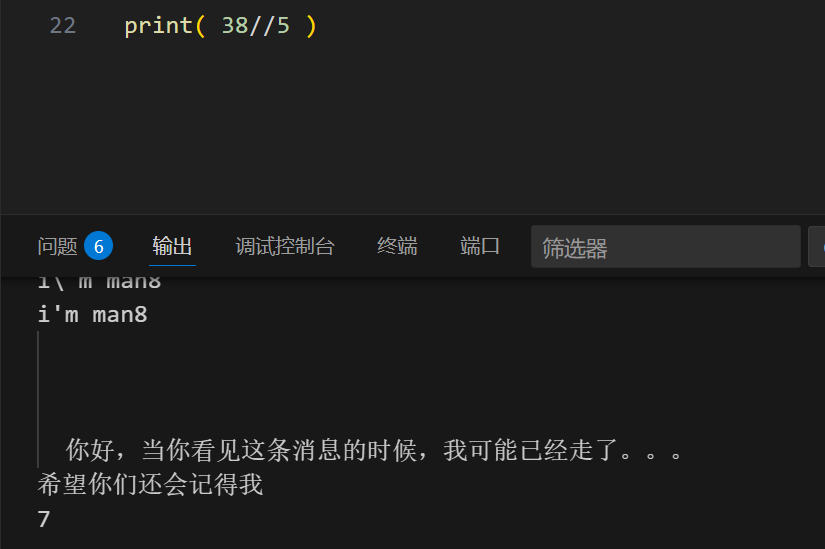
整除://

1
print( 38//5 )

image-20250804121147115

即使结果是7.6 还是指保留了7

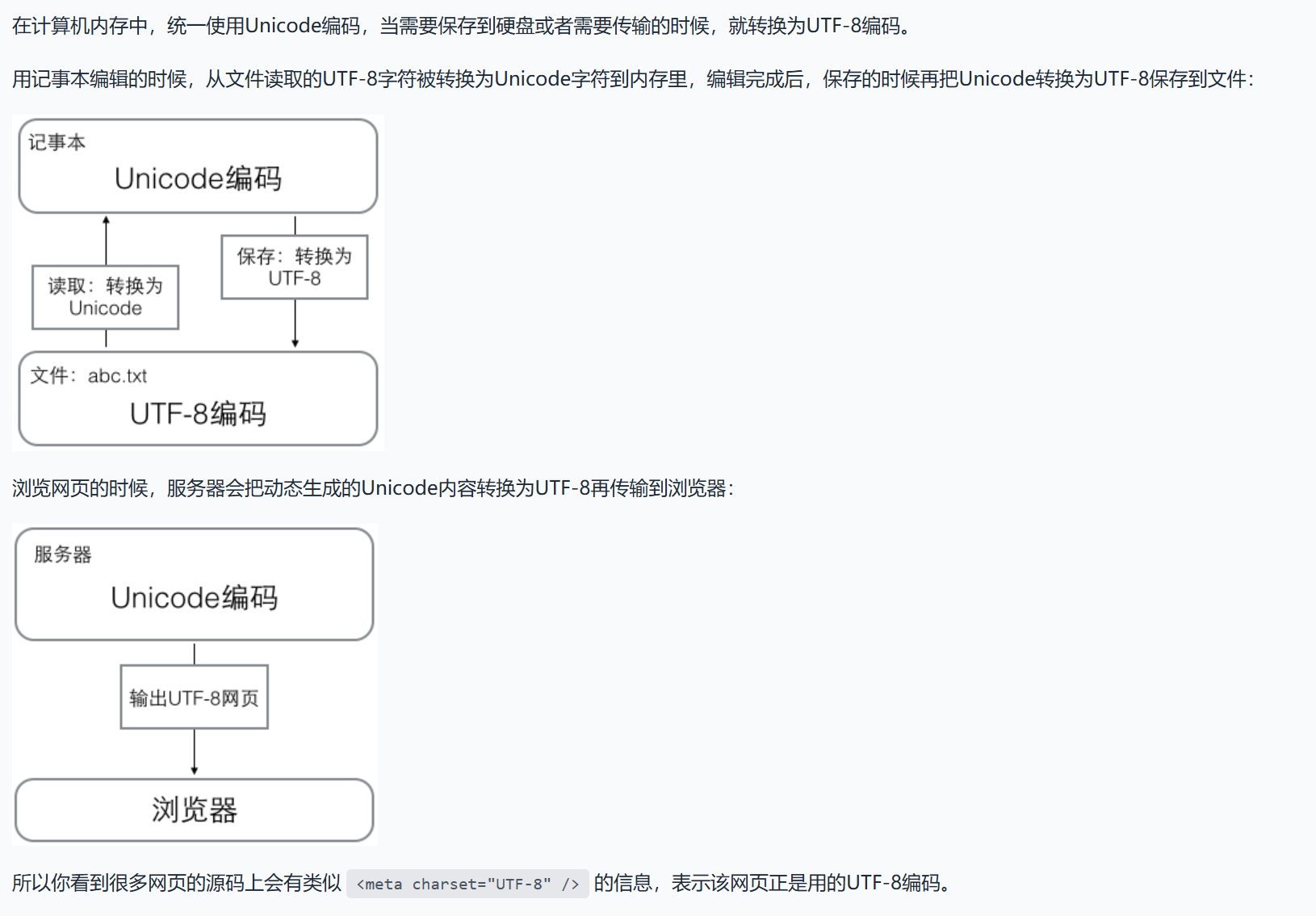
编码:

image-20250804134523638

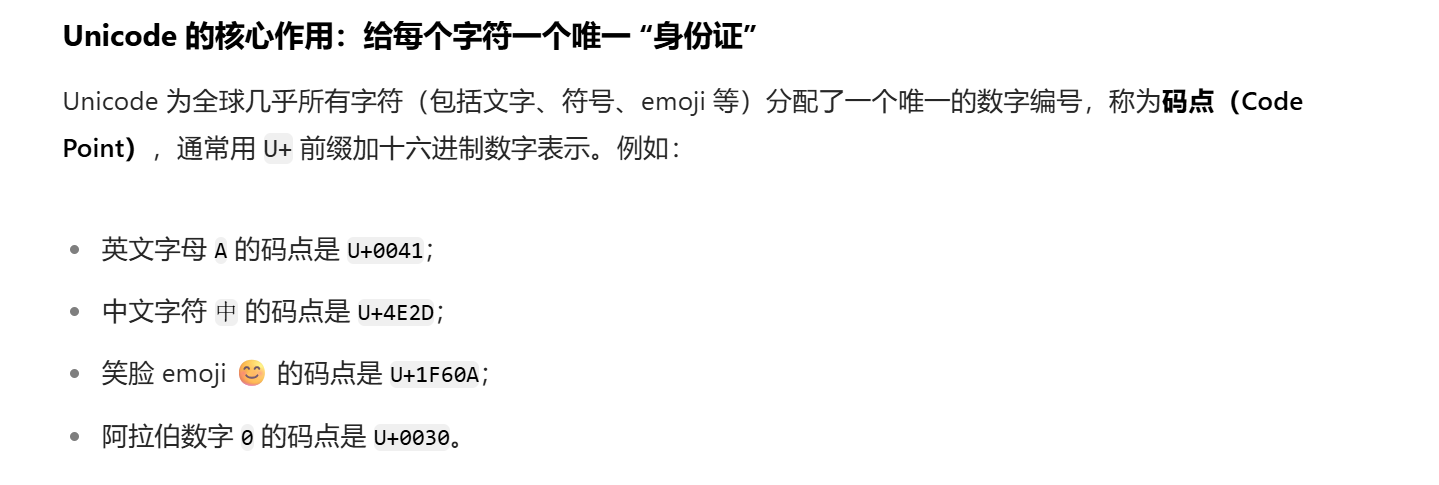
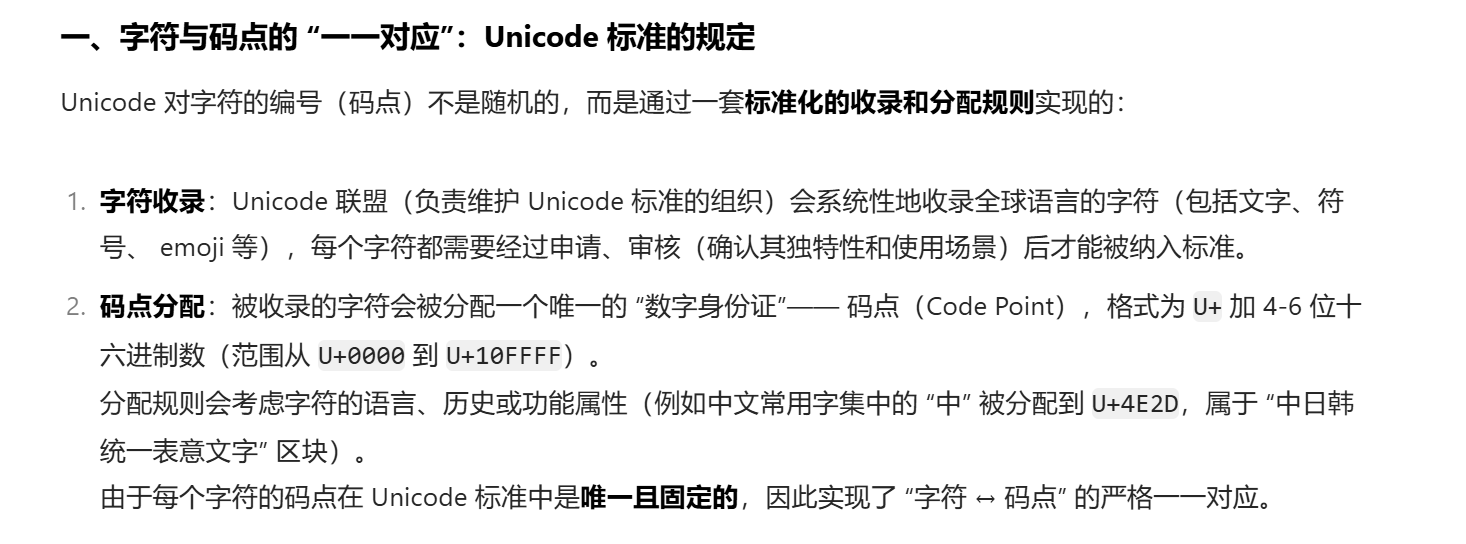
Unicode:身份证

image-20250804132941638

长什么样子:
1
print( '\u4e2d\u6587')
具体:

image-20250804133116970

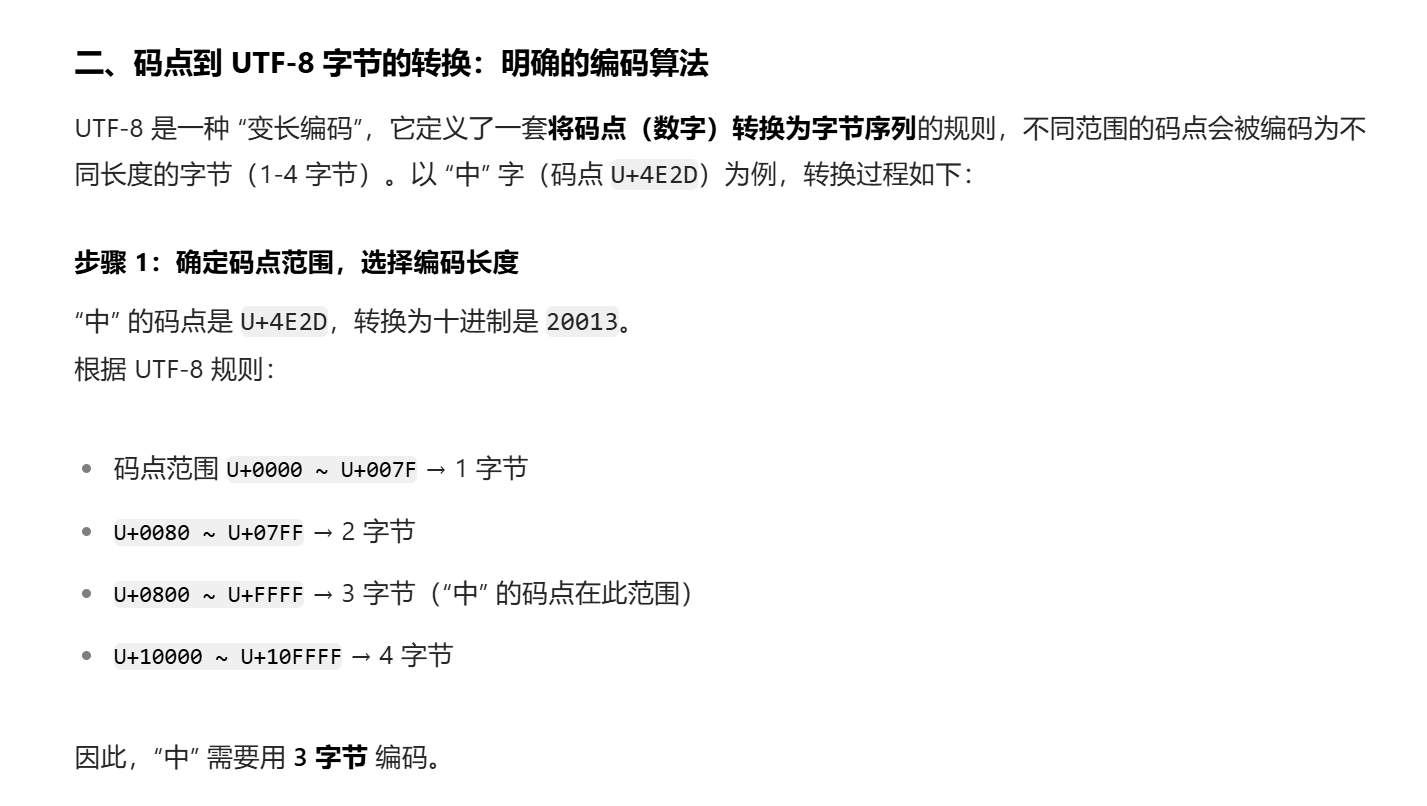
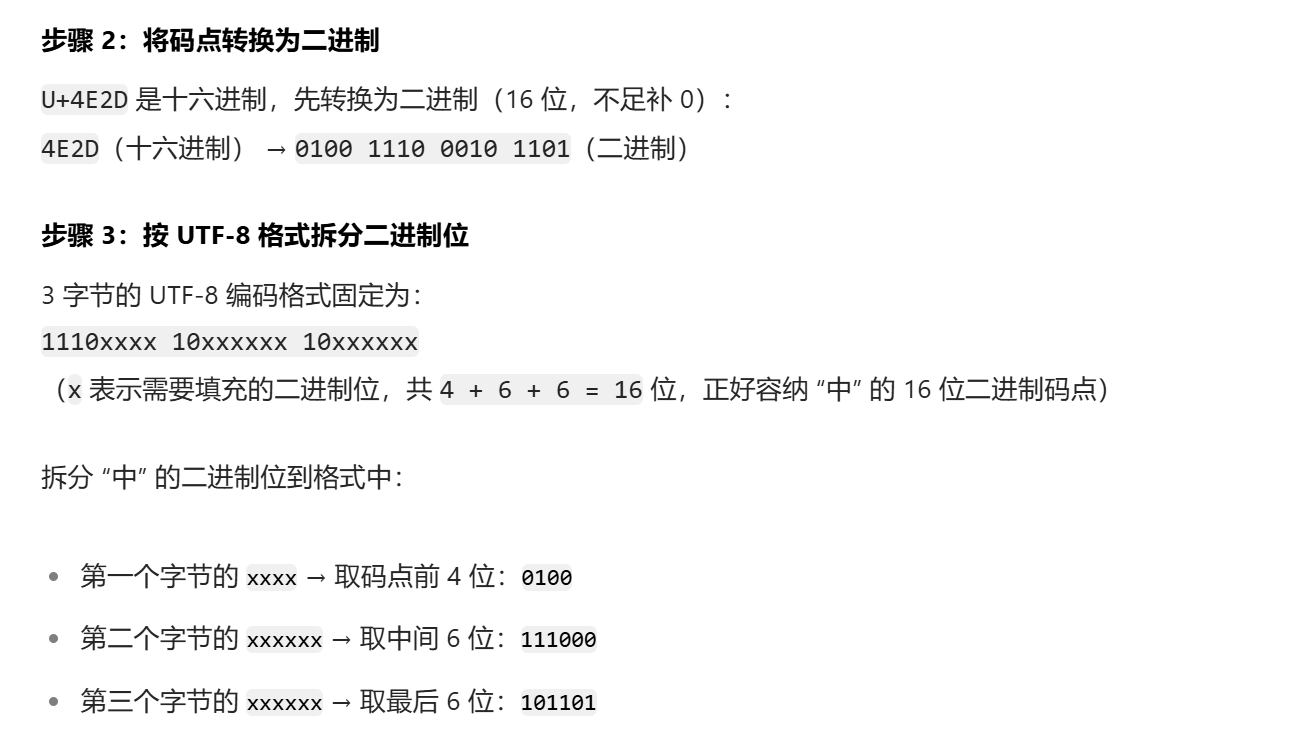
UTF-8:传输与表达:

转化过程:
1.确定字节:

image-20250804133623060

2.拆为二进制并且组合:

image-20250804133649073

得到编码的函数:

1
2
3
4
5
print(ord("中"))				#一次只能一个字符
print(chr(114514)) #记住不用加"",输入整数就行了,不然会报错

#也可以:
print("\u4e2d\u658")

image-20250804135533086

感觉 \t 效果比 \n

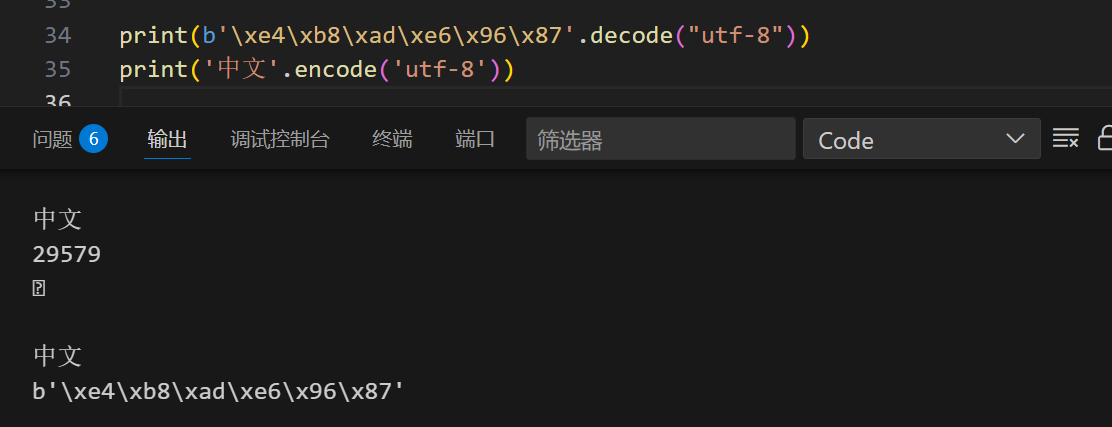
字节串和字符串互相转化:(utf-8的转化)

1
2
3
4
print(b'\xe4\xb8\xad\xe6\x96\x87'.decode("utf-8"))				#解码
print('中文'.encode("utf-8")) #编码

print(b'\xe4\xb8\xad\xe6\x96\x87\11'.decode("utf-8",errors='ignore')) #忽略错误编码,输出可以解析的

image-20250804141610707

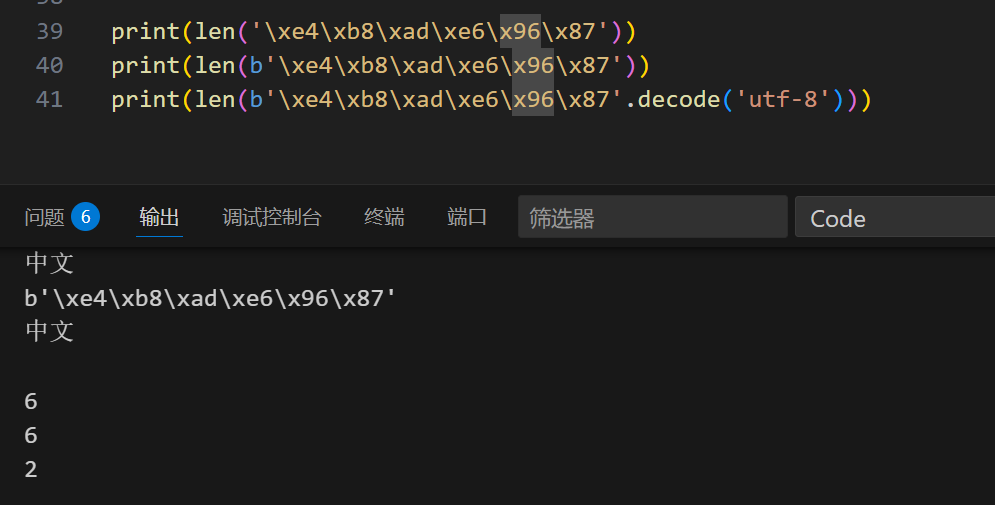
补充:len 长度函数:

1
2
3
len('\xe4\xb8\xad\xe6\x96\x87')
len(b'\xe4\xb8\xad\xe6\x96\x87')
print(len(b'\xe4\xb8\xad\xe6\x96\x87'.decode('utf-8')))

image-20250804143133706

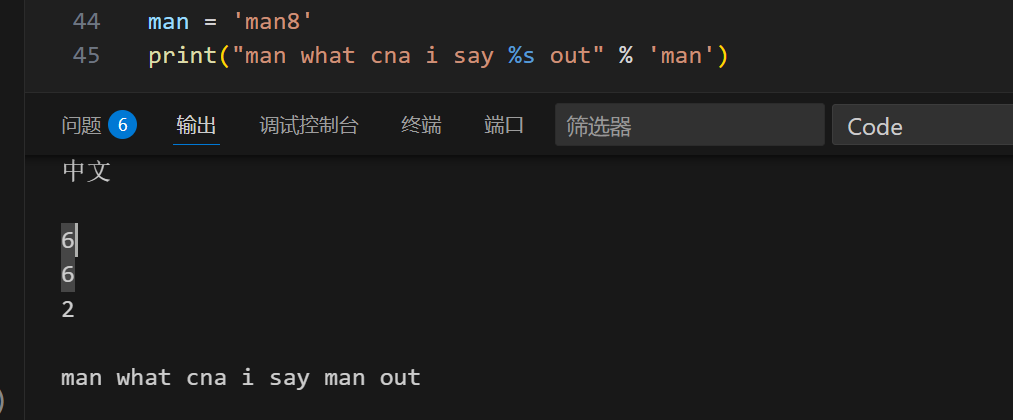
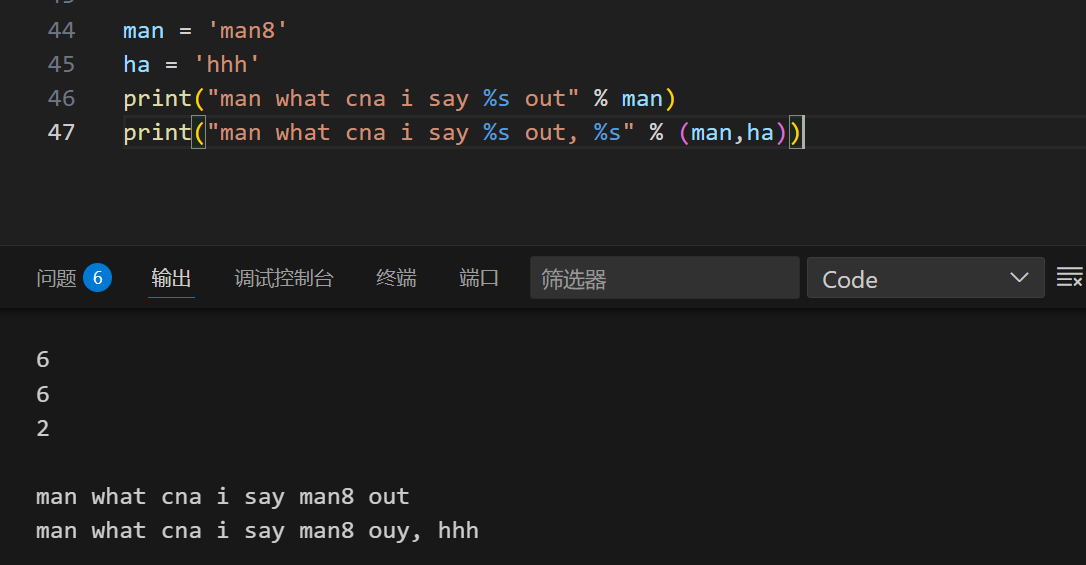
与C类似却不同的占位符:

1
2
man = 'man8'
print("man what cna i say %s out" % 'man')

却输出man 而不是man8:

image-20250804144400433

1
2
3
4
5
6
man = 'man8'
ha = 'hhh'
print("man what cna i say %s out" % man) #才行

#多个输出:
print("man what cna i say %s out, %s" % (man,ha))

image-20250804144821941

别样写法:

1
print(f'man what can i say, {man} out')

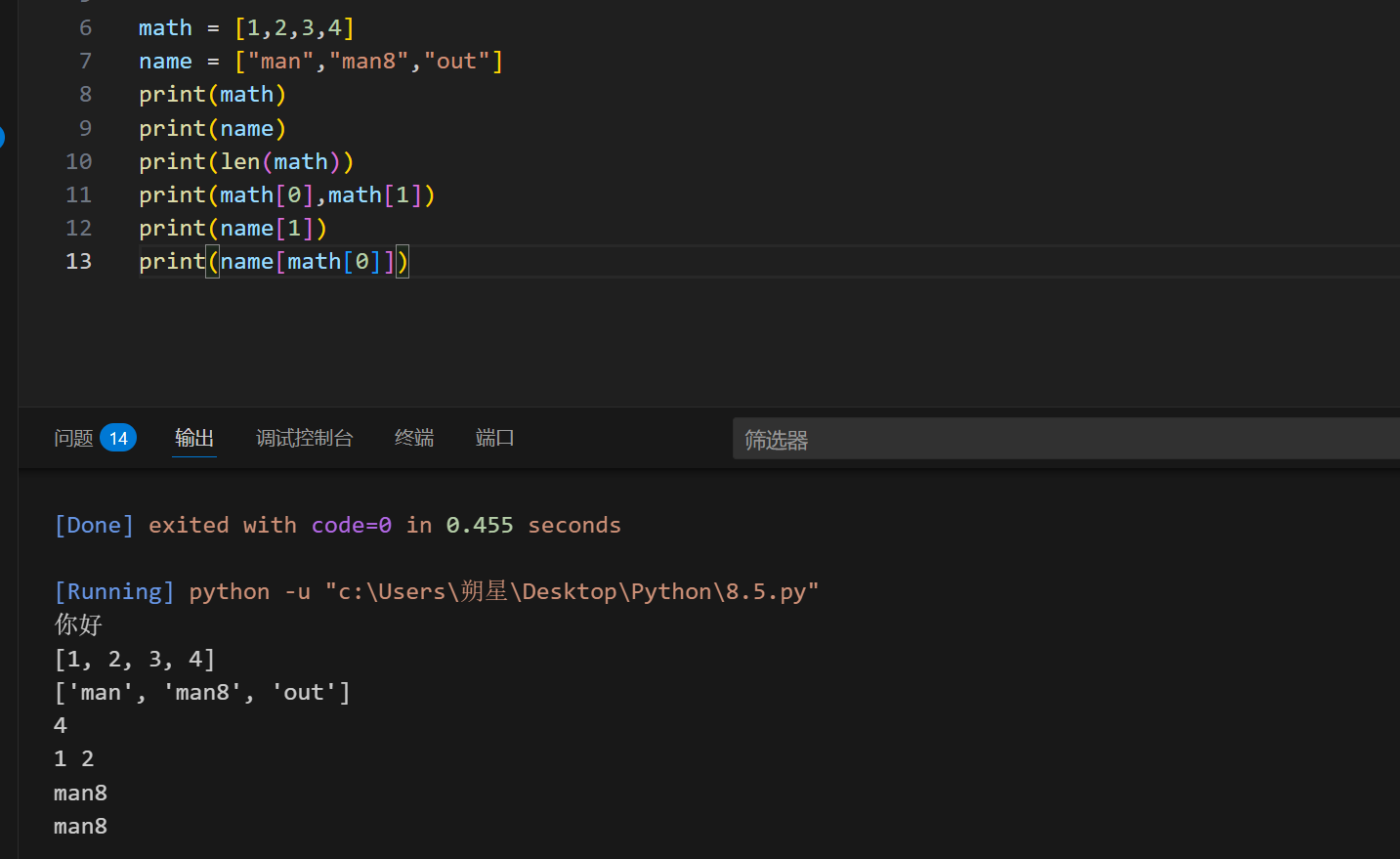
List (列表):

1
2
3
4
name = ["man","man8","out"]

print(math[0]) #获取第一个
print(math[-1]) #获取倒一个

类似于数组,但是可以存储各种各样的数据,字符串和数都可以

image-20250805224527375

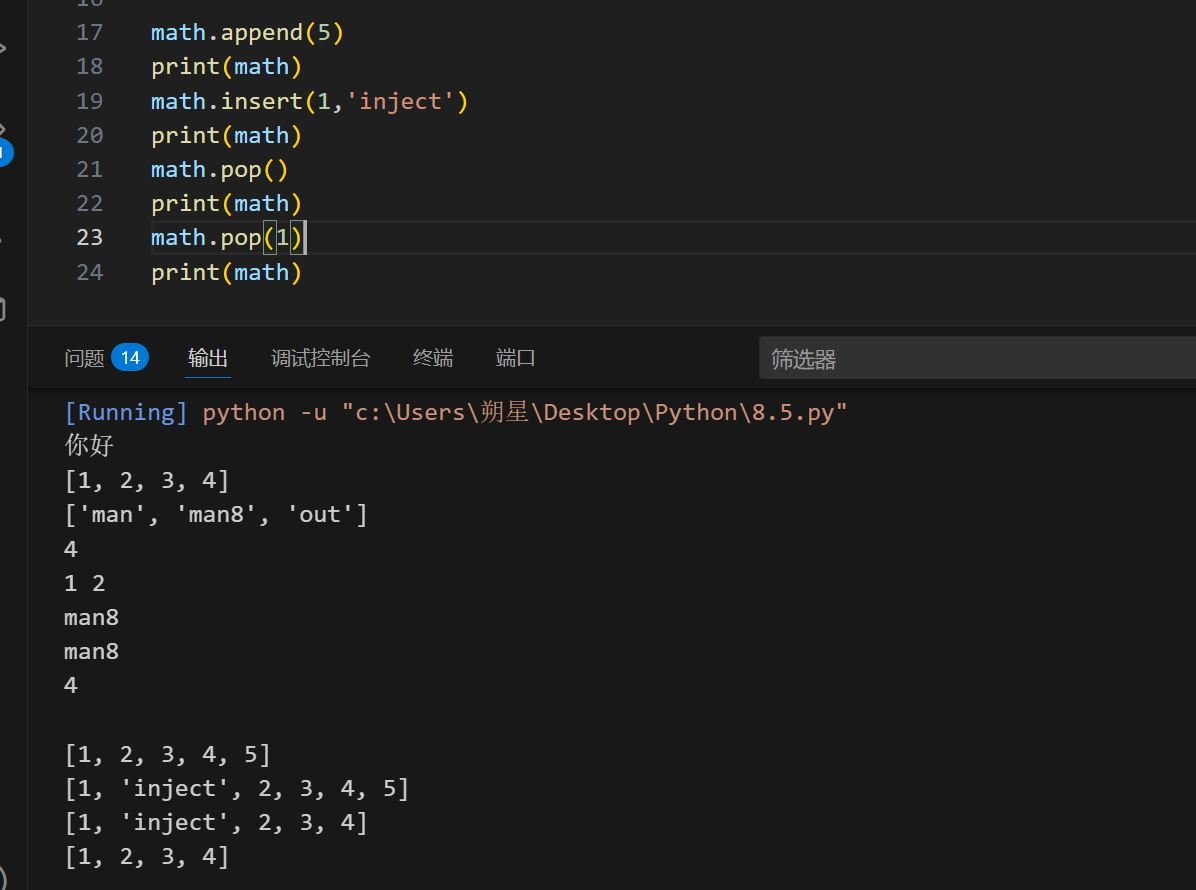
可以删减:

1
2
3
4
math.append(5)						#在最后一位加上5
math.append(1,"inject") #在第二位上加上"inject"
math.pop() #删去最后一个
math.pop(1) #删去第二个

image-20250805225724802

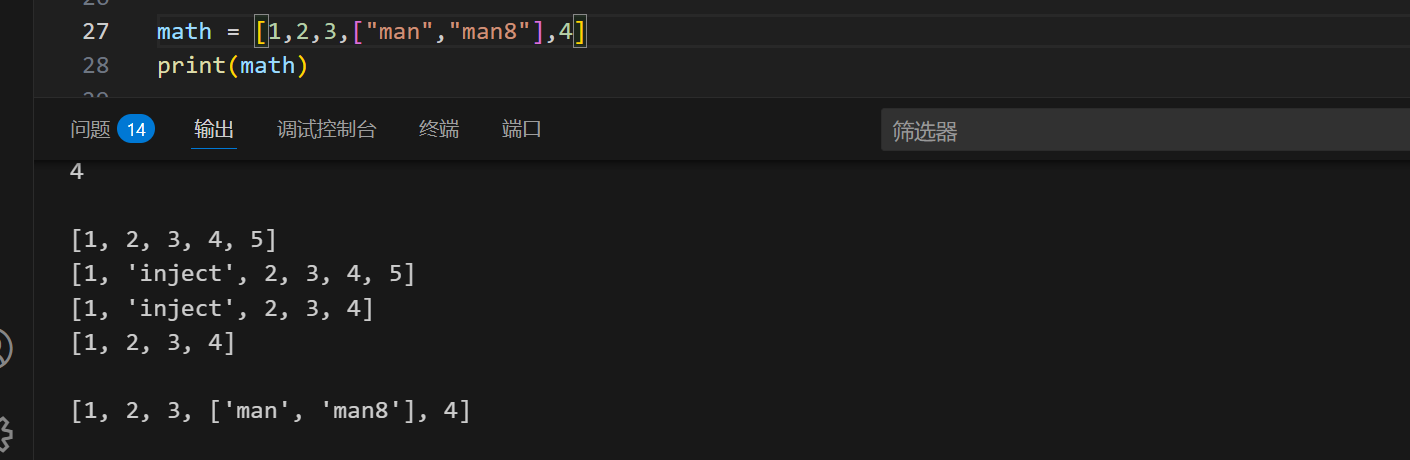
列表里面也是可以再接列表的:

1
2
3
math = [1,2,3,["man","man8"],4]

print(math)

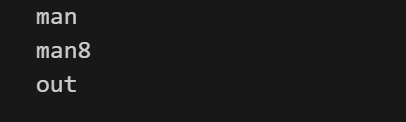
image-20250805231258268

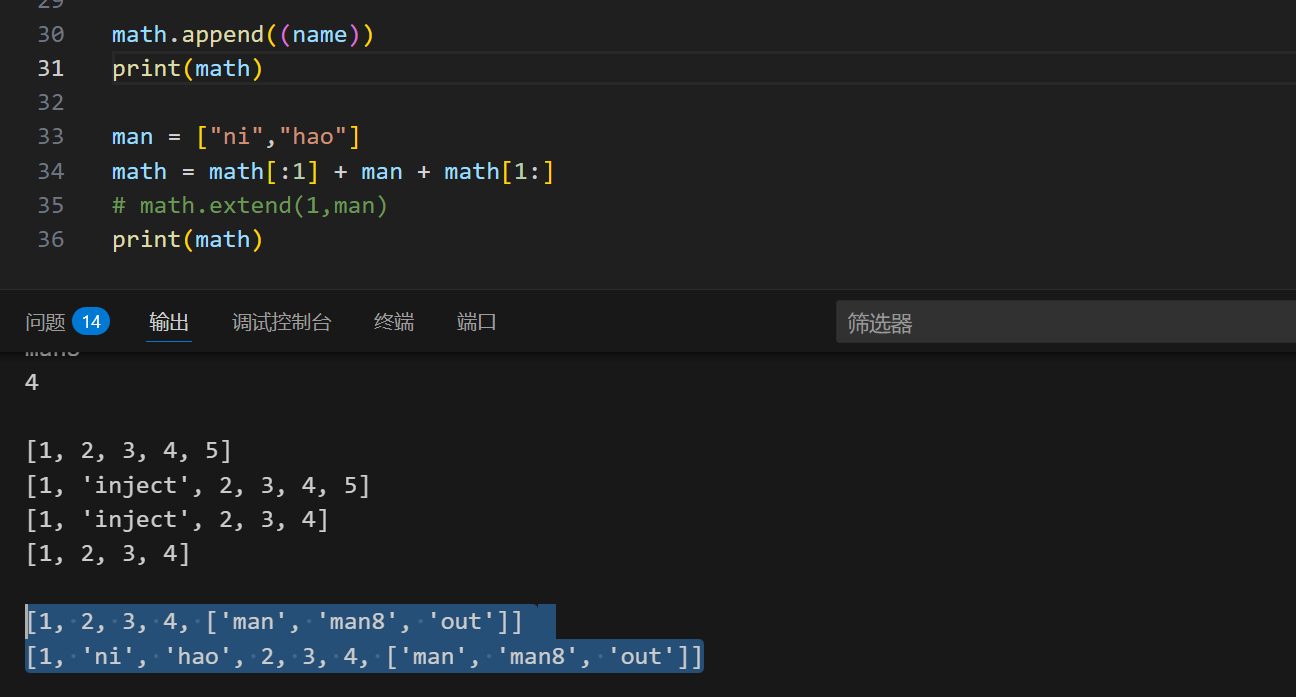
测试变量添加:
1
2
3
4
5
6
7
8
9
10
11
12
13
14
15
math.append(1,name)
print(math)
#会报错

math.append(1,(name)) #依然报错

math.append((name)) == extend(name)
#必须作为整体,且append只能接受一个函数

math.extend(name)
#extend才能一次性加上多个
math.extend(1,name) #但是还是会报错

#extend也只能一次性加一个,只能使用切片:
math = math[:1] + man + math[1:] #只取第一,只取除第一

image-20250805233456936

如果是二维列表呢?

1
2
3
4
5
fff = [
[1,1,1], #记得嵌套中括号,还要加句号
[2,2,2]
]
print(fff[1][2])

tuple(元组):

就是数值不可变的列表,没有insertextend函数

1
2
3
4
5
ex_tuple= (1,2,3) 						#[]变为()

#注意
ex_1 = (1) #不是元组,是int
ex_1 = (1,) #才是

元组的增删改查:

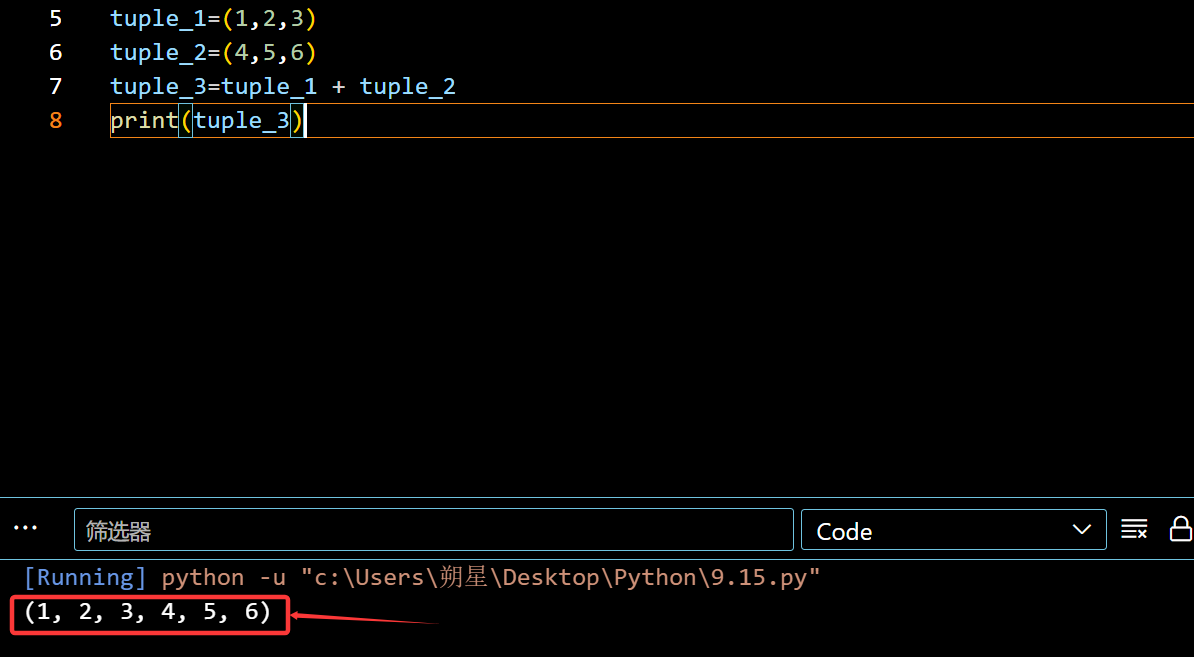
元组增加:
1
2
3
tuple_1=(1,2,3)
tuple_2=(4,5,6)
tuple_3=tuple_1 + tuple_2

image-20250915102549638

元组无法单独删除一个,想要在中间增加只能使用 []

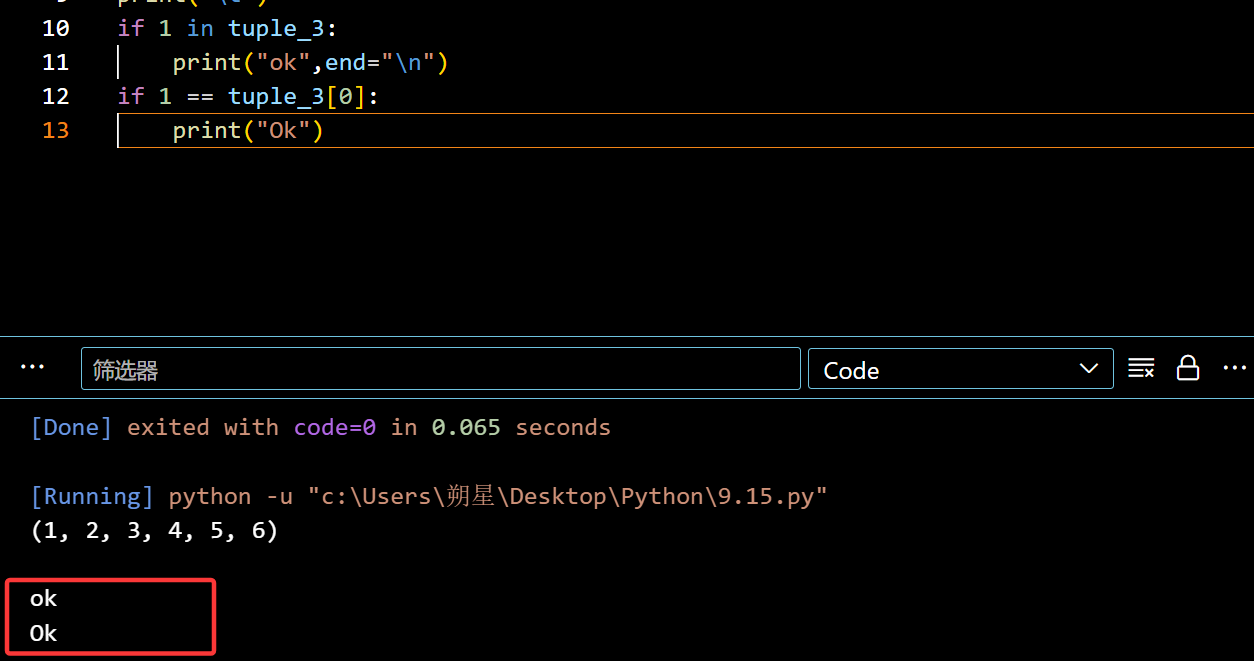
元组查询:

1
2
3
4
if 1 in tuple_3:
print("ok",end="\n")
if 1 == tuple_3[0]:
print("Ok")

image-20250915103114073

DAY-5 8.7

循环:

1
2
3
4
5
6
7
8
9
10
11
if age <= 18:
print("please go out!")
elif age >= 70:
print("too old")
else:
print("please")

#记得格式,每一个都有冒号

test1 = input("please inter your age:")
age = int(test1) #记得转化,input默认是字符串类型

匹配:(match)

whith相似

1
2
3
4
5
6
7
8
9
10
11
12
13
scare = input("please inter you scare:")

match scare:
case "A":
print("great")
case "B":
print("battle")
case "C":
print("ok")
case x if x < "E":
print("OK?")
case _:
print("error")

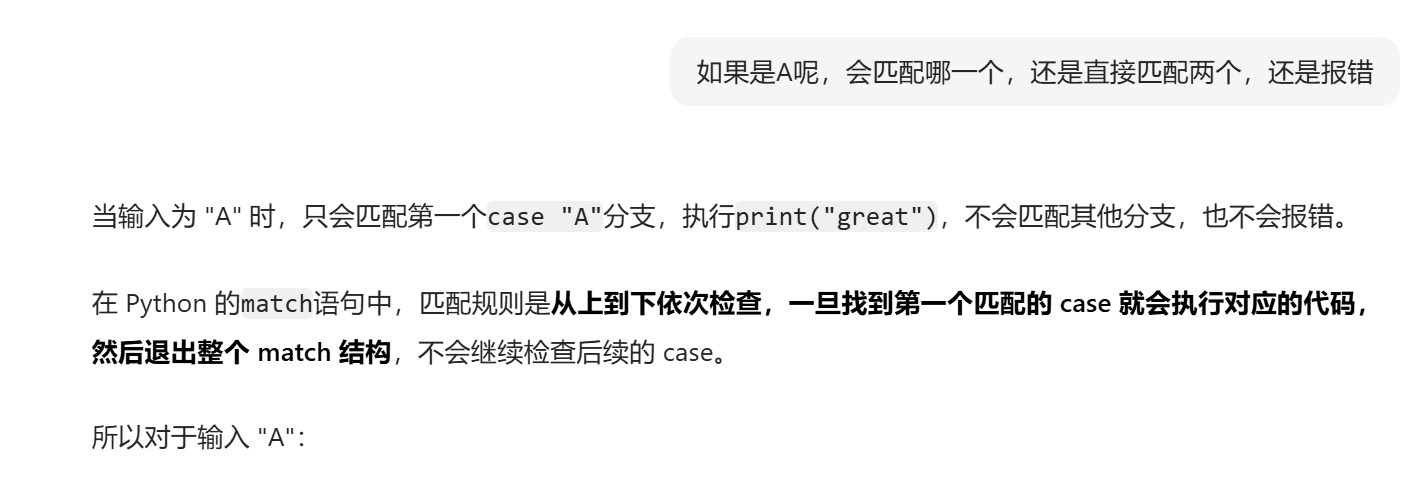
输入A只会匹配第一个:

image-20250807174557976

1
2
3
4
5
case x if x < "E":
print()
case x if x in ["A","B".......]

#这里的X都是捕获数值然后比较
1
2
3
case "A" | "B" | .......

#和上面的列表挺像的

与列表结合:

1
2
3
4
5
6
7
8
9
case [1,2,3]:
print("只有是[1,2,3]时候才会被匹配到")

case [x,y]:
print("是要是两个数就会被匹配,不需要准确数据")
print(f"匹配到{x},与{y}")

case [first,*rest]:
print(f"匹配到第一个是{first},剩下的是{rest}")

type结合:

1
2
3
4
5
6
7
8
9
10
11
12
# 匹配整数
case int(n):
print(f"整数: {n}")
# 匹配浮点数
case float(f):
print(f"浮点数: {f}")
# 匹配字符串
case str(s):
print(f"字符串: '{s}'")
# 匹配布尔值(注意:bool是int的子类,需要放在int前面才能优先匹配)
case bool(b):
print(f"布尔值: {b}")

循环:

1
2
print(range(5))						#一般要和list一起组合利用才能									准确输出
print(list(range(5)))

image-20250812215355221

1
range(0,5)是代表从  0 到 4(不包括5)

for循环:

1
2
3
4
age = 1
for x in range(5):
age = age + x
print(age)

image-20250812220510971

也可以与列表组合:

1
2
3
name = ["man","man8","out"]
for x in name:
print(x)

image-20250812220651092

while循环:

1
2
3
4
5
while age < 20:
age = age + 1
print(age)

#输出20

break与continue

与C相似

1
2
3
4
5
6
7
8
9
10
11
12
while x < 0:
print(x)
if x == -30:
break
x--


while x > 0:
if x == 30:
continue
print(x)
x--

8.12

字典:(dict)

分为键-值(key-value),可自行添加:

1
2
3
4
5
6
7
8
9
10
dict_1 = {24:'man','man8':8}
print(dict_1[24])
print(dict_1['man8'])
print('\t')

dict_1[24] = 'out' #会覆盖前值
print(dict_1[24])

dict_1['老大'] = 555 #可自行添加
print(dict_1['老大'])

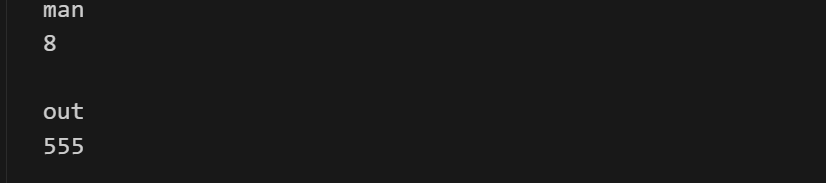
image-20250813112606000

判断是否在dict里面:

1
2
3
4
5
6
7
8
print("老大" in dict_1)
print(dict_1.get("老大"))
print(dict_1.get("牢大"))
print("\t") #有就输出数值,没有输出None

print(dict_1.get("老大","out")) #可自定义没有的输出
print(dict_1.get("牢大","out"))
print("\t")

可以使用pop来删去:

1
2
3
print(dict_1)
dict_1.pop("老大")
print(dict_1)

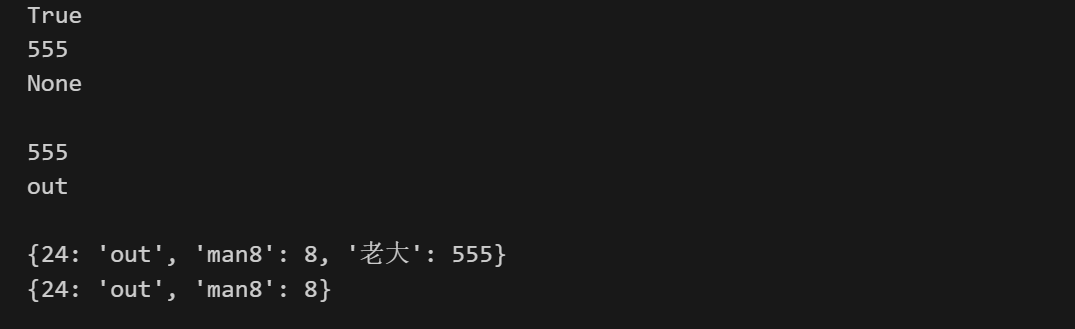
image-20250813112818448

总结:

dict相比list,查找的更快,都是更占用空间

[!IMPORTANT]

dict根据key来计算value的存储位置,如果每次计算相同的key得出的结果不同,那dict内部就完全混乱了。这个通过key计算位置的算法称为哈希算法(Hash)

所以 key 的值是不可变的

集合(set):

1
2
3
4
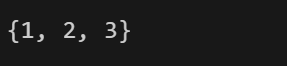
{1,2,3}					#就是set(集合),是不可重复的

set_1={1,2,2,3}
print(set_1) #只会输出不重复的

image-20250813114435938

增加与删去:(add remove)

1
2
3
4
set_1.add("man")
print(set_1)
set_1.remove(3)
print(set_1)

image-20250813114600378

转化:

1
2
aaa = set([1,2,3,3,3])
print(aaa)

image-20250813115036007

可以交集并集:

1
2
bbb = {"out",1,2}
print(aaa | bbb)

image-20250813115947321

总结:

1. 列表(list)常用方法

  • append(x):在列表末尾添加元素 x
  • extend(iterable):用可迭代对象的元素扩展列表
  • insert(i, x):在索引 i 处插入元素 x
  • remove(x):删除第一个值为 x 的元素(不存在则报错)
  • pop([i]):删除并返回索引 i 处的元素(默认最后一个)
  • sort():对列表元素排序
  • reverse():反转列表元素顺序
  • index(x):返回第一个值为 x 的元素的索引

2. 字典(dict)常用方法

  • get(key, default):返回键 key 对应的值,不存在则返回 default
  • keys():返回所有键组成的视图
  • values():返回所有值组成的视图
  • items():返回所有键值对组成的视图
  • pop(key):删除并返回键 key 对应的值
  • update(other):用其他字典的键值对更新当前字典

3. 字符串(str)常用方法

  • split(sep):按分隔符 sep 分割字符串为列表
  • join(iterable):用字符串连接可迭代对象的元素
  • strip():去除字符串首尾的空白字符
  • upper()/lower():转换为全大写 / 全小写
  • replace(old, new):替换字符串中的子串
  • startswith(prefix):判断是否以指定前缀开头

4. 集合(set)常用方法

  • add(x):向集合添加元素 x
  • remove(x):删除元素 x(不存在则报错)
  • discard(x):删除元素 x(不存在则不报错)
  • union(other):返回两个集合的并集(等价于 |
  • intersection(other):返回两个集合的交集(等价于 &
  • difference(other):返回两个集合的差集(等价于 -

函数(9.2):

基础函数使用:

1
2
3
4
5
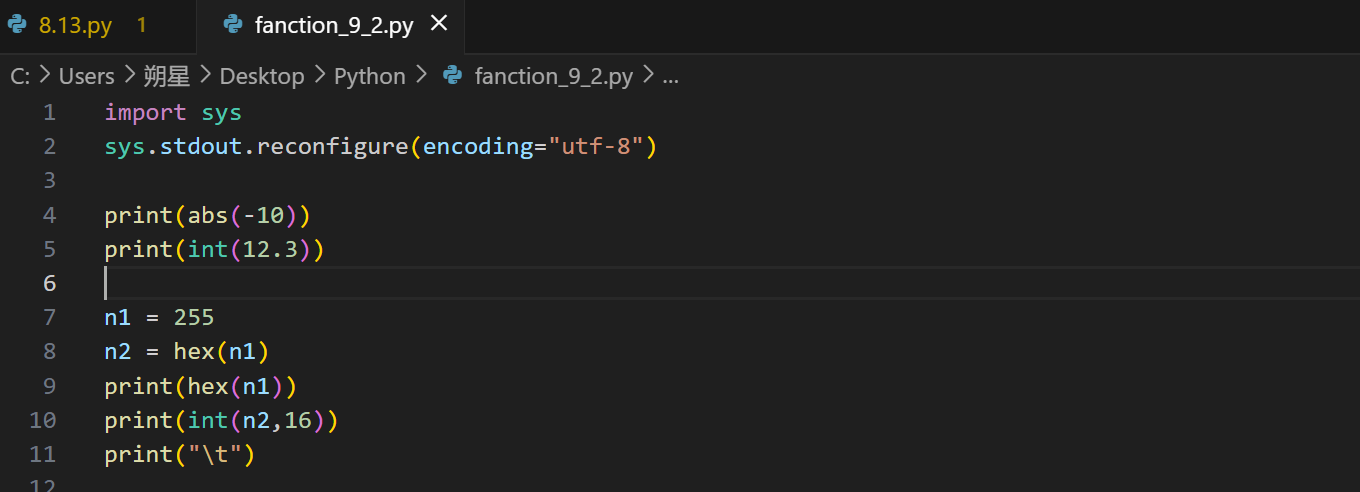
n1 = 255
n2 = hex(n1)
print(hex(n1)) #转化为16进制
print(int(n2,16)) #从16进制转为int
print("\t")

image-20250902113810098

函数的基本格式:

1
2
3
4
5
6
def my_abs(x):
if x >=0:
return x
else:

return -x #不能写print代替return,会报错

调用其他文件里面的函数:(文件名要符合变量命名规则)

函数可以提前固定好某个变量的数值(9.14)

1
2
3
4
5
6
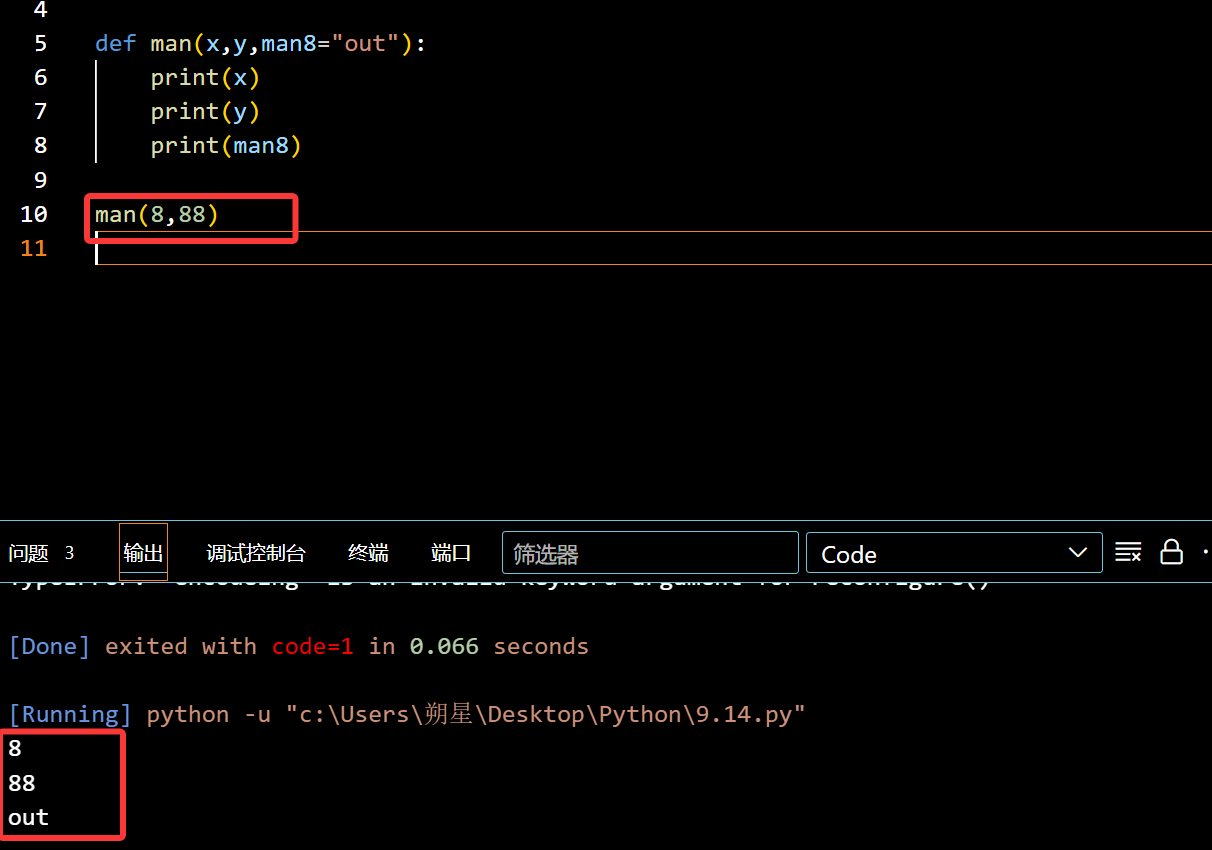
def man(x,y,man8="out"):
print(x)
print(y)
print(man8)

man(8,88)

image-20250914223551973

函数可以引入数列:

1
2
3
4
5
6
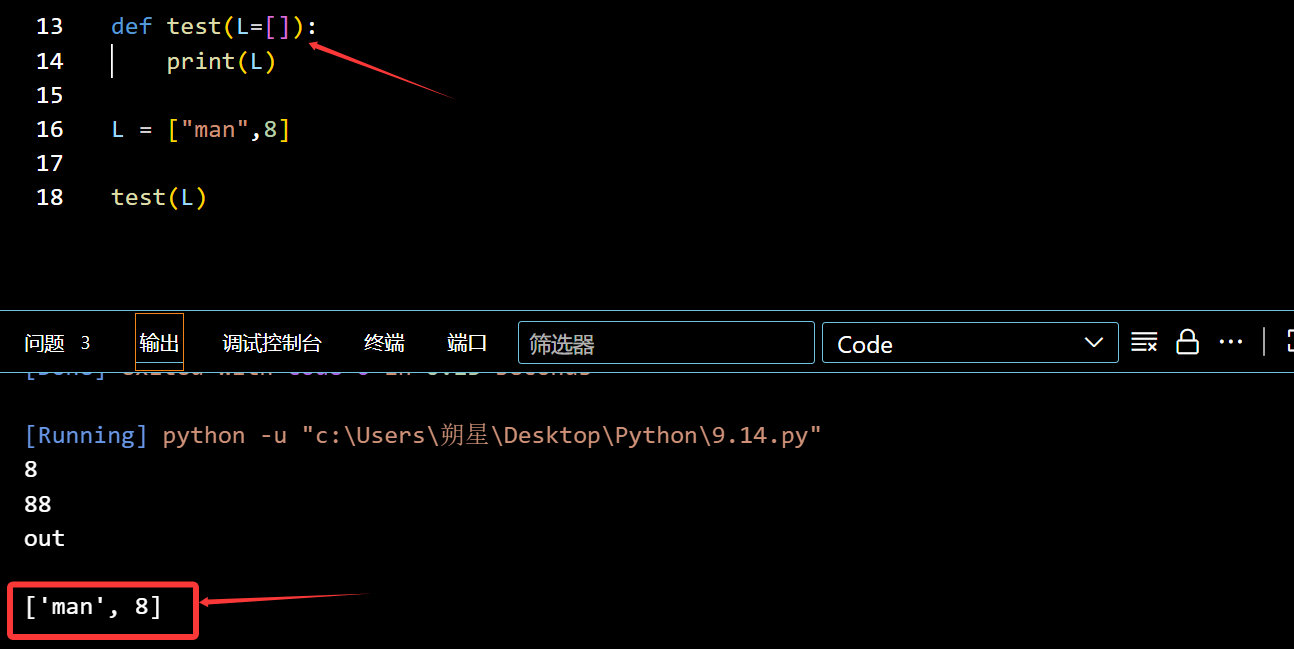
def test(L=[]):
print(L)

L = ["man",8]

test(L)

image-20250914224430672

函数与数列高级利用:

1
2
3
4
5
6
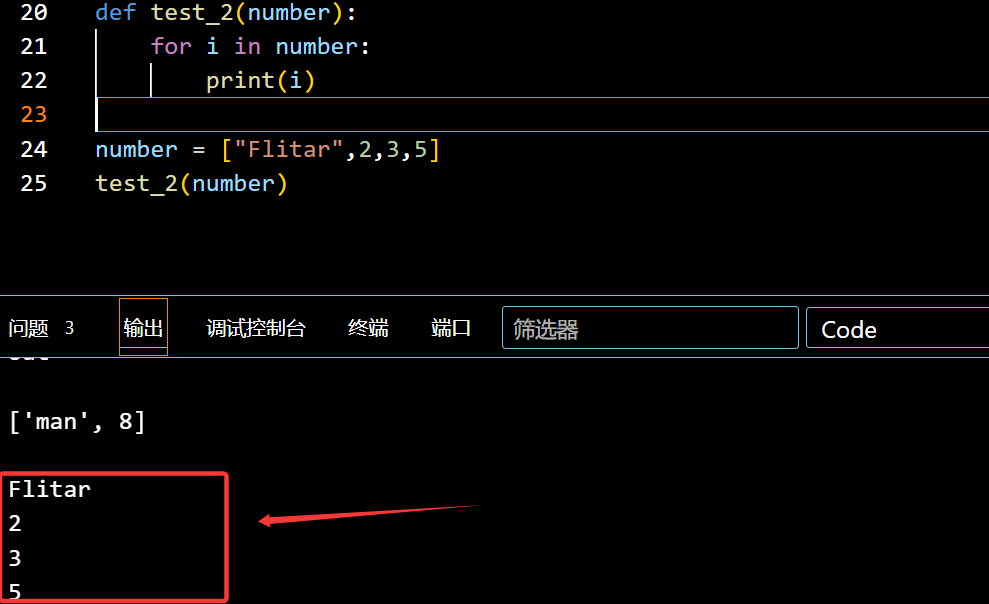
def test_2(number):
for i in number:
print(i)

number = ["Flitar",2,3,5]
test_2(number)

image-20250914225239548

可输入元组:(加个*号)

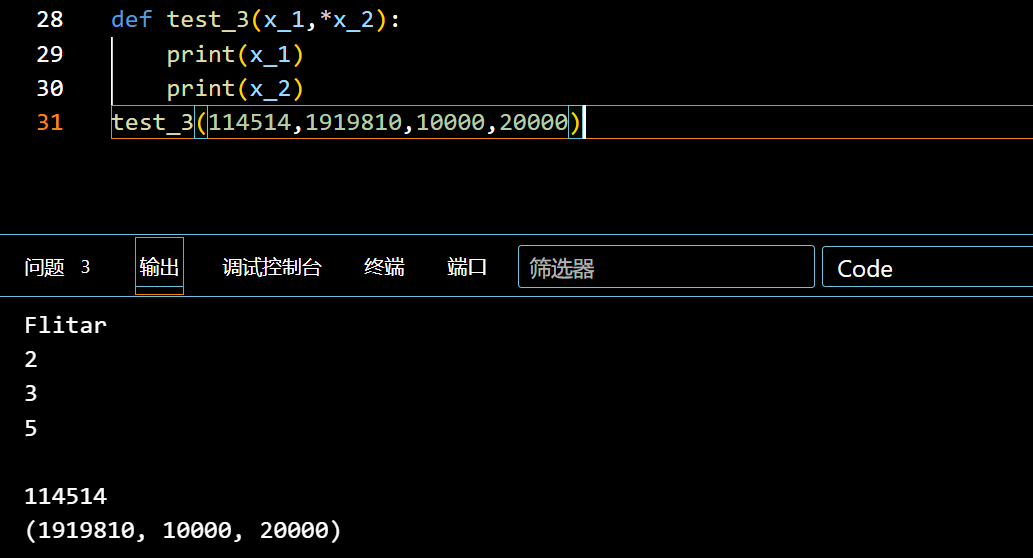
1
2
3
4
def test_3(x_1,*x_2):
print(x_1)
print(x_2)
test_3(114514,1919810,10000,20000)

image-20250914232313079

会发现后面的全部规划到了元组

可输入字典:加**号

1
2
3
4
5
6
7
8
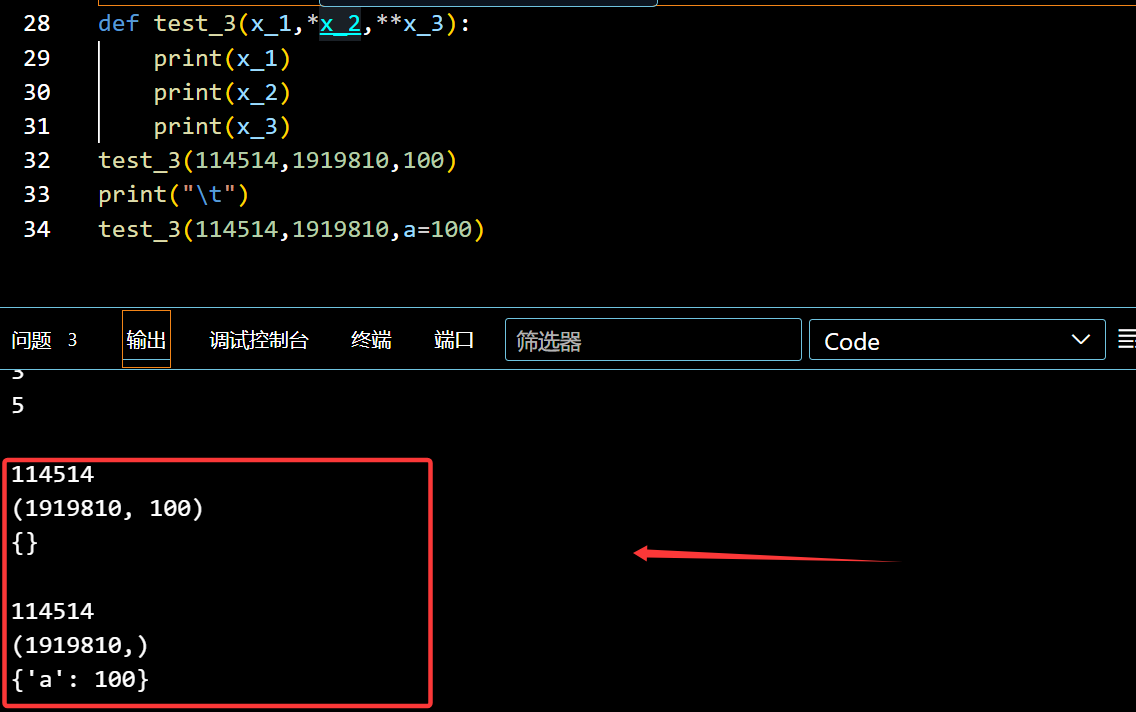
def test_3(x_1,*x_2,**x_3):
print(x_1)
print(x_2)
print(x_3)
test_3(114514,1919810,100)
print("\t")
test_3(114514,1919810,a=100)
#会自动匹配

image-20250914232748296

DAY ??(10/20)

都怪三角洲,浪费了我半个月时间,坏透了

高级特性 - 生成器(Generator)

补充:(特殊列表)

1
2
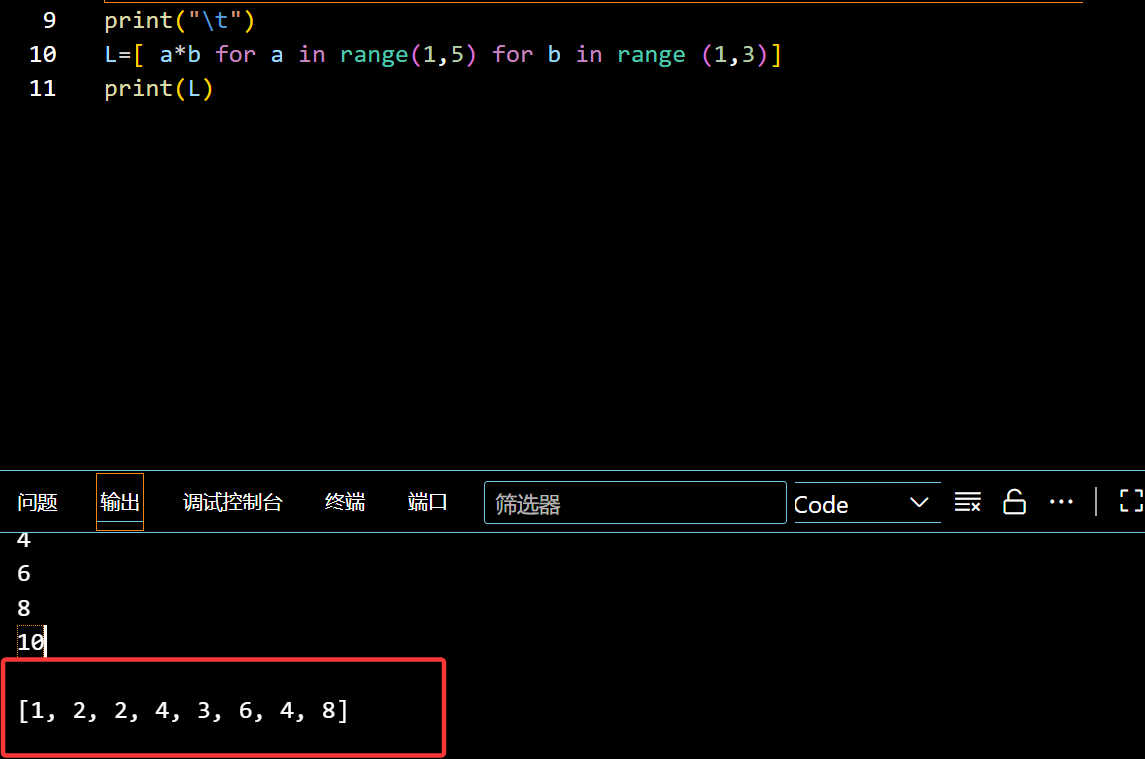
L=[ a*b for a in range(1,5) for b in range (1,3)]
print(L)

image-20251020102630786

可以直接快速有效的生成 list

生成器:需要的时候调用就行

1
2
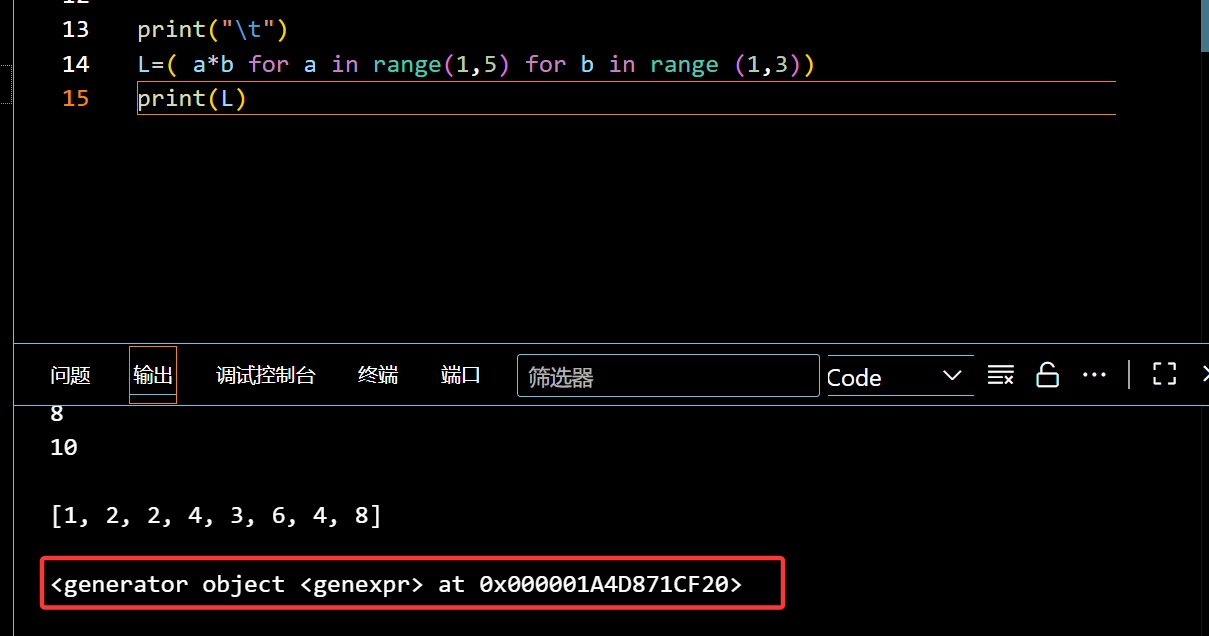
L=( a*b for a in range(1,5) for b in range (1,3)) #把[]换为()
print(L)

image-20251020103245712

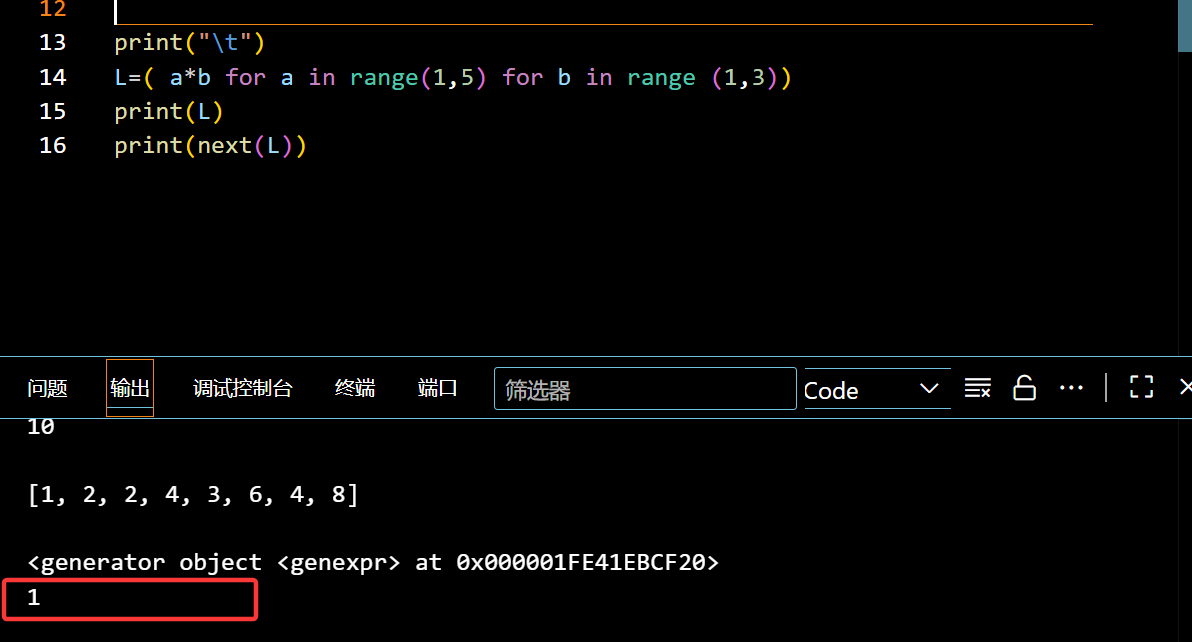
提前预定好位置,想要的时候就用next

image-20251020103624365

在函数中的调用(yield)

1
2
3
4
5
6
7
8
9
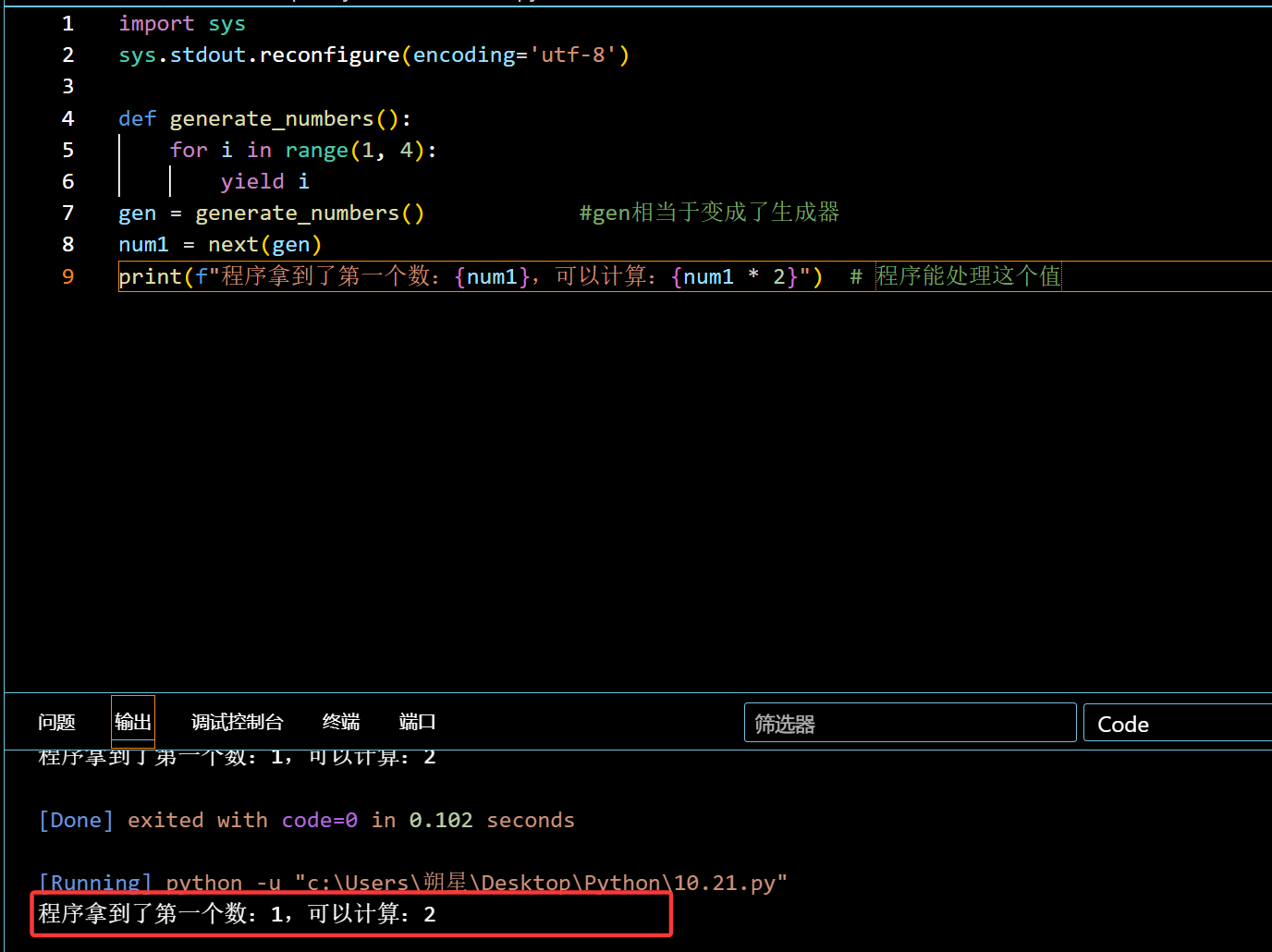
import sys
sys.stdout.reconfigure(encoding='utf-8')

def generate_numbers():
for i in range(1, 4):
yield i
gen = generate_numbers() #gen相当于变成了生成器
num1 = next(gen)
print(f"程序拿到了第一个数:{num1},可以计算:{num1 * 2}") # 程序能处理这个值

相当于提前预制菜

image-20251022003702667

可迭代和迭代器

可迭代:(Iterable)

list ,dict ,str 都是常见的可迭代,却不是迭代器.

迭代器:

可以被 next() 调用的就叫做迭代器(就是变成了生成器)

转化:

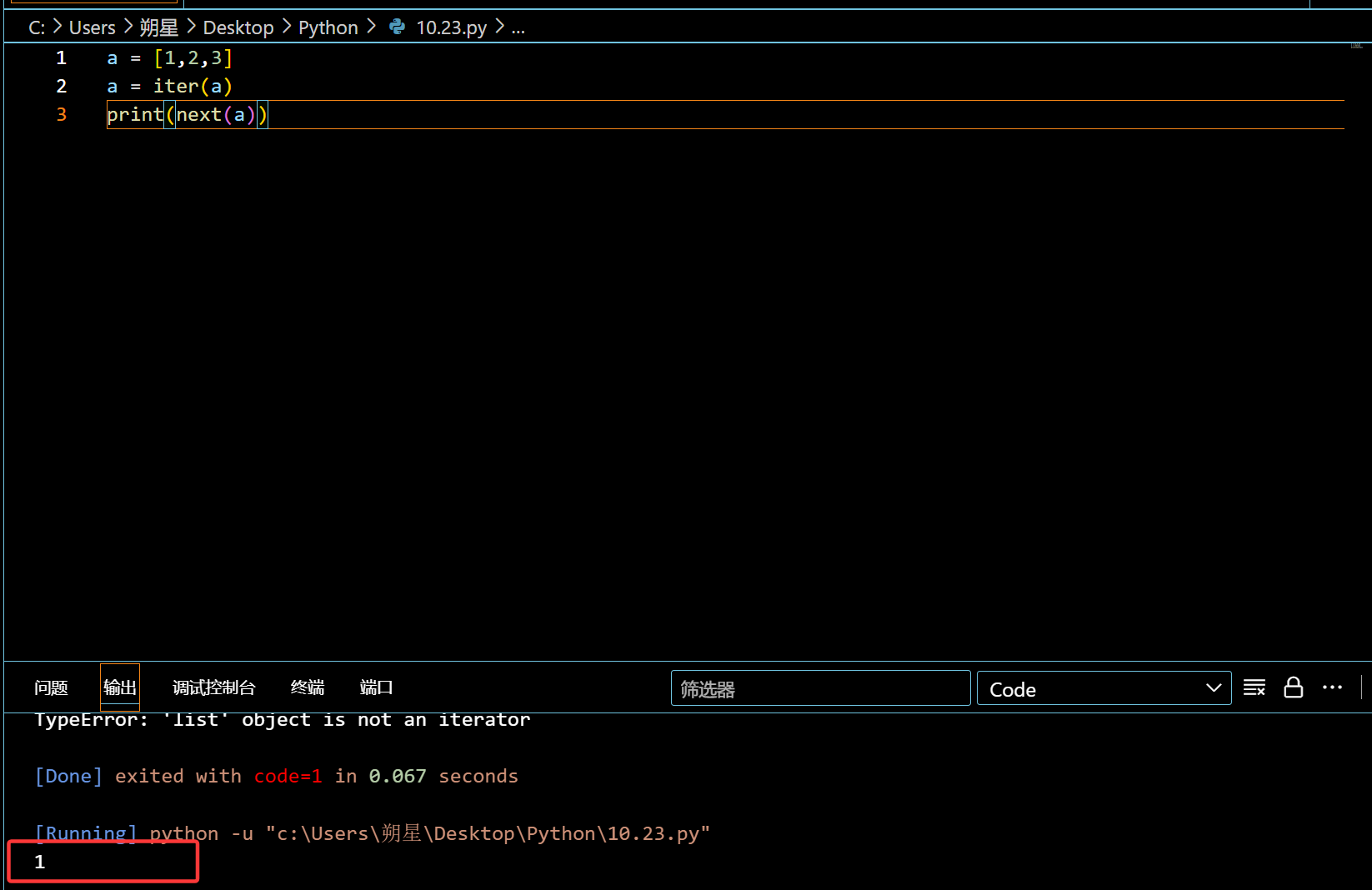
使用函数 iter() 进行转化:

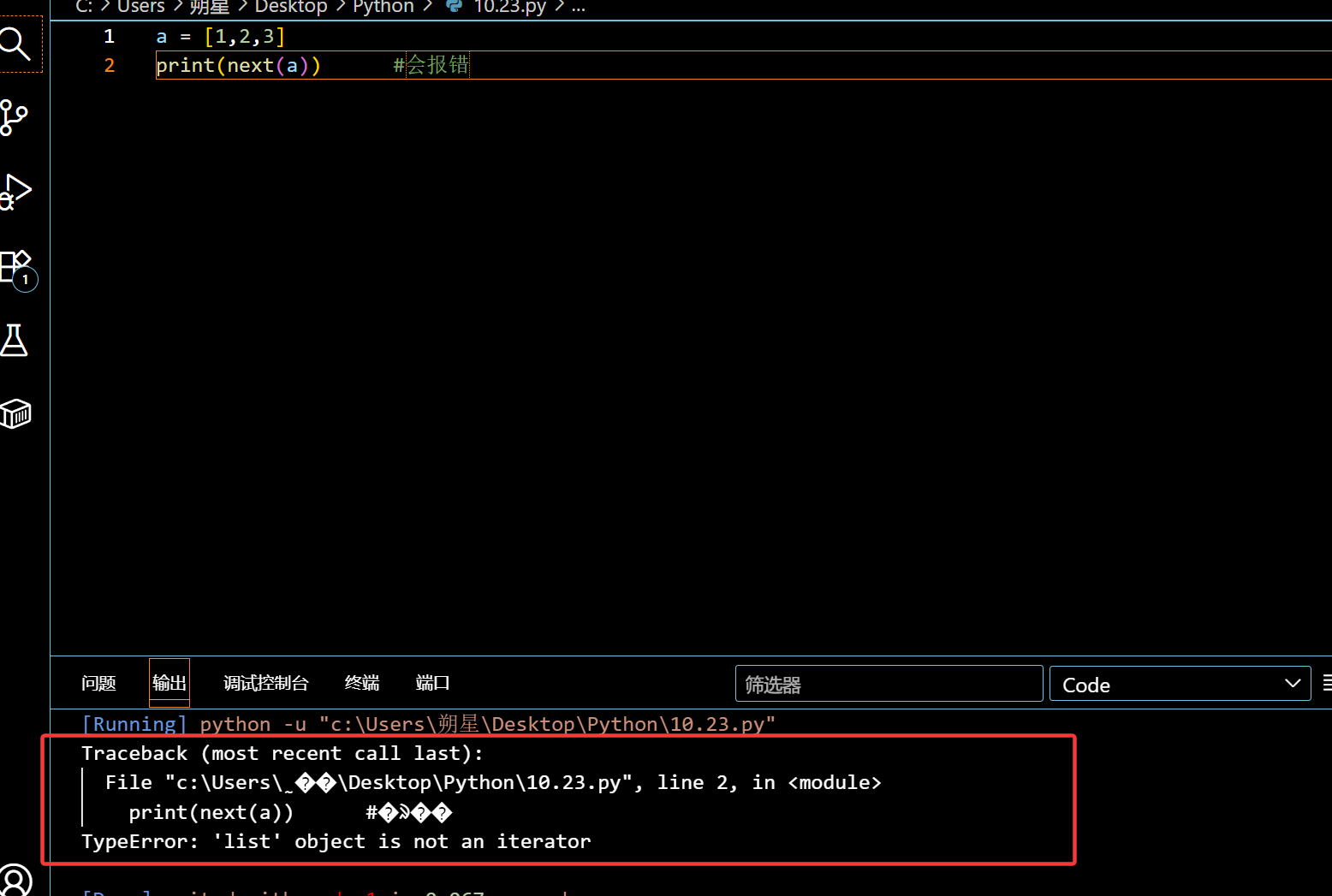
1
2
a = [1,2,3]
print(next(a)) #会报错

image-20251023200322811

1
2
3
a = [1,2,3]
a = iter(a)
print(next(a))

image-20251023200455748

成功转化为迭代器。(和生成器一样,都是用于节省空间的)

高阶函数:

基础概念:就是把函数当作变量来使用。

内置函数可以被赋值和赋值给他人(绝对值abs为例子)
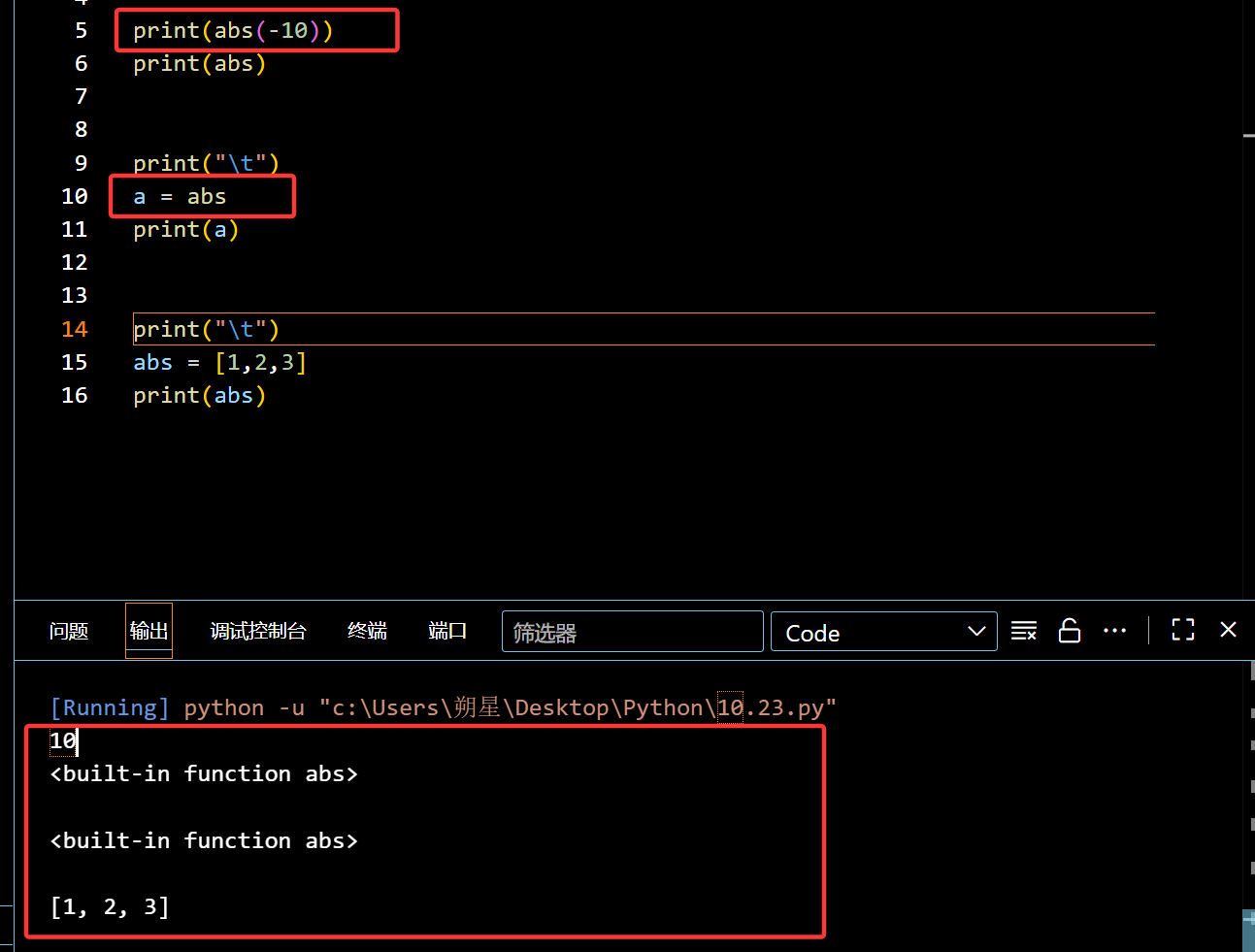
image-20251023201740509

自定义函数可以嵌套其他函数:

image-20251023202355333

成功调用 abs 用在 test() 函数中

备注:

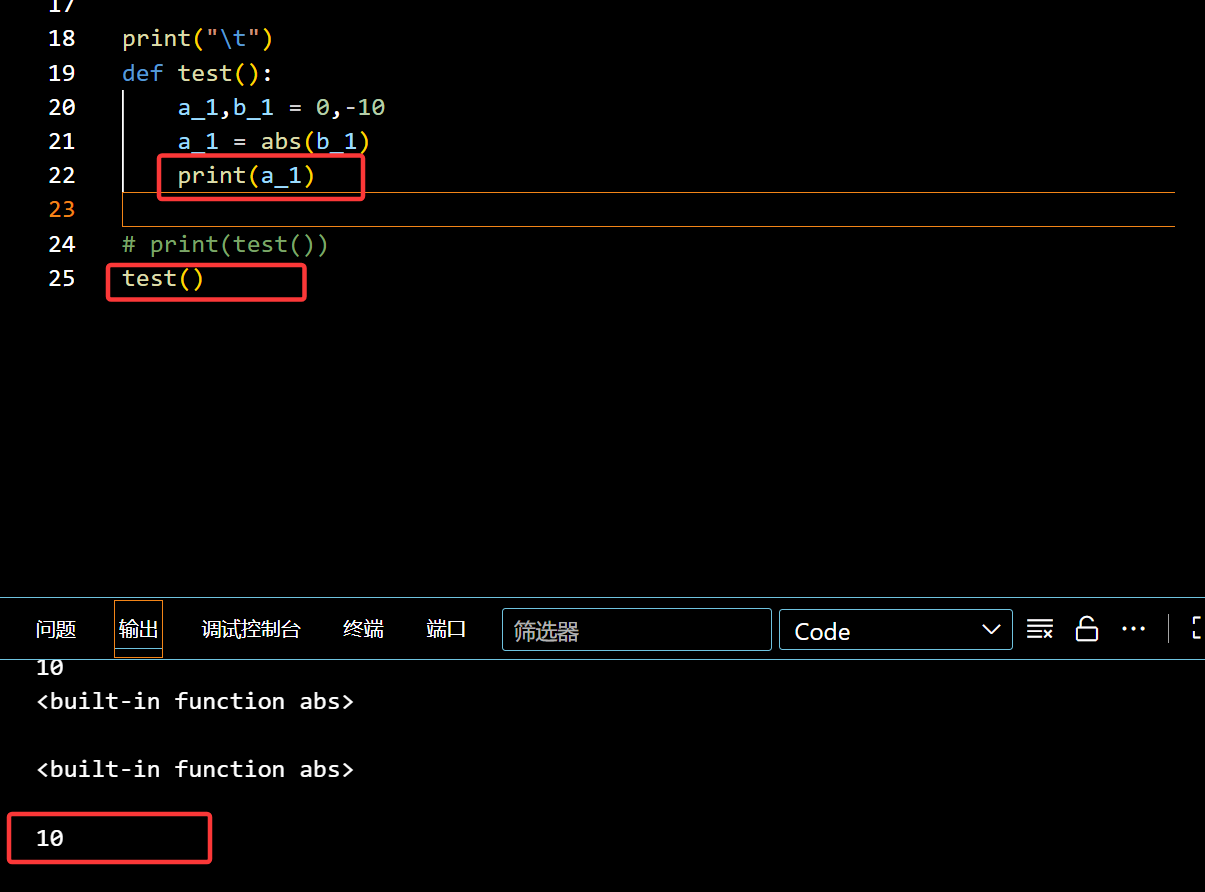
函数使用 returnprint 的区别:

1
2
3
4
5
6
def test():
a_1,b_1 = 0,-10
a_1 = abs(b_1)
print(a_1)

test() #调用后就会直接输出10(结果)
1
2
3
4
5
6
7
8
def test():
a_1,b_1 = 0,-10
a_1 = abs(b_1)
return a_1
#这个时候调用return就相当于把结果a_1赋值到了test()。

print(test())
#调用后需要print来输出10(结果)

Map (高阶函数)

作用:直接把 Iterable (比如 listdict ) 和低阶函数进行运算

特性:

1
2
3
4
5
6
7
8
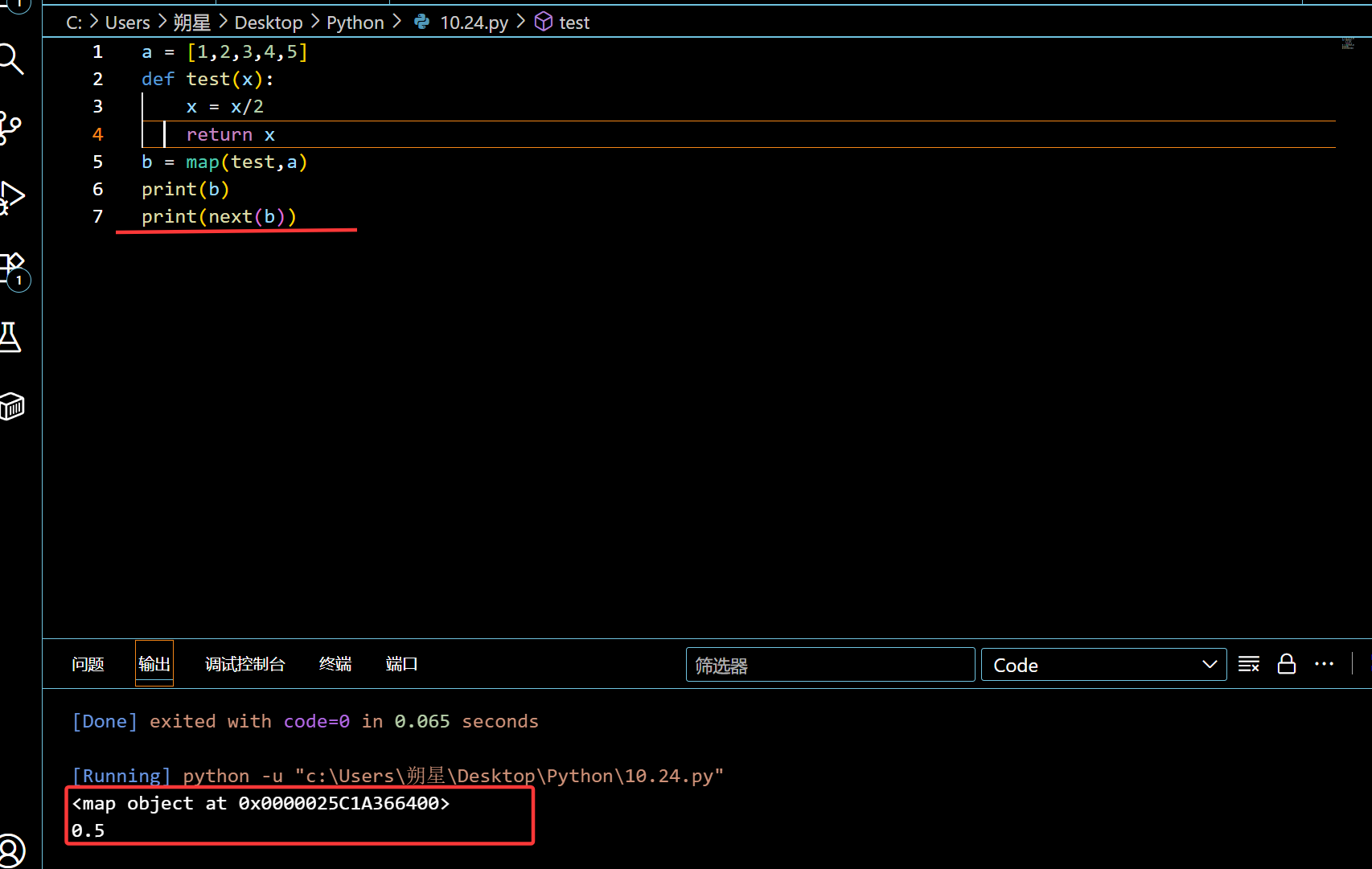
a = [1,2,3,4,5]
def test(x):
x = x/2
return x
b = map(test,a)
print(b)
next(b)
#只会返回地址,map会把他转化为一个迭代器,要先转化为list

image-20251024220033041

1
2
3
4
5
6
7
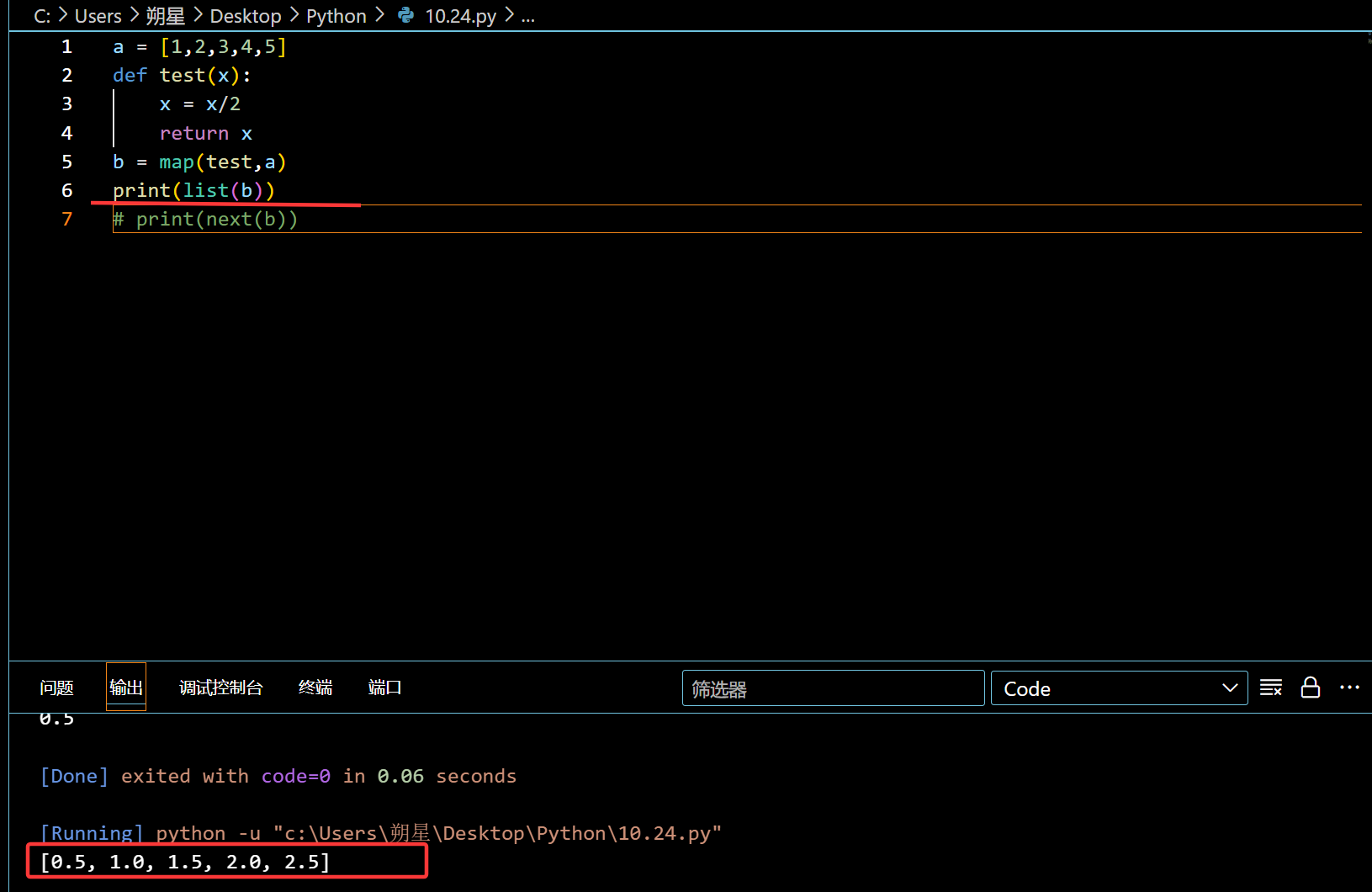
a = [1,2,3,4,5]
def test(x):
x = x/2
return x
b = map(test,a)
print(list(b))
# print(next(b))

image-20251024220114900

这样子可以快速调用函数,不用使用 for 循环。

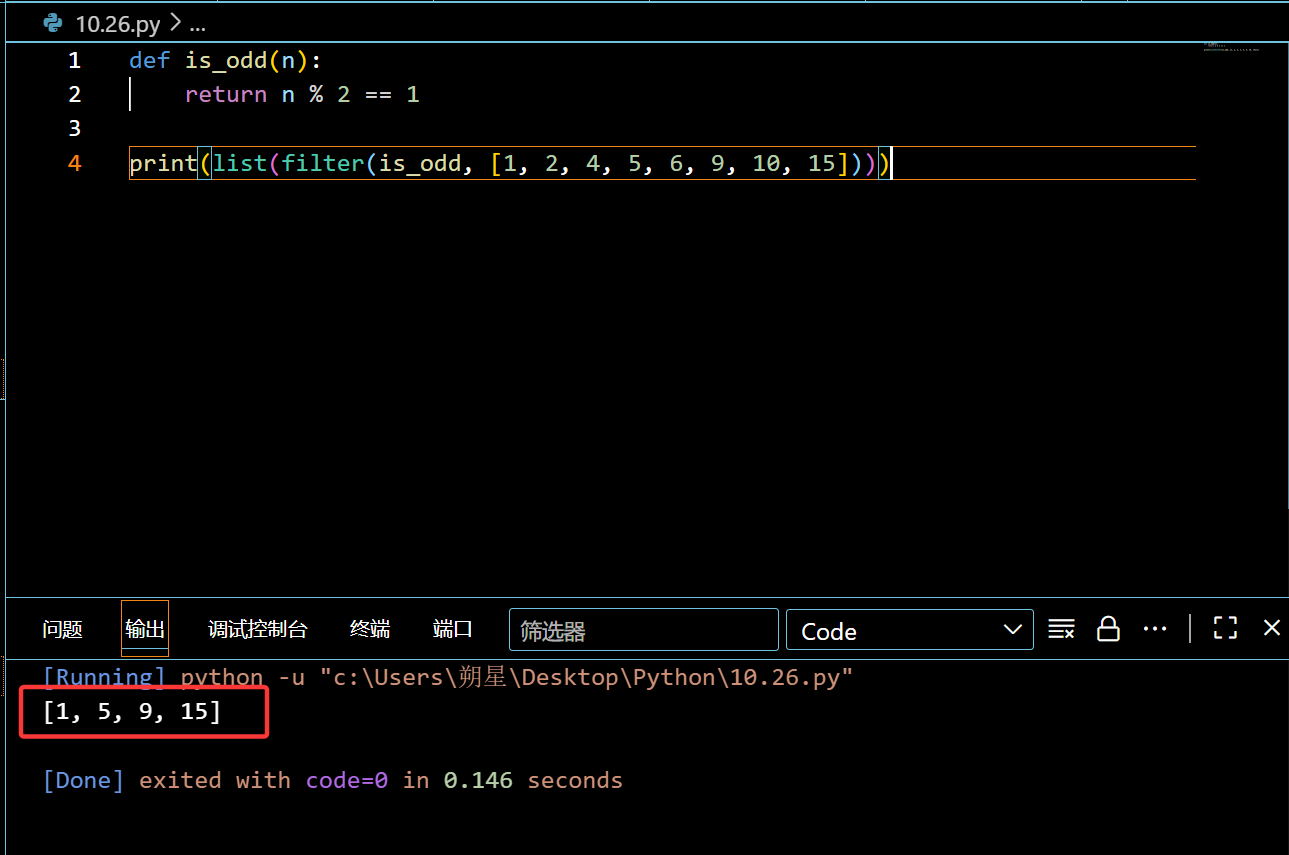
filter

和map一样,接受 ( 函数 + iterable )

作用:会把 iterable 里面的数值带入 函数 ,如果是?Ture就删去,只留下False(最后会形成迭代器,得用 list 来转化)

1
2
3
4
def is_odd(n):
return n % 2 == 1

print(list(filter(is_odd, [1, 11111112, 4, 5, 6, 9, 10, 15])))

image-20251027002500289

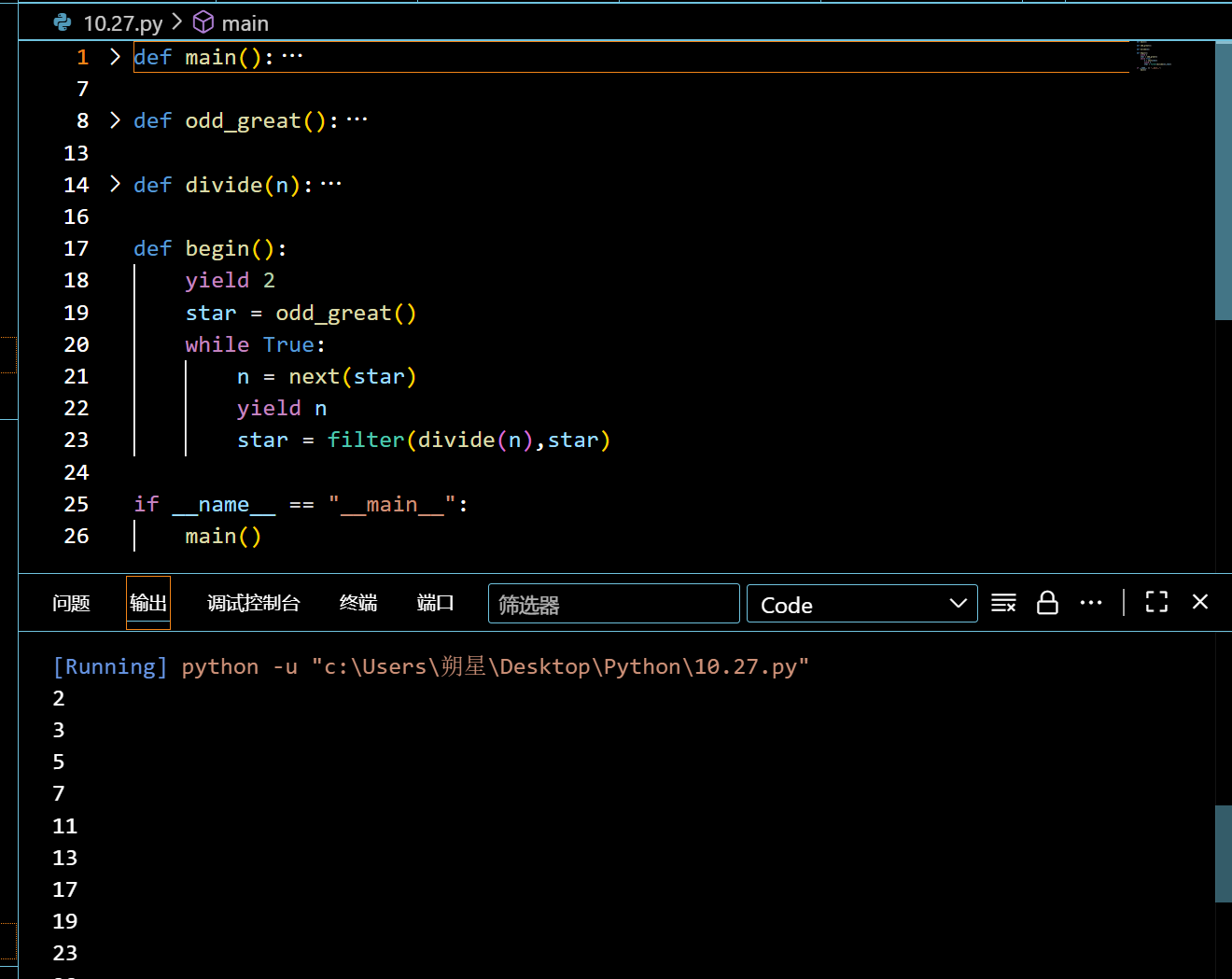
实例函数:(素数创建)

1
2
3
4
5
6
7
8
9
10
11
12
13
14
15
16
17
18
19
20
21
22
23
24
25
26
27
28
def main():
for n in begin():
if n < 100:
print(n)
else:
break #1.创建主函数,用于赋值n处理过的迭代器,输出答案

def odd_great():
n = 1
while True:
n = n + 2
yield n #2.创建奇数列(大部分奇数列是素数)

def divide(n):
return lambda x:x % n > 0 #3.排除奇数里面的类似9这种可以除的数

def begin():
yield 2
star = odd_great()
while True:
n = next(star) #此时n = 3,star已经变成5,7,9....
yield n
star = filter(divide(n),star)
#处理区,先返回一个2(不是奇数的素数),之后 filter 处理后3的倍数5的倍数.....全没了


if __name__ == "__main__":
main()

image-20251027102127174

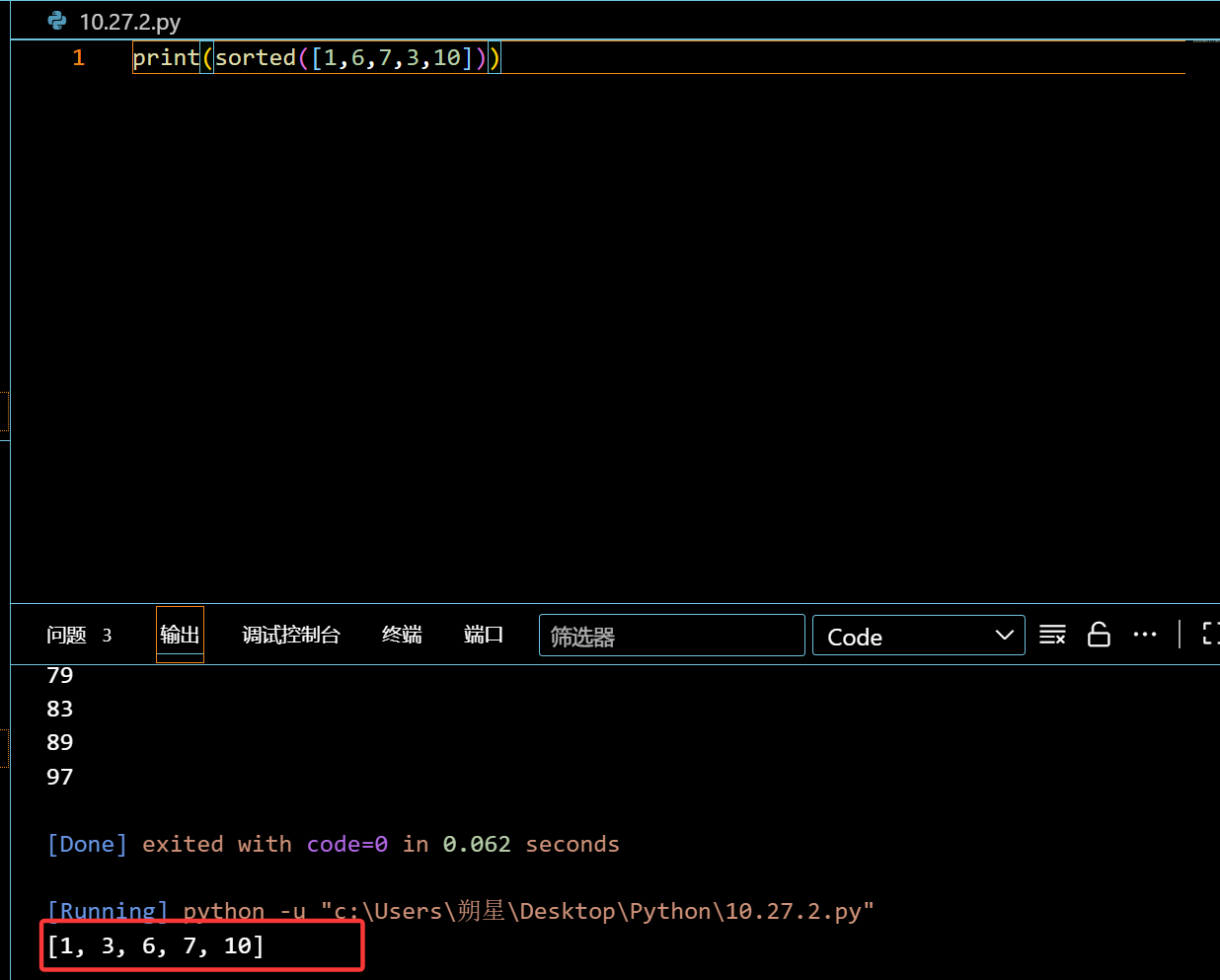
sorted:自动排序 (从小到大)

1
print(sorted([1,6,7,3,10]))

image-20251027103713389

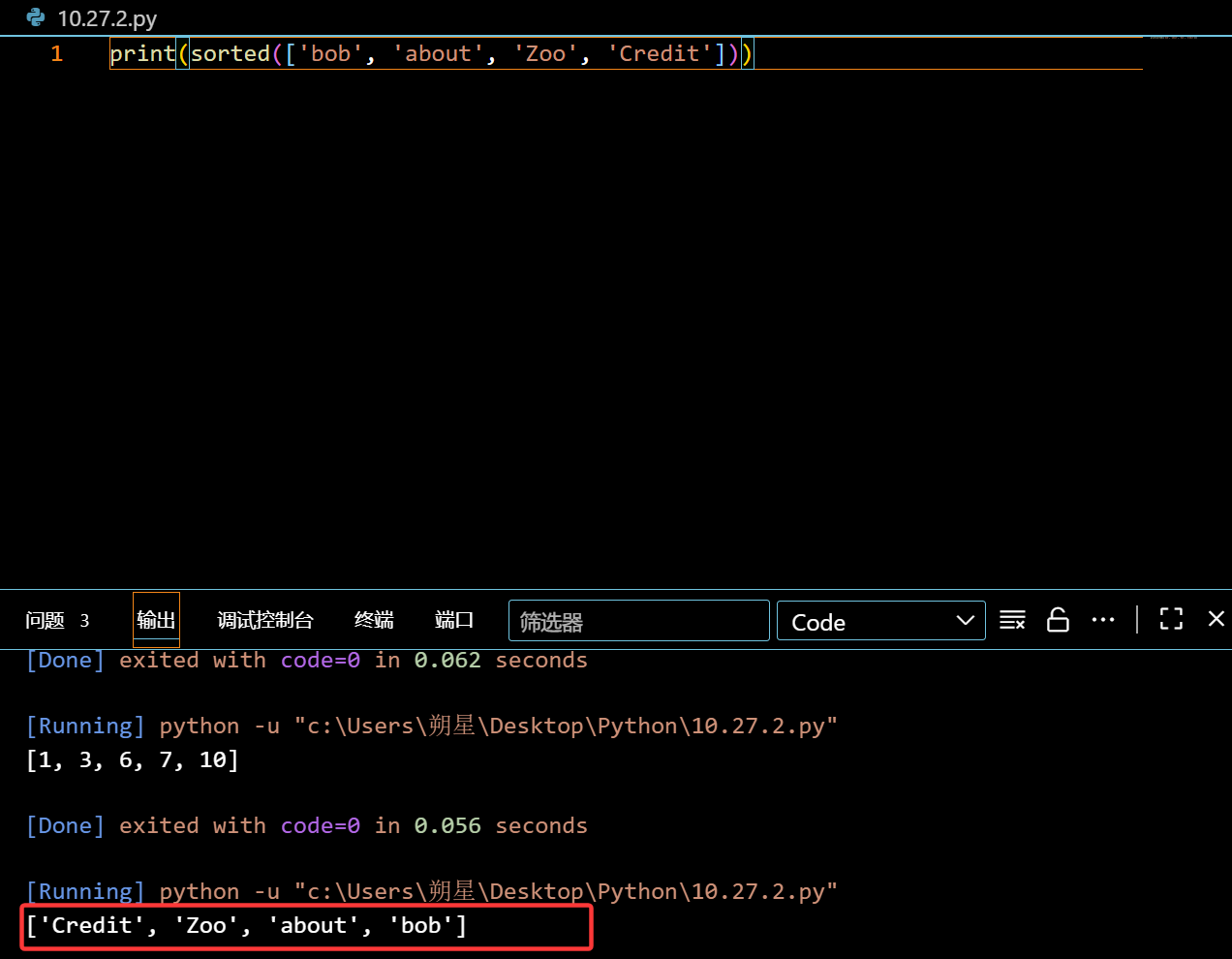
字母的话,则是第一位数:
1
print(sorted(['bob', 'about', 'Zoo', 'Credit']))

image-20251027103854817

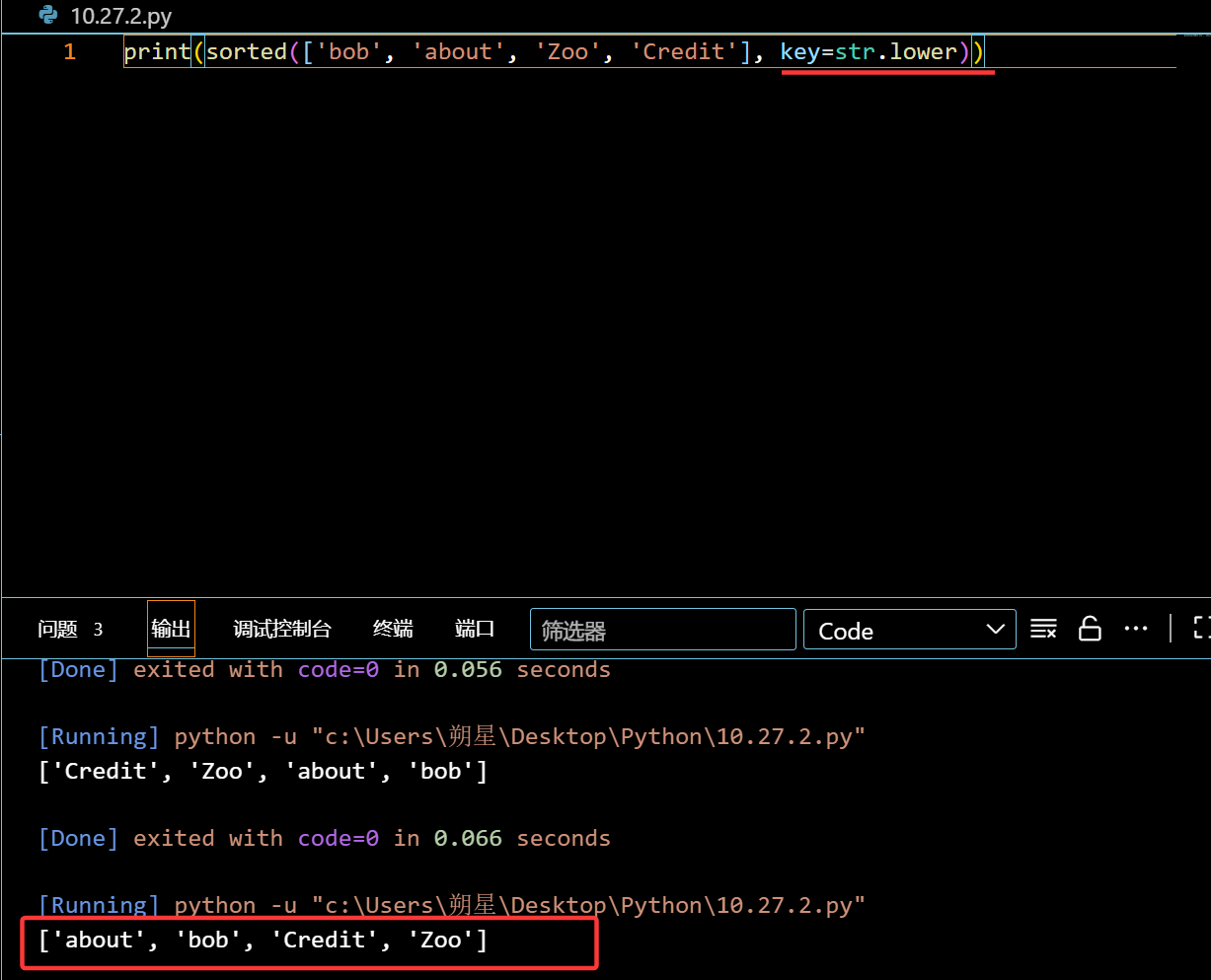
后面也可以跟一个函数,来先执行函数,再进行比大小:(key=函数)
1
2
print(sorted(['bob', 'about', 'Zoo', 'Credit'], key=str.lower))
#直接小写话对比后,再排队(不会改变原有的型态)

image-20251027104022245

返回函数:

函数嵌套函数:(闭合)

1
2
3
4
5
6
7
8
9
10
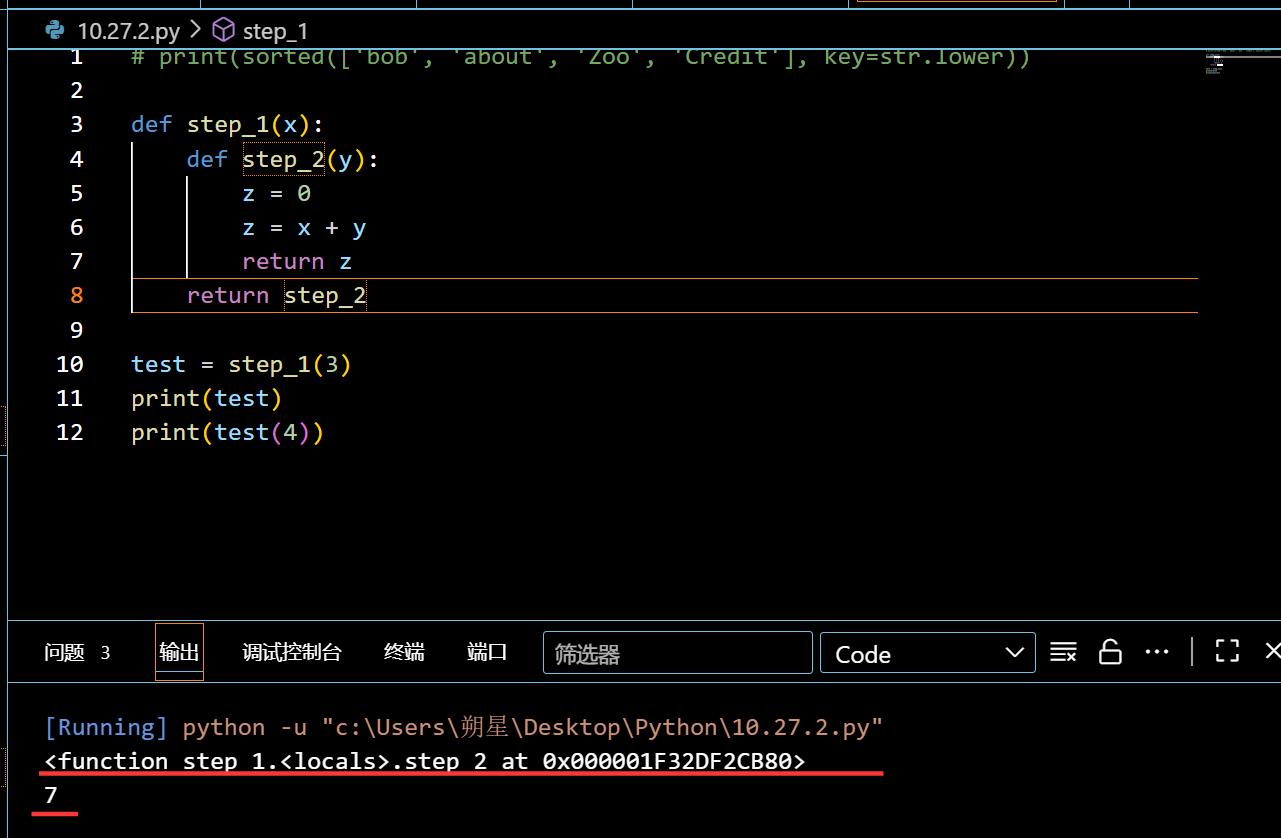
def step_1(x):
def step_2(y):
z = 0
z = x + y
return z
return step_2

test = step_1(3)
print(test)
print(test(4))

image-20251027122222113

第一次给 test 赋值的时候,会返回 step_2 这个函数,且此时会记住 x 的值,再次test 赋值的时候,就相当于给 step_2 赋值了,所以就可以获取到想要的结果了。

匿名函数:(lambda)

1
2
3
4
5
6
7
8
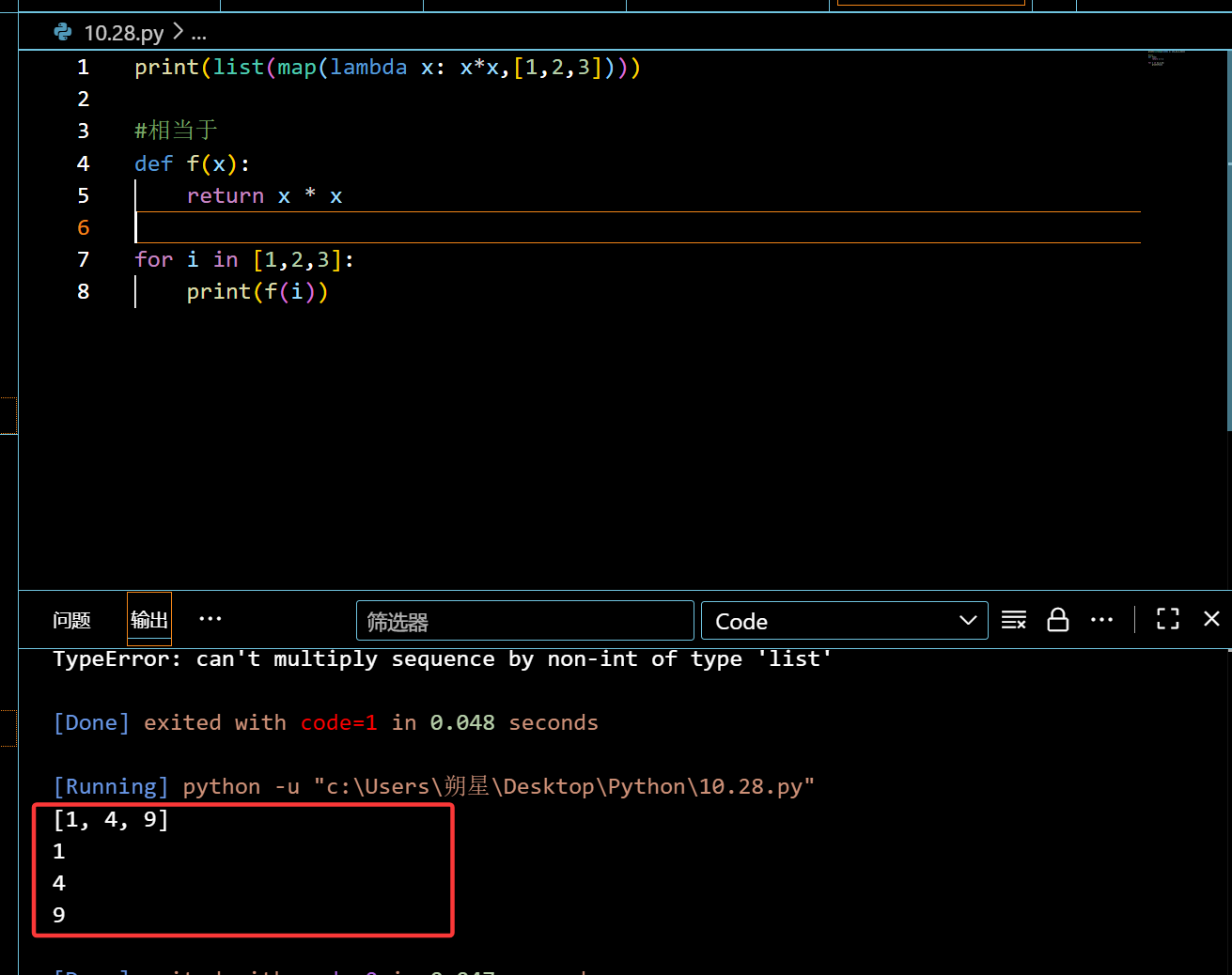
print(list(map(lambda x: x*x,[1,2,3])))

#相当于
def f(x):
return x * x

for i in [1,2,3]:
print(f(i))

image-20251028232937297

也可以写成返回函数:

1
2
def build(x, y):
return lambda: x * x + y * y

相当于:

1
2
3
4
5
def build(x, y):
# 定义一个内层函数,无参数,引用外层的x和y
def inner():
return x * x + y * y
return inner # 返回内层函数

调用模块

模块本质上就是一个一个 py文件

标准模板:

1
2
3
4
5
6
7
8
9
10
11
12
13
14
15
16
17
18
19
20
21
#!/usr/bin/env python3
# -*- coding: utf-8 -*-

' a test module ' #说明书,来说明这个模块的
#导入模块后,print(模块名.__doc__) 会输出这句话

__author__ = 'Michael Liao' #作者名字,没有实际作用

import sys

def test():
args = sys.argv
if len(args)==1:
print('Hello, world!')
elif len(args)==2:
print('Hello, %s!' % args[1])
else:
print('Too many arguments!')

if __name__=='__main__':
test()

引入模块:

1
2
3
4
5
6
import hello		#如果刚才那个文件被命名为 hello.py

#没有打印Hello, word!,因为没有执行test()函数

print(hello.test())
#才能成功输出调用

调用区别:

1
2
3
_name		#一条下划线:建议不要调用
__name #两条下划线:强制无法调用
__name__ #魔术方法:Python 预定义的特殊变量

魔术方法:(预制菜)

1
2
3
4
__file__:返回当前模块(.py 文件)的绝对路径或相对路径

print(f"当前文件路径: {__file__}")
# 输出类似:C:\project\test.py(Windows 或 /home/project/test.py(Linux)

类:

定义:

就是人工预制,在一个类里可以自己设定几个功能:

1
2
3
4
5
6
7
8
9
10
class student():
def __init__(self,name,socer):
#必要的基础设定,设定你的传入数值要送给谁
#__init__:创建的时候自动调用来赋值
self.one = name #one,two可以随意命名
self.two = socer

def print_one(self):
#自定义的功能,这里设定的功能是打印
print(f'你的名字是:{self.one},你的分数是:{self.two}')

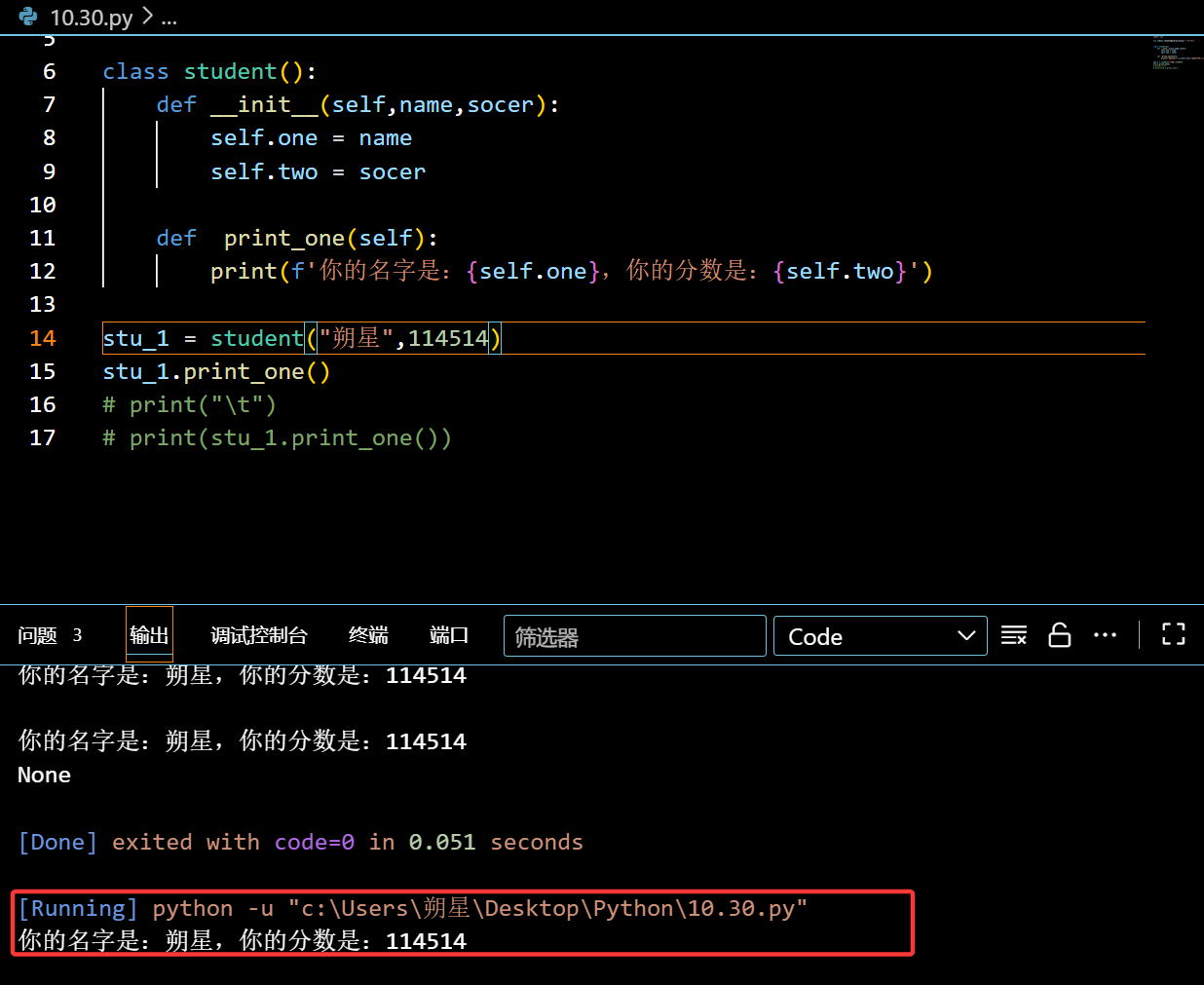
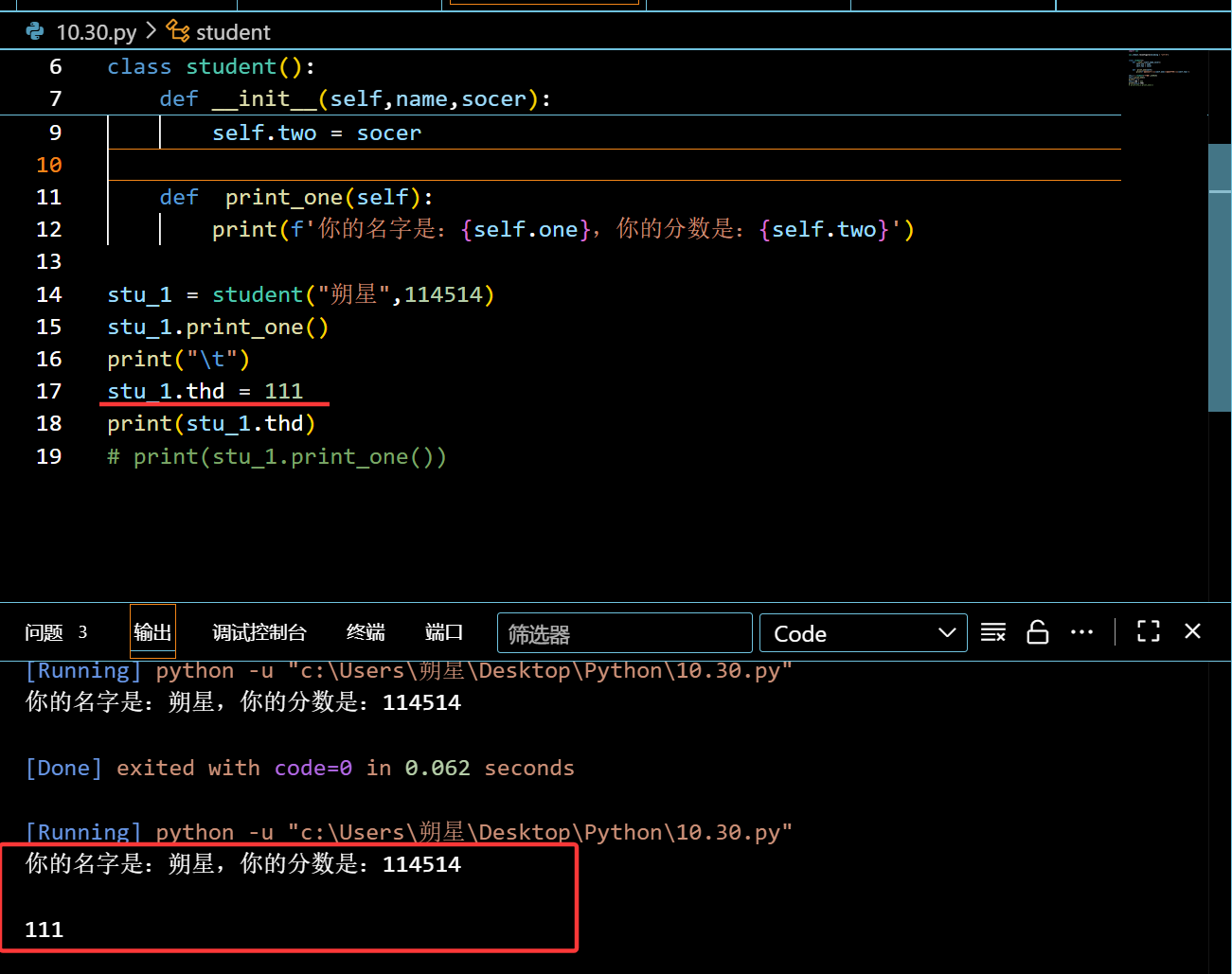
怎么调用:

1
2
stu_1 = student("朔星",114514)	#先创建一个对象,给他赋值
stu_1.print_one() #调用对象中预定好的功能

image-20251030112849850

也可以自由赋值:

1
2
stu_1.thd = 111
print(stu_1.thd)

image-20251030113536747

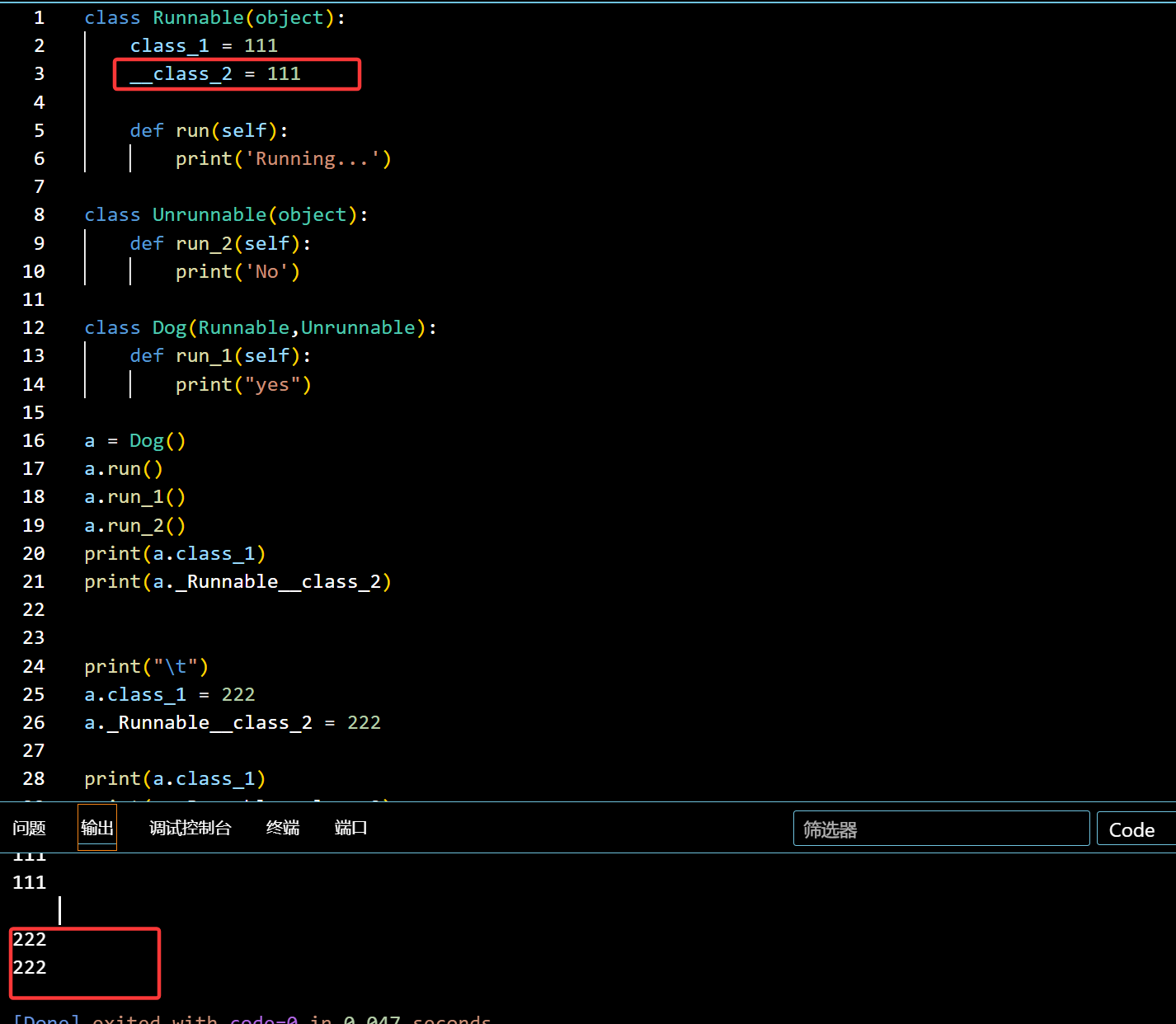
外部是否能正常访问:

1
2
3
4
5
6
7
8
9
10
11
12
13
14
15
16
17
18
19
20
21
22
23
24
25
26
27
28
29
30
class Runnable(object):
class_1 = 111
__class_2 = 111

def run(self):
print('Running...')

class Unrunnable(object):
def run_2(self):
print('No')

class Dog(Runnable,Unrunnable):
def run_1(self):
print("yes")

a = Dog()
a.run()
a.run_1()
a.run_2()
print(a.class_1)
print(a._Runnable__class_2)


print("\t")
a.class_1 = 222
a._Runnable__class_2 = 222 #测试更改

print(a.class_1)
print(a._Runnable__class_2)

image-20251110151247889

虽然是私有的,但是只要前面加上了类的名字,还是能成功修改的

完全无法修改:(@property)

1

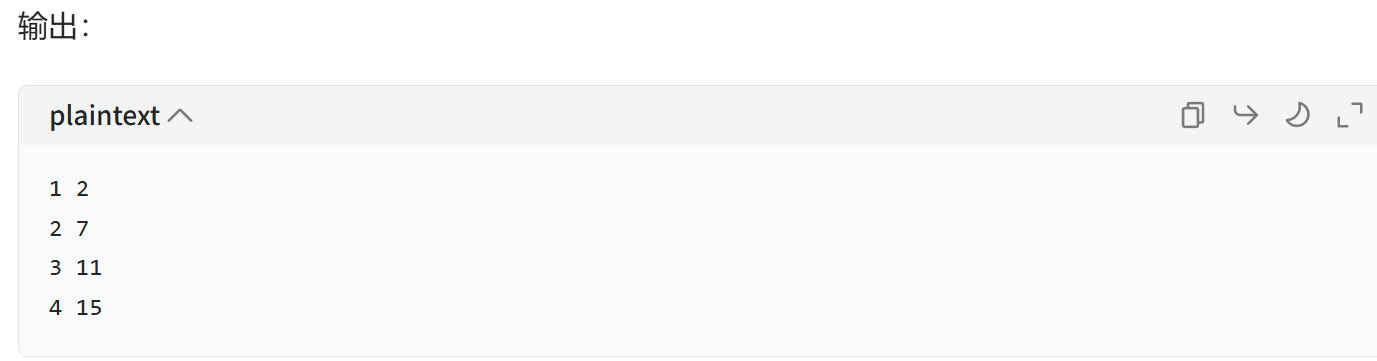
enumerate函数:

直接读取目标列表中的值并且赋值,用于循环:

1
2
3
4
nums = [2,7,11,15]

for 索引, 元素 in enumerate(nums, start=1):
print(索引, 元素)

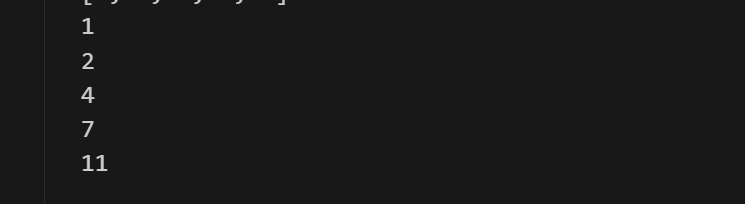
image-20251111221634526

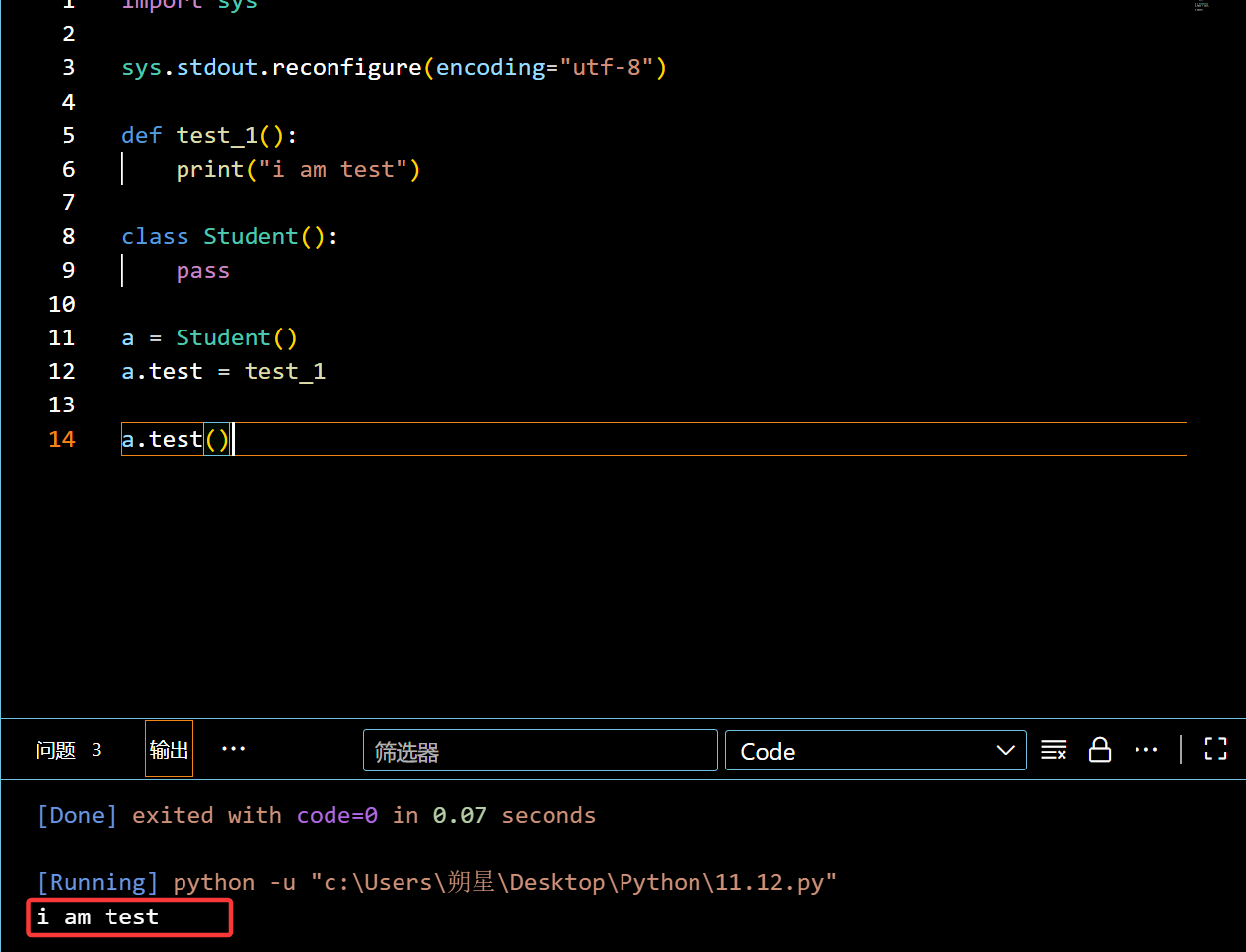
可以对类直接添加方法:

1
2
3
4
5
6
7
8
9
10
11
12
13
14
import sys

sys.stdout.reconfigure(encoding="utf-8")

def test_1():
print("i am test")

class Student():
pass

a = Student()
a.test = test_1

a.test()

image-20251113001306092

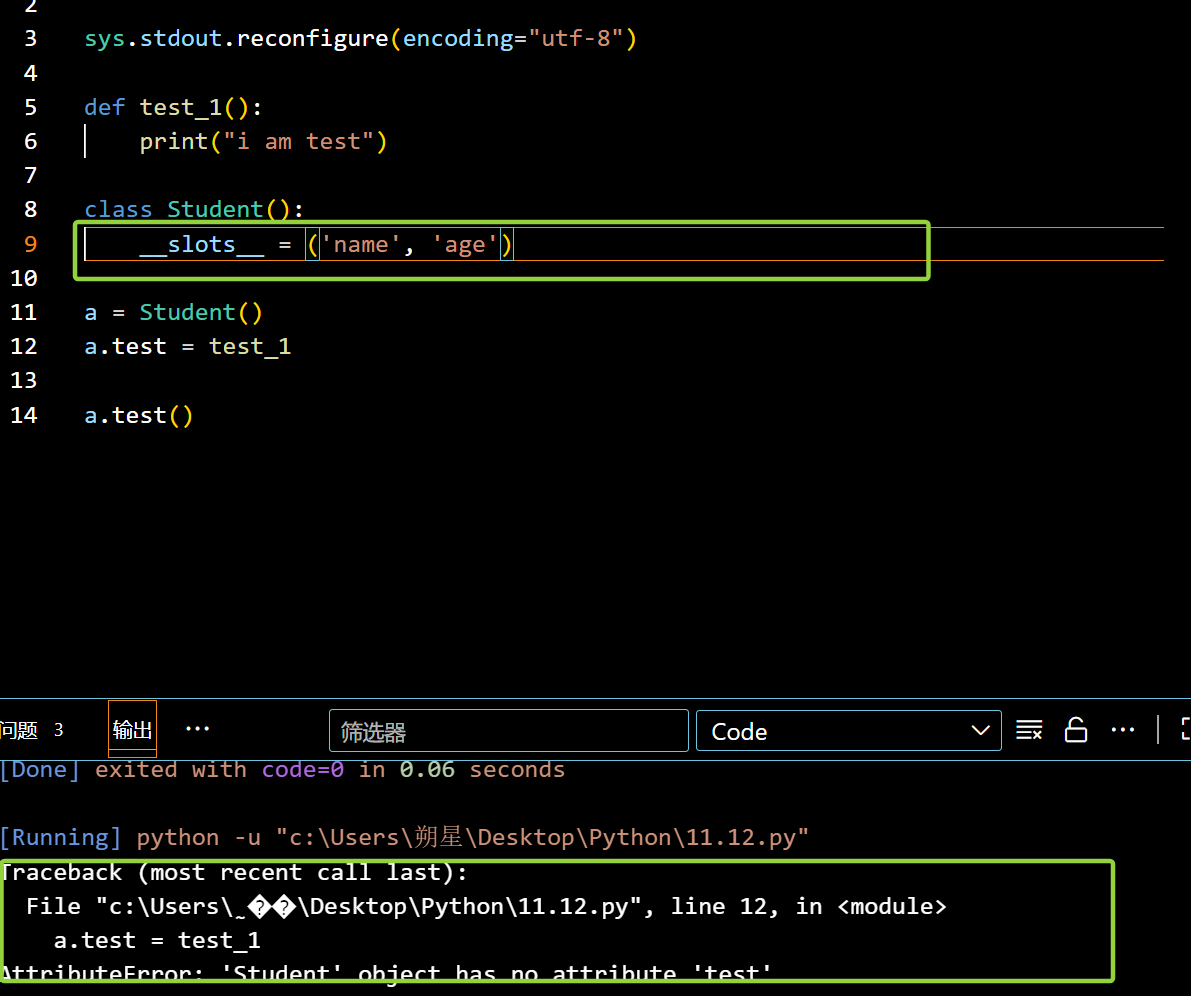
在外部对类的添加加上限制:(__slots__)

1
2
3
4
5
6
7
8
9
class Student():
__slots__ = ('name', 'age')
#此时被加了限制
#只有name 和 age 可以成功赋值

a = Student()
a.test = test_1

a.test()

image-20251113001703415

1
2
3
4
5
6
7
8
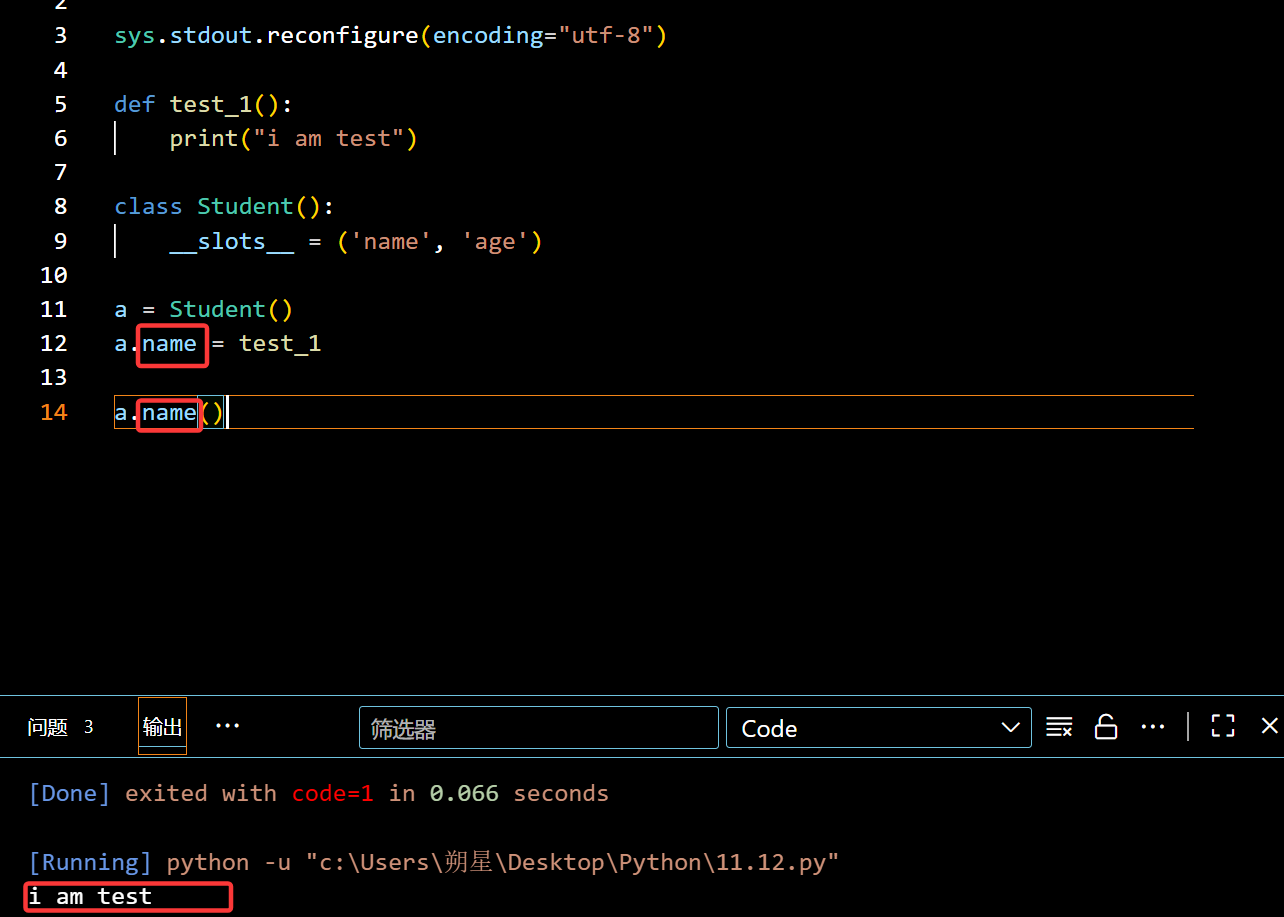
class Student():
__slots__ = ('name', 'age')

a = Student()
a.name = test_1
#此时类里面的方法,属性都只能用这两个命名

a.name()

image-20251113002521216

装饰器:(@property + self)

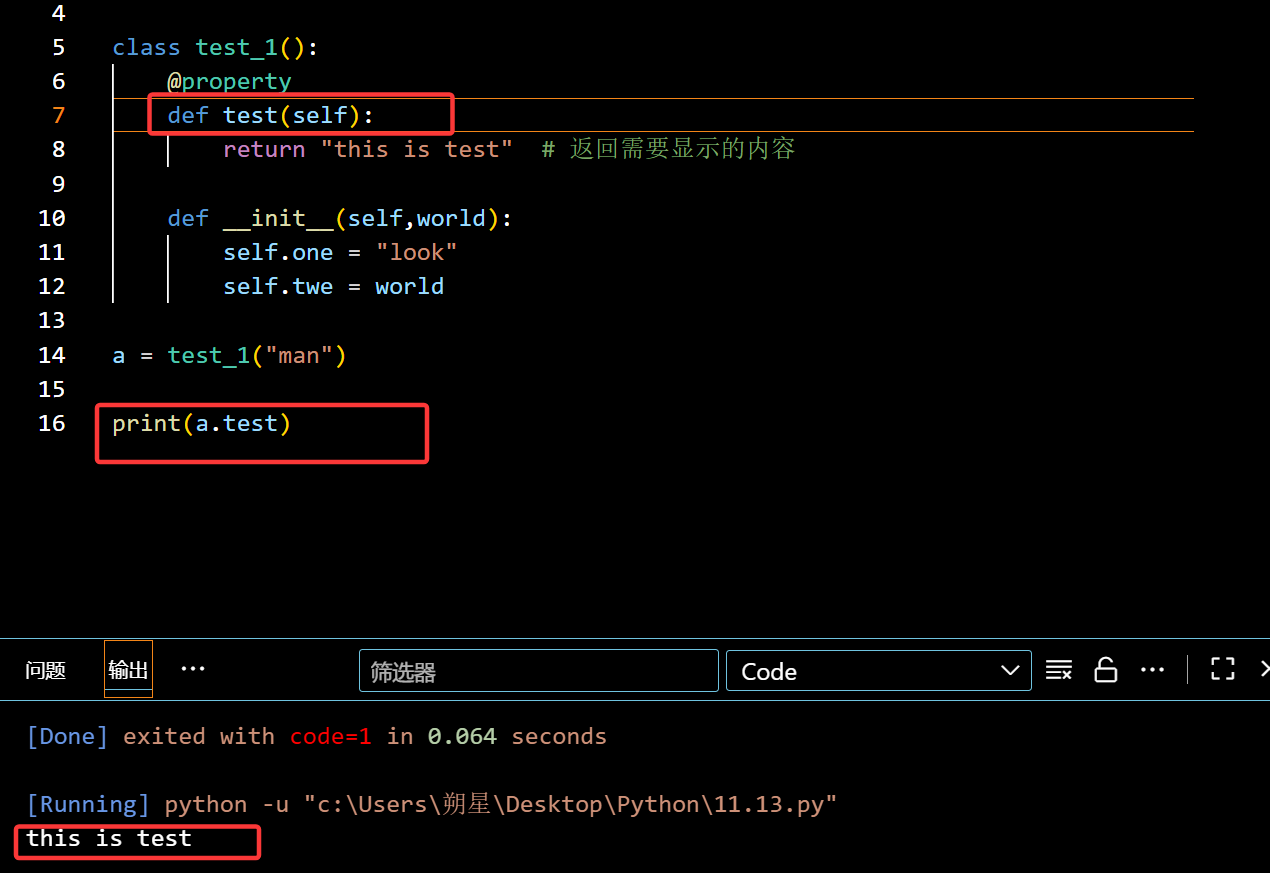
@property:

用于让方法变成属性,不需要 () 也能调用

1
2
3
4
5
6
7
8
9
10
11
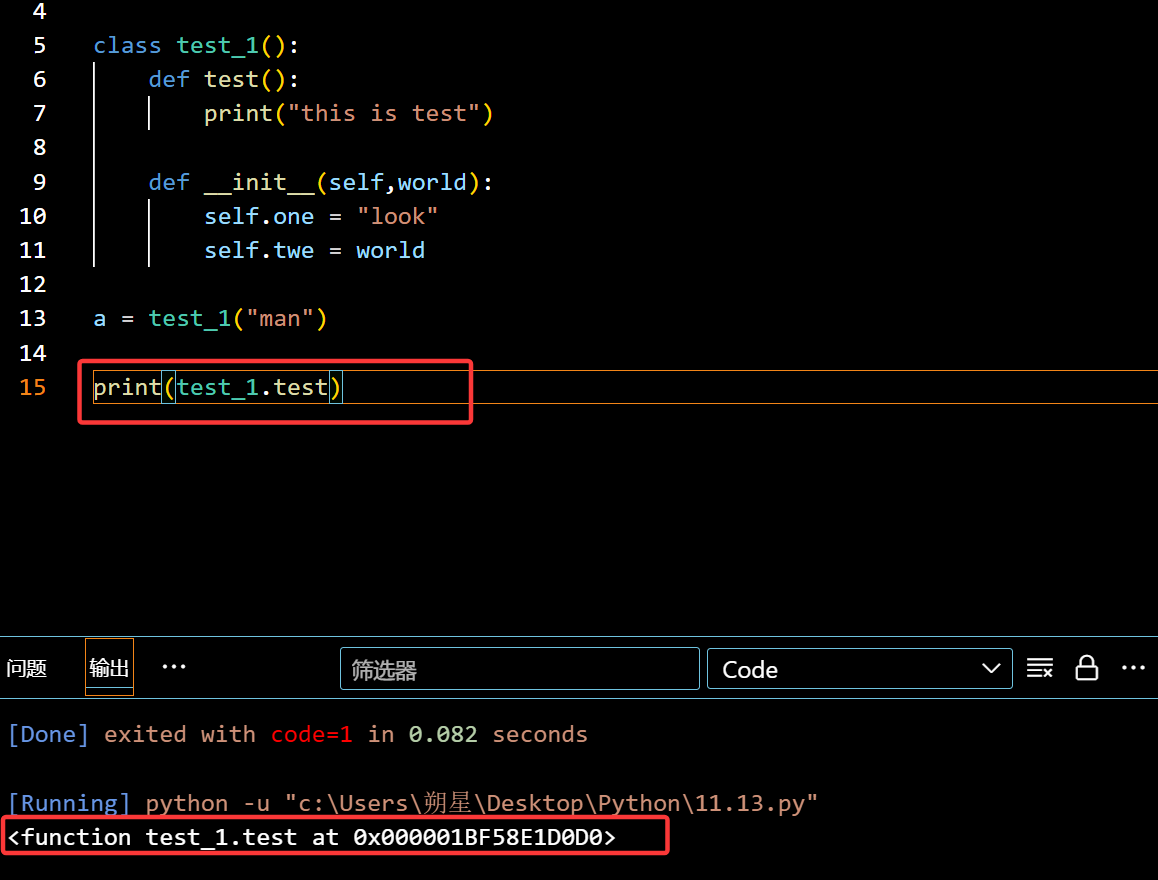
class test_1():
def test(self):
return "this is test" # 返回需要显示的内容

def __init__(self,world):
self.one = "look"
self.twe = world

a = test_1("man")

print(a.test)

image-20251113134341200

没有修饰词,此时直接调用(没加 () )就只会显示地址

这里错了,应该是引用a,而不是直接引用 类

报错:(没在目标加入self)
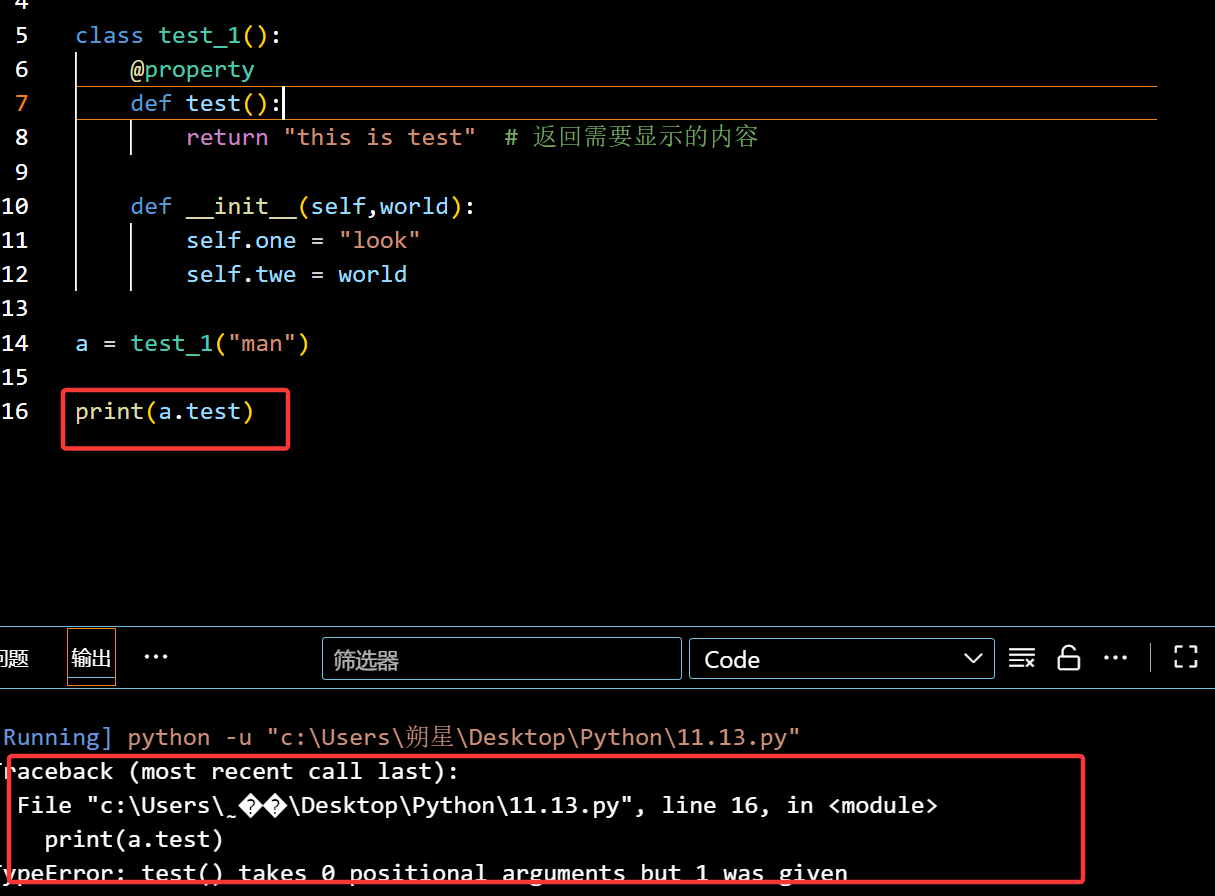
image-20251113134901223

正确:

image-20251113134951419

装饰器:(@属性名.setter —》 附属装饰器)

定下限制规则的装饰器

1
2
3
4
5
6
7
8
9
10
11
12
13
14
15
16
17
18
19
20
21
class Student(object):
@property #必须先写@property,用于定位
def score(self):
return self._score

@score.setter #写下规则
def score(self, value): #也要先写self
if not isinstance(value, int):
raise ValueError('score must be an integer!')
if value < 0 or value > 100:
raise ValueError('score must between 0 ~ 100!')
self._score = value # 校验通过后,才把值存到 _score

# 使用时,完全像普通属性一样!
s = Student()
s.score = 90
print(s.score)

# 赋值无效值时,会触发校验报错
# s.score = 150 # ValueError: score must between 0 ~ 100!
# s.score = "90" # ValueError: score must be an integer!